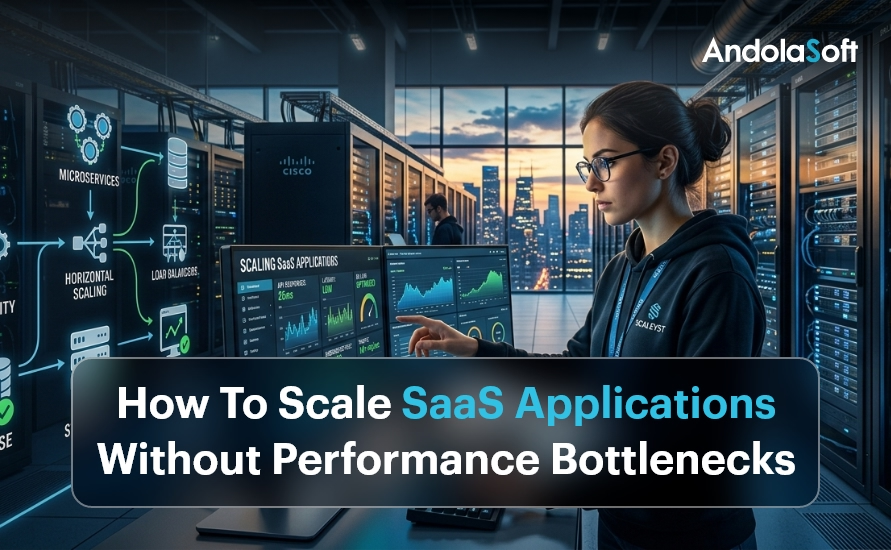
How To Scale SaaS Applications Without Performance Bottlenecks

Introduction: Why SaaS Scaling Is More Critical Than Ever

Every SaaS company dreams of rapid growth. But when thousands of new users flood your platform overnight, can your application keep up? Scaling SaaS applications without performance bottlenecks is no longer optional — it is the difference between retaining customers and losing them forever.

In 2025, the global SaaS market crossed $317 billion, and competition is fierce. Users expect sub-second load times, 99.99% uptime, and seamless experiences across devices. One slow API response or a database timeout can cost you thousands in churned subscriptions.

The good news? Bottlenecks are preventable. With the right cloud infrastructure strategy and architecture decisions, your SaaS platform can scale smoothly — from 100 users to 10 million.

This guide covers proven, battle-tested techniques to help startups, SMEs, and SaaS companies eliminate performance problems before they happen. Let’s dive in.

SaaS Scaling Without Bottlenecks (2026)

  • SaaS growth demands high performance, uptime, and seamless user experience
  • Bottlenecks often originate from databases, monolithic systems, and inefficient APIs
  • Auto-scaling and load balancing handle unpredictable traffic spikes
  • Database optimization, caching, and async processing improve performance significantly
  • Monitoring and CI/CD pipelines ensure continuous performance improvements
  • AI-driven automation enhances scalability and reduces downtime

What Are SaaS Performance Bottlenecks?

A performance bottleneck is any point in your system that slows down the entire application when load increases. Think of it like a traffic jam on a highway — a single lane restriction can back up miles of traffic.

Common SaaS bottlenecks include overloaded databases struggling with concurrent queries, monolithic codebases that can’t scale individual features independently, insufficient server resources during traffic spikes, inefficient API endpoints making redundant calls, no caching layer forcing every request to hit the database, and poorly optimized front-end assets slowing page loads.

Identifying these early is the first step. Our application modernization services help businesses diagnose legacy bottlenecks and re-architect systems for scale.

1. Adopt a Microservices Architecture

The single biggest architectural decision that enables SaaS scalability is moving from a monolith to microservices. In a monolithic application, every feature runs in a single codebase. When one service gets overwhelmed, the entire application slows down.

Microservices break your application into small, independently deployable services. Your billing module, user authentication, notification engine, and analytics dashboard can each scale independently — without impacting each other.

Real-World Example

A fast-growing HR SaaS company we worked with at Andolasoft processed payroll for 500 clients. During payroll run day, their monolith crashed repeatedly. After migrating to microservices using our AI framework services, their payroll service scaled to 10x load independently — without affecting other modules.

Key benefits of microservices for SaaS include independent scaling of high-demand modules, faster deployment cycles, improved fault isolation, and better team autonomy for engineering squads. Combine this with our intelligent automation solutions to auto-deploy and manage microservices efficiently.

2. Implement Auto-Scaling and Load Balancing

Auto-scaling is the ability of your infrastructure to automatically spin up new server instances when traffic spikes and remove them when load drops. Load balancing distributes incoming requests evenly across these instances.

Together, they ensure your SaaS application never gets overwhelmed — even during viral growth moments or marketing campaigns that bring unexpected surges.

Horizontal scaling adds more servers to handle load. This is preferred for SaaS because it avoids single points of failure. Vertical scaling upgrades existing servers — useful for databases but has a ceiling.

Use cloud-native auto-scaling tools like AWS Auto Scaling Groups, Google Cloud Autoscaler, or Azure VMSS. Configure scale-out triggers based on CPU usage, memory, and request count thresholds. Our cloud and infrastructure services team designs auto-scaling policies tailored for SaaS workloads.

3. Optimize Your Database for High-Traffic SaaS

The database is the most common performance bottleneck in SaaS applications. As your user base grows, poorly structured queries and missing indexes can bring your entire platform to its knees.

Read replicas distribute read queries across multiple database instances, freeing your primary database for writes. This alone can reduce database load by 60–70% for read-heavy SaaS apps. Database sharding partitions data horizontally across multiple instances for dramatically improved query performance at scale.

Connection pooling with tools like PgBouncer prevents connection exhaustion under high concurrency. Query optimization — regularly run EXPLAIN ANALYZE on slow queries, add composite indexes for frequent query patterns, and avoid N+1 query problems with eager loading in your ORM.

Our data and analytics experts help SaaS teams redesign data models for massive scale. We specialize in NBFC data analytics and BFSI analytics platforms that handle millions of transactions daily.

4. Use Caching Aggressively at Every Layer

Caching is one of the most powerful tools to eliminate performance bottlenecks. Instead of recomputing the same result on every request, you store and return pre-computed results instantly.

Application-level caching using Redis or Memcached stores session data and frequently accessed objects in memory — dropping response times from hundreds of milliseconds to under 5ms. Database query caching stores the results of expensive queries so repeated requests don’t hit the database. CDN caching for static assets serves files from edge nodes closest to the user, reducing Time to First Byte (TTFB) by up to 80%.

A well-designed caching strategy, implemented alongside our application modernization process, reduces infrastructure costs while boosting performance significantly.

5. Build for Asynchronous Processing

Not every task needs to happen in real time. Sending welcome emails, generating PDF invoices, processing video uploads — these can all happen asynchronously without blocking the user experience.

Use message queues like RabbitMQ, Apache Kafka, or AWS SQS to offload background jobs. Your main application handles user requests instantly and pushes heavy tasks to background workers.

Our enterprise integration services team builds robust queue-based architectures that handle millions of background tasks without impacting front-end performance.

Use Case: SaaS Reporting Engine

An Andolasoft client’s analytics SaaS was timing out when users requested large reports. We implemented async report generation with Kafka queues. Users now receive an email with their report link — generated in the background. Zero timeouts. Zero frustrated users.

6. Optimize Your React and Python Backends

Your front-end and back-end code directly impacts SaaS performance. Poorly written React components re-render unnecessarily. Python endpoints without async support block under concurrency.

For React performance, use React.memo() and useMemo() to prevent unnecessary re-renders, implement code splitting and lazy loading for large components, virtualize long lists with react-window, and optimize bundle size with tree shaking. Our React.js development team specializes in building high-performance SaaS front-ends that score 90+ on Core Web Vitals.

For Python backend optimization, use FastAPI over Flask for async-native APIs, implement connection pooling with SQLAlchemy async sessions, profile with cProfile and py-spy to find CPU bottlenecks, and use Celery for distributed task processing. Our Python development experts build scalable, async-first backends that handle thousands of concurrent users efficiently.

7. Set Up Monitoring, Observability and Alerting

You can’t fix what you can’t see. Comprehensive monitoring is the foundation of a scalable SaaS architecture. Without it, bottlenecks hide in plain sight until they cause outages.

APM (Application Performance Monitoring) tools like Datadog, New Relic, or Dynatrace give end-to-end visibility into every transaction — showing exactly which database query, API call, or service is causing slowdowns. Distributed tracing with OpenTelemetry tracks a single user request across all microservices. Real User Monitoring (RUM) captures performance data from actual users’ browsers, identifying geographic performance issues and JavaScript errors in production.

Our enterprise IT security team integrates monitoring with security alerting, detecting both performance issues and threats simultaneously. Combine this with our software quality assurance processes for continuous performance testing in CI/CD pipelines.

8. Implement a Robust CI/CD Pipeline

Slow, manual deployments create bottlenecks in your engineering workflow — and risky big-bang releases cause performance regressions. A CI/CD pipeline automates testing, building, and deployment so your team ships fast and safe.

Key practices for SaaS CI/CD: run automated load tests on every PR using k6 or Locust, use blue-green deployments for zero-downtime shipping, implement feature flags for gradual rollouts, and containerize with Docker and Kubernetes for consistent scaling. Our innovation and product R&D team builds CI/CD pipelines that reduce deployment risk while accelerating release velocity.

9. Leverage AI and Intelligent Automation

Modern SaaS scaling goes beyond infrastructure. AI-driven autoscaling predicts traffic spikes before they happen. Intelligent automation handles repetitive operational tasks — freeing your team to focus on growth.

Our autonomous AI assistants monitor your SaaS platform, automatically trigger scaling events, and generate incident reports without human intervention — dramatically reducing Mean Time To Recovery (MTTR).

Our digital strategy and transformation services help SaaS companies build AI-first scaling strategies aligned with long-term business goals.

How Andolasoft Helps You Scale SaaS Without Limits

Andolasoft has been helping startups and SMEs build and scale SaaS platforms for over 15 years. Our full-stack expertise spans cloud infrastructure, application modernization, AI automation, and data analytics — everything you need to grow without bottlenecks.

Whether you need to re-architect a legacy monolith, set up auto-scaling infrastructure, or optimize a slow database, our team has done it before — for clients in BFSI, NBFC, healthcare, HR tech, and e-commerce. Explore our core SaaS scaling capabilities:

Conclusion: Scale Smart, Scale Fast

Scaling SaaS applications without performance bottlenecks is a systematic effort — not a one-time fix. It requires the right architecture, smart infrastructure choices, proactive monitoring, and continuous optimization.

Start with the highest-impact changes: move to microservices, implement auto-scaling, add a caching layer, and set up APM monitoring. Then layer in async processing, CI/CD automation, and AI-driven operations as you grow.

The companies that win in SaaS are the ones that treat scalability as a core product feature — not an afterthought. Andolasoft is here to help you build that foundation. Explore our blog for more SaaS engineering best practices, or speak to our digital governance team to audit your current architecture..

Frequently Asked Questions

1.  How do I identify performance bottlenecks in my SaaS application?

Use APM tools like Datadog or New Relic to trace slow transactions. Enable slow query logging in your database. Run load tests with k6 or Locust to simulate high traffic and identify breaking points before they affect real users.

2. When should a SaaS company move to microservices?

Move to microservices when your monolith’s deployment cycles slow your team down, specific modules experience uneven load, or different parts of your app need independent scaling. For early-stage startups, a well-structured monolith is still fine.

3. What is the best database for high-scale SaaS?

PostgreSQL with read replicas works for most SaaS applications. For extremely high-read workloads, add Redis for caching. For massive write throughput, explore distributed databases like CockroachDB or Amazon Aurora.

4. How much does it cost to scale a SaaS application?

Costs vary widely. Proper auto-scaling can reduce costs by 30–50% compared to over-provisioned static infrastructure. The key is right-sizing your resources with intelligent auto-scaling policies.

5. What is horizontal vs. vertical scaling for SaaS?

Horizontal scaling adds more servers to handle load — preferred for SaaS as it avoids single points of failure. Vertical scaling upgrades a single server’s resources — simpler but limited by hardware constraints and single points of failure.


7 Proven AI Automation Hacks to Boost Your Enterprise Output

According to McKinsey, over 60% of occupations have at least 30% of activities that can be automated with current AI. Yet only 13% of enterprises have deployed AI at scale. That gap represents a massive competitive opportunity — or a serious risk if you fall behind. AI automation is not just about replacing tasks. It is about amplifying human potential. When you automate the routine, your teams focus on strategy, creativity, and customer relationships. Consequently, enterprises that adopt intelligent automation see measurable improvements in speed, accuracy, and profitability.

Furthermore, the rise of autonomous AI assistants means automation is no longer limited to simple rule-based tasks. Modern AI handles complex decision-making, natural language processing, and predictive analytics — all in real time.

Hack #1: Automate Your Repetitive Data Entry and Processing

Data entry is one of the most expensive time sinks in enterprise operations. Studies show that employees spend an average of 4.5 hours per week on manual data entry tasks. Multiply that across hundreds of staff, and the cost becomes staggering.

AI-powered Optical Character Recognition (OCR) combined with intelligent data extraction can automatically capture, validate, and route information from invoices, forms, emails, and documents. Therefore, your finance, HR, and operations teams reclaim dozens of hours every week.

Real-world example: A mid-size logistics firm automated invoice processing using AI OCR and reduced processing time from 3 days to under 4 hours — a 95% improvement in throughput.

How to implement this:

  • Identify the top 5 repetitive data entry tasks in your organization
  • Deploy an AI-powered document processing solution integrated with your ERP
  • Leverage AI framework services to build custom extraction pipelines
  • Set up validation rules and exception workflows for edge cases

Additionally, pairing this with Python development allows you to build robust automation scripts that handle complex data transformation logic with precision.

Hack #2: Use AI Chatbots to Handle Tier-1 Support at Scale

Enterprise support teams spend nearly 80% of their time answering the same questions. AI-powered chatbots and virtual assistants can handle Tier-1 inquiries 24/7 — instantly, accurately, and without fatigue.

Modern enterprise chatbots go far beyond scripted responses. They understand context, escalate complex issues, integrate with CRM and helpdesk systems, and continuously learn from interactions. As a result, first-contact resolution rates improve significantly.

Key benefits for enterprises:

  • Reduce support ticket volume by up to 60%
  • Provide instant responses across web, email, and messaging channels
  • Free senior agents for complex, high-value customer interactions
  • Integrate seamlessly with existing enterprise platforms

Leading enterprises deploy autonomous AI assistants that handle onboarding queries, IT support, HR FAQs, and sales qualification simultaneously — without adding headcount.

Hack #3: Deploy Predictive Analytics to Stay Ahead of Demand

The most agile enterprises do not just react — they predict. AI-powered predictive analytics processes historical data, market signals, and real-time inputs to forecast demand, identify risks, and surface opportunities before they become obvious.

According to Gartner, enterprises using predictive analytics reduce supply chain costs by up to 15% and improve forecast accuracy by over 85%. That translates directly into revenue protection and competitive advantage.

Where to apply predictive analytics in your enterprise:

  • Sales forecasting: Predict pipeline closures and revenue with greater accuracy
  • Inventory management: Avoid stock-outs and overstock situations automatically
  • Churn prediction: Identify at-risk customers before they disengage
  • Maintenance scheduling: Predict equipment failures before they cause downtime

Andolasoft’s data analytics services help enterprises build predictive models using cutting-edge machine learning frameworks tailored to your industry and data environment.

Furthermore, you can leverage Superset BI services to visualize these predictions in real-time dashboards that your leadership team can act on immediately.

Hack #4: Automate Your Entire Approval and Workflow Routing

Manual approval chains are enterprise productivity killers. Purchase orders, leave approvals, compliance sign-offs, and vendor onboarding — each one involves multiple people, multiple emails, and multiple delays. Research shows that approval bottlenecks cost enterprises 20% in lost productivity every year.

AI-powered workflow automation intelligently routes tasks, escalates exceptions, sends reminders, and closes loops — all without human intervention. Consequently, processes that took days now complete in hours.

Smart workflow automation features to deploy:

  • Dynamic routing based on request type, value, and urgency
  • Automated SLA tracking with escalation triggers
  • Parallel approvals to eliminate sequential bottlenecks
  • Audit trails and compliance documentation generated automatically

Andolasoft’s intelligent automation solutions connect approval workflows across your ERP, CRM, and HRMS systems. This creates a unified, automated enterprise process layer that eliminates silos.

For project-heavy organizations, combining workflow automation with enterprise project management tools ensures that every task, milestone, and deliverable moves forward without manual follow-up.

Hack #5: Leverage AI for Intelligent Document Management

Enterprises generate thousands of documents every week — contracts, reports, SOPs, compliance files, and proposals. Finding, managing, and acting on these documents manually wastes enormous time and creates significant risk.

AI-powered document management uses Natural Language Processing (NLP) to classify, tag, extract insights, and retrieve documents based on context rather than exact keywords. Therefore, your teams find the right information in seconds rather than hours.

Enterprise use cases for AI document management:

  • Contract review: AI flags risky clauses and extracts key terms automatically
  • Compliance management: Automatically categorize documents by regulatory requirements
  • Knowledge base automation: Convert unstructured data into searchable, actionable knowledge
  • Report generation: Auto-generate reports from structured data sources

Integrating document intelligence with your digital transformation strategy creates a foundation for a paperless, audit-ready enterprise. Moreover, pairing it with enterprise IT security ensures sensitive documents are handled with appropriate access controls and encryption.

Tools like OrangeScrum also complement document workflows by linking project deliverables to your team’s task management system for complete traceability.

Hack #6: Implement AI-Powered Quality Assurance Automation

Quality assurance is essential — but traditional QA is expensive, slow, and prone to human error. Enterprises that automate QA with AI see defect detection rates improve by up to 70%, while reducing testing cycles by more than half.

AI-driven QA automation uses machine learning to identify patterns in defects, predict failure points, and generate test cases autonomously. Additionally, it continuously learns from production incidents to improve future test coverage.

Where AI QA automation delivers the most value:

  • Software regression testing across complex enterprise applications
  • Manufacturing quality control using computer vision
  • Data quality validation in analytics and reporting pipelines
  • Automated compliance testing for regulatory requirements

Andolasoft’s software quality assurance services combine AI-powered testing frameworks with deep enterprise expertise. This ensures your releases are faster, your systems are stable, and your customers experience fewer disruptions.

For enterprises building modern web applications, integrating ReactJS development best practices with automated testing pipelines delivers both speed and reliability simultaneously.

Hack #7: Build a Unified AI Automation Layer Across Your Enterprise

The most powerful AI automation hack is not a single tool — it is building a connected automation ecosystem. Point solutions deliver incremental value. However, a unified AI automation layer that connects your CRM, ERP, HRMS, supply chain, and analytics delivers exponential output gains.

Enterprises that integrate automation across departments report up to 40% reduction in operational costs and 3x improvement in process velocity, according to Deloitte’s 2025 Enterprise Automation Report.

Building your unified AI automation layer:

  • Start with a comprehensive automation audit across all departments
  • Identify high-ROI processes for immediate automation priority
  • Deploy an integration middleware to connect disparate systems
  • Build an AI governance framework for monitoring and control
  • Scale continuously using low-code automation tools

Andolasoft’s application modernization services and cloud infrastructure services provide the technical foundation for a scalable, secure enterprise automation platform.

Moreover, leveraging innovation and R&D capabilities ensures your automation strategy stays ahead of emerging AI trends and maintains competitive differentiation.

How to Prioritize AI Automation in Your Enterprise: A Practical Framework

Not every process should be automated at once. Successful enterprises use a structured prioritization framework to maximize ROI from their automation investments.

Step 1 — Impact Assessment: Identify processes with the highest manual effort and error rates. These deliver the fastest ROI from automation.

Step 2 — Feasibility Analysis: Evaluate data availability, system integration complexity, and change management requirements for each candidate process.

Step 3 — Pilot and Validate: Run small-scale pilots before full deployment. Measure baseline metrics and track improvements rigorously.

Step 4 — Scale and Optimize: Once validated, scale automation across the organization. Use AI monitoring tools to continuously optimize performance.

Andolasoft’s team of automation specialists partners with enterprises at every stage of this journey. From strategy to implementation, explore our latest insights and service offerings to accelerate your transformation.

Additionally, platforms like IndPayroll demonstrate how automation can transform even highly regulated enterprise processes like payroll into efficient, error-free systems.

Conclusion: The Time to Automate Is Now

AI automation is no longer a future technology. It is a present competitive reality. Enterprises that implement these 7 proven AI automation hacks today will outpace, out-scale, and outperform their competition in 2026 and beyond.

The key is to start smart, move fast, and scale strategically. Whether you are automating data entry, deploying intelligent chatbots, or building a unified automation ecosystem, the tools and expertise are available right now.

Andolasoft helps enterprises across industries design, build, and deploy AI automation solutions that deliver measurable results. Our cross-functional expertise in intelligent automation, AI development, and enterprise integration makes us the ideal partner for your automation journey.

Frequently Asked Questions

1. What is AI automation for enterprises?

AI automation for enterprises refers to the use of artificial intelligence technologies — including machine learning, NLP, and computer vision — to automate complex business processes, reduce manual work, and improve operational efficiency across departments.

2. How does AI automation boost enterprise output?

AI automation eliminates repetitive tasks, reduces human error, accelerates process execution, and enables 24/7 operations. Consequently, enterprises process more work in less time with the same or fewer resources.

3. What processes can enterprises automate with AI in 2026?

Enterprises can automate data entry, document management, customer support, approval workflows, quality assurance, predictive analytics, HR onboarding, compliance reporting, and many other high-volume processes using AI in 2026.

4. Is AI automation expensive to implement for mid-sized enterprises?

Costs vary depending on complexity and scope. However, cloud-based AI platforms and scalable SaaS solutions have significantly reduced the entry barrier. Most mid-sized enterprises see positive ROI within 6–12 months of deployment.

5. How long does it take to implement enterprise AI automation?

Simple process automation can go live in 2–4 weeks. More complex, enterprise-wide automation ecosystems typically take 3–6 months to fully deploy. Starting with a pilot accelerates timelines and reduces risk.

6. What industries benefit most from AI automation?

Manufacturing, BFSI, healthcare, logistics, retail, and technology enterprises benefit enormously from AI automation. However, virtually every industry has high-value automation opportunities available today.

7. Can AI automation integrate with existing enterprise systems?

Yes. Modern AI automation platforms are designed with open APIs and pre-built connectors for popular ERP, CRM, HRMS, and supply chain systems. Andolasoft’s intelligent automation team specializes in seamless enterprise integration.

8. What is the difference between RPA and AI automation?

RPA (Robotic Process Automation) handles rule-based, structured tasks by mimicking human actions. AI automation goes further — it handles unstructured data, learns from patterns, makes decisions, and adapts to changing conditions without reprogramming.

9. How do enterprises measure the ROI of AI automation?

Key ROI metrics include: reduction in processing time, cost savings per process, error rate reduction, employee hours reclaimed, customer satisfaction improvement, and revenue impact from faster cycle times.

10. Where should an enterprise start with AI automation?

Start with your highest-volume, most repetitive processes — typically in finance, HR, or customer service. Run a focused pilot, measure results, and scale from there. Andolasoft’s automation experts can help you identify and prioritize the best starting points for your organization.

Why NBFCs Fail Without Smart Digital Transformation In 2026?

The financial services landscape has changed dramatically. Yet many Non-Banking Financial Companies (NBFCs) still cling to legacy systems, paper-based workflows, and outdated processes. The result? They lose customers, fall behind competitors, and face regulatory challenges they simply cannot manage. NBFC digital transformation is no longer optional — it is the difference between survival and failure in 2026.

If you run or manage an NBFC, you need to understand why digital transformation matters — and what happens when you ignore it. This guide breaks down the real reasons NBFCs fail without smart digital adoption, and how the right technology stack can turn things around fast. Furthermore, you will discover practical steps you can take starting today.

What Is Digital Transformation for NBFCs?

NBFC digital transformation refers to the integration of modern technologies — AI, cloud computing, automation, and data analytics — into every layer of an NBFC’s operations. It covers everything from loan origination and credit scoring to customer onboarding, compliance, and collections.

According to a 2025 RBI report, over 63% of NBFCs that failed regulatory audits had outdated digital infrastructure. Meanwhile, digitally mature NBFCs reported a 47% reduction in NPAs and a 58% increase in loan processing speed. The data is clear: digital transformation drives measurable results.

At Andolasoft, we help NBFCs modernize their tech stack through our comprehensive Digital Strategy and Transformation services — built specifically for financial institutions navigating today’s complex landscape.

Top Reasons NBFCs Fail Without Digital Transformation

1. Slow Loan Processing Kills Customer Trust

Customers expect loan approvals within hours — not days. Traditional NBFCs using manual workflows take 5–7 days on average to process a single loan application. Digital-first NBFCs complete the same process in under 4 hours. That speed gap is fatal in a competitive market.

Slow processing drives customers directly to fintech competitors. They rarely come back. Without intelligent automation, NBFCs simply cannot match the speed modern borrowers demand. Additionally, manual processing creates errors that delay approvals further and erode trust.

  • Manual data entry leads to errors and costly rework
  • Duplicate verification steps waste time and staff resources
  • Customers abandon applications mid-process due to friction
  • No real-time status updates frustrate borrowers and trigger support calls

2. Poor Credit Risk Assessment Leads to High NPAs

Legacy credit scoring models rely on outdated data. They miss critical signals — social behavior, transaction history, digital footprint — that modern AI systems use to predict risk accurately. This gap leads to bad loans and rising non-performing assets (NPAs).

AI-powered credit assessment tools analyze thousands of data points in real time. They reduce default risk by up to 35%, according to industry benchmarks. Our AI Framework Services help NBFCs build smarter underwriting engines that make accurate, lightning-fast decisions.

Furthermore, AI models continuously learn from new data. They get better over time — something no traditional credit bureau model can match.

3. Regulatory Non-Compliance Creates Existential Risk

RBI regulations for NBFCs tighten every year. Manual compliance tracking fails to keep up with changing norms. NBFCs that cannot demonstrate real-time compliance reporting face heavy penalties — or worse, license cancellation.

Our Digital Governance Solutions automate compliance monitoring and reporting, ensuring NBFCs stay audit-ready at all times. As a result, compliance becomes a strength rather than a vulnerability.

  • Automated regulatory reporting reduces manual errors by 80%
  • Real-time dashboards flag compliance gaps before audits happen
  • Audit trails are maintained automatically with tamper-proof logs
  • Policy change alerts ensure your team is always up to date

4. Data Silos Block Smart Decision-Making

Most traditional NBFCs store data across disconnected systems — spreadsheets, legacy ERPs, and paper files. This fragmentation prevents leaders from getting a unified view of their portfolio. Consequently, they make reactive decisions instead of proactive ones.

Without integrated data analytics, NBFCs miss early warning signs of portfolio stress. Our Data & Analytics services and specialized NBFC analytics solutions break down silos and give leadership teams real-time intelligence to act decisively.

5. Outdated Customer Experience Drives Churn

Borrowers today expect digital-first experiences. Mobile loan applications, instant e-KYC, digital repayment — these are baseline expectations in 2026. NBFCs without modern customer portals see 3x higher churn rates than their digital counterparts.

Moreover, poor UX damages your brand reputation online. Negative reviews on Google and social platforms deter new borrowers. Our ReactJS Development team builds high-performance borrower portals and mobile apps that delight users and drive retention.

6. Security Vulnerabilities Invite Fraud and Data Breaches

Financial data is a prime target for cybercriminals. NBFCs running outdated infrastructure are easy targets. A single data breach can cost an NBFC crores in fines, litigation, and reputational damage — sometimes permanently.

Our Enterprise IT Security services implement multi-layered security frameworks — from end-to-end encryption to 24/7 threat monitoring — keeping NBFC data safe around the clock. Therefore, security becomes a competitive advantage, not a liability.

7. Inability to Scale Limits Growth Opportunities

When loan volumes surge during festive seasons or economic booms, traditional NBFCs struggle to scale operations. Infrastructure bottlenecks cause system crashes. Manual processes create backlogs that last weeks. The inability to scale fast means lost business.

Cloud infrastructure solves this entirely. Our Cloud & Infrastructure Services help NBFCs build elastic, scalable platforms that grow with demand — without downtime or performance degradation. As a result, you capture demand spikes instead of losing them.

  • Auto-scaling handles traffic spikes during peak lending seasons
  • Cloud-first infrastructure reduces operational costs by up to 40%
  • Built-in disaster recovery ensures zero data loss during outages
  • Pay-as-you-grow models align costs with actual business volume

8. Legacy Systems Are Expensive and Fragile

Old systems break often. They require expensive, specialized support staff. Security patches are costly and risky to apply. Every rupee spent maintaining legacy infrastructure is a rupee not invested in growth or customer experience.

Application modernization replaces aging systems with modern, maintainable platforms. Our Application Modernization practice migrates NBFCs from monolithic legacy stacks to cloud-native microservices — faster, cheaper, and significantly more reliable. In addition, modern systems integrate easily with new fintech partners and payment rails.

9. Poor System Integration Creates Operational Chaos

Disconnected loan management systems, CRMs, accounting software, and payment gateways create operational chaos. Staff waste hours every day reconciling data manually. Errors multiply. Customer experience suffers directly as a result.

Our Enterprise Integration services connect all your NBFC systems into a seamless, unified workflow — eliminating manual handoffs and data mismatches entirely. Furthermore, integrated systems reduce your operational headcount requirements significantly.

10. Missed Innovation Opportunities Erode Market Share

Digital transformation isn’t just about fixing what’s broken. It is about building what’s next. NBFCs that embrace innovation launch new financial products faster, enter new markets sooner, and attract better talent — creating a compounding competitive advantage.

Our Innovation & Product R&D team helps NBFCs ideate, prototype, and launch new financial products — from embedded finance to BNPL (Buy Now, Pay Later) solutions — faster than competitors can respond.

How Andolasoft Helps NBFCs Transform Digitally

Andolasoft has partnered with NBFC clients across India and Southeast Asia for over a decade. We understand the regulatory environment, the operational challenges, and the customer expectations specific to this sector better than most.

Our end-to-end NBFC transformation stack includes:

We also integrate with leading project management platforms like Orangescrum and payroll systems like INDPayroll to fully streamline NBFC back-office operations end to end.

Real-World NBFC Digital Transformation Results

One mid-sized NBFC in Bengaluru reduced their loan processing time from 6 days to just 8 hours after implementing our intelligent automation and cloud migration solutions. Their NPA ratio dropped from 9.2% to 5.7% within 18 months of going live. Their customer satisfaction score jumped by 41%.

Another NBFC in Mumbai onboarded 3x more customers in their first digital quarter by deploying our AI-powered e-KYC and credit scoring platform — with zero increase in headcount. The ROI was visible within 90 days of deployment.

These results aren’t exceptions. They are what consistently happens when NBFCs commit to smart digital transformation with the right technology partner.

Key Technologies Driving NBFC Transformation in 2026

  • AI & Machine Learning — for credit scoring, fraud detection, and customer personalization at scale
  • Cloud Computing — for scalable, cost-efficient infrastructure that grows with your loan book
  • Robotic Process Automation (RPA) — for automating repetitive back-office tasks without adding headcount
  • Blockchain — for secure, tamper-proof loan records, KYC data, and smart contracts
  • API-First Architecture — for seamless integration with fintech partners, payment gateways, and credit bureaus
  • Advanced BI & Analytics — for real-time portfolio monitoring, risk heat maps, and executive dashboards

The Cost of Inaction: What Happens Without Transformation

The cost of not transforming is far higher than the cost of transformation. NBFCs that delay digital adoption face a cascade of compounding problems. Moreover, once competitors establish a digital lead, it becomes increasingly difficult to close the gap.

  • Rising customer acquisition costs as digital competitors undercut them on speed and experience
  • Regulatory penalties for non-compliant manual processes and insufficient audit trails
  • Talent drain — top finance and tech professionals want to work with modern platforms
  • Inability to access institutional funding, which increasingly demands proven digital maturity
  • Market share erosion as neobanks and fintech lenders capture the digital-native borrower segment
  • Increased fraud exposure due to inadequate real-time transaction monitoring

How to Start Your NBFC Digital Transformation Journey

Starting a digital transformation doesn’t mean replacing everything overnight. Smart NBFCs follow a proven, phased approach that delivers quick wins while building toward long-term transformation.

  1. Audit your current state — Map existing systems, processes, and the costliest pain points
  2. Define your digital goals — Faster lending? Better compliance? Lower NPAs? Clearer targets drive better outcomes
  3. Prioritize quick wins — Automate the highest-friction processes first to build momentum and ROI proof
  4. Build a scalable foundation — Move to cloud, integrate data, and modernize core lending systems
  5. Continuously iterate — Use data analytics to measure impact, learn fast, and improve relentlessly

Andolasoft guides NBFCs through every stage of this journey. Explore our full Digital Strategy and Transformation framework to see exactly how we can accelerate your NBFC’s modernization.

Conclusion: Transform Now or Fall Behind

The question is no longer whether NBFCs should transform digitally — it is how fast they can do it. In 2026, every month of delay costs market share, regulatory goodwill, and hard-won customer trust. The NBFCs that will lead the market five years from now are already investing in AI, automation, analytics, and cloud today.

Andolasoft brings the expertise, experience, and technology stack to make your NBFC’s digital transformation successful. From loan analytics to AI assistants, from cloud infrastructure to enterprise security — we are your end-to-end NBFC transformation partner.

Frequently Asked Questions

1. What is NBFC digital transformation?

NBFC digital transformation is the process of integrating modern technologies — AI, cloud computing, automation, and data analytics — into an NBFC’s core operations. The goal is to improve efficiency, ensure compliance, reduce NPAs, and deliver better borrower experiences.

2. Why do NBFCs fail without digital transformation?

NBFCs fail without digital transformation because they cannot match the speed, compliance standards, and customer experience of digital-first competitors. They also face rising NPAs due to outdated credit models, security vulnerabilities, and inability to scale during peak demand.

3. How does AI help NBFCs reduce NPAs?

AI-powered credit scoring tools analyze thousands of data points — including behavioral, transactional, and social signals — to predict default risk far more accurately than traditional bureau models. This reduces NPAs by up to 35%, according to leading industry benchmarks.

4. What technologies are critical for NBFC digital transformation in 2026?

Key technologies include AI and machine learning for credit scoring and fraud detection, cloud computing for elastic scalability, RPA for process automation, blockchain for secure records, and advanced BI tools for real-time portfolio analytics and risk monitoring.

5. How long does NBFC digital transformation take?

It depends on the scope and complexity. Quick wins like automating loan processing can be achieved in 4–8 weeks. Full-scale core system transformation typically takes 12–18 months for a mid-sized NBFC, depending on legacy infrastructure complexity.

6. Is digital transformation affordable for small NBFCs?

Yes. Cloud-based SaaS solutions make NBFC digital transformation accessible for organizations of all sizes. Andolasoft offers phased transformation plans that fit different budget sizes and timelines, with clear ROI milestones at each stage.

7. How does Andolasoft help NBFCs with digital transformation?

Andolasoft provides end-to-end NBFC digital transformation services — from AI-powered credit platforms and cloud infrastructure to Superset BI analytics, loan monitoring systems, enterprise security solutions, and autonomous AI customer assistants.

8. What are the biggest risks of not transforming your NBFC digitally?

The biggest risks include regulatory penalties for non-compliance, rising NPAs from inaccurate credit models, customer churn to faster digital lenders, talent drain, inability to scale, cyber fraud exposure, and ultimately permanent loss of market share.

9. Can NBFCs transform digitally without disrupting ongoing operations?

Yes. A phased transformation approach minimizes operational disruption. Andolasoft uses a parallel-run methodology — deploying new systems alongside legacy ones and switching over only after thorough testing. This ensures zero downtime and business continuity throughout the process.

10. What is the first step for NBFC digital transformation?

The first step is a thorough digital readiness audit — mapping your current systems, identifying the costliest process bottlenecks, and defining clear transformation goals. From there, you prioritize high-impact quick wins. Contact Andolasoft to get your free NBFC digital readiness assessment today.

Power BI Migration Services: Amazing Steps to Boost Your ROI

Imagine running your business on outdated dashboards that take hours to refresh, missing the real-time insights your competitors are already acting on. Power BI migration services are transforming how enterprises and SMEs access data intelligence — and the ROI impact is undeniable.

A 2024 Forrester Total Economic Impact study found that organizations migrating to Microsoft Power BI realized an average 354% ROI over three years, with payback in under six months. However, many businesses stall at the starting line because migration feels complex, risky, and resource-intensive.

Therefore, this guide walks you through every critical step of Power BI migration services — from audit to go-live — so your team can move faster, smarter, and with measurable returns from day one.

What Are Power BI Migration Services?

Power BI migration services encompass the full lifecycle of moving your legacy BI environment — whether that’s Tableau, Crystal Reports, SSRS, Cognos, QlikView, or on-premise data warehouses — to Microsoft Power BI’s modern cloud analytics platform.

Specifically, these services include assessment, data modeling, report migration, governance setup, performance optimization, training, and ongoing support. Furthermore, when done right, migration eliminates technical debt, reduces licensing costs, and gives every stakeholder — from the C-suite to field sales — access to accurate, real-time data.

At Andolasoft, we have helped SMEs, SaaS companies, and enterprise teams across BFSI, NBFC, and retail sectors execute seamless Power BI migrations that deliver measurable ROI within the first quarter.

Why Businesses Are Migrating to Power BI in 2026

The push toward Power BI is not just a trend — it is a strategic business imperative. Moreover, here is what is driving the shift:

  • Cost efficiency: Power BI Pro costs significantly less than legacy platforms like Tableau Server or Cognos Analytics.
  • Microsoft ecosystem integration: Native connectors to Azure, Teams, SharePoint, Dynamics 365, and Excel eliminate data silos instantly.
  • Real-time intelligence: DirectQuery and streaming datasets give decision-makers live access to KPIs without waiting for batch refreshes.
  • Scalability: Power BI Premium Gen2 scales elastically, removing the infrastructure burden from your IT team.
  • AI-augmented analytics: Built-in AutoML, Key Influencers, Q&A, and Copilot capabilities reduce the time from data to decision.

In addition, for organizations already using Superset BI or similar open-source tools, Power BI adds enterprise governance, role-level security, and Microsoft-backed SLAs that open-source tools simply cannot match at scale.

Step 1: Conduct a Comprehensive BI Environment Audit

Before migrating a single report, you need a crystal-clear picture of what you have. Indeed, a thorough audit prevents surprise failures during cutover and ensures nothing critical gets left behind.

Key audit activities include:

  • Inventory all existing reports, dashboards, and data sources
  • Identify report owners, usage frequency, and business criticality
  • Document data flows, ETL pipelines, and refresh schedules
  • Assess data quality and identify cleansing requirements
  • Map current licensing costs vs. projected Power BI licensing spend

At this stage, our data analytics team typically discovers that 30–40% of legacy reports are either duplicated or unused. Consequently, eliminating them immediately reduces migration scope and cost.

ROI Impact: Clients who complete a formal audit reduce migration timelines by an average of 35% compared to those who skip this step. Therefore, the audit phase is never optional.

Step 2: Define a Migration Strategy and Roadmap

Not all reports should migrate at once. Instead, a phased, risk-tiered approach protects business continuity while delivering early wins that build internal confidence.

Prioritization framework:

  • Phase 1 — Quick wins: High-usage, low-complexity reports that showcase Power BI’s value immediately
  • Phase 2 — Core operational reports: Mission-critical dashboards with complex data models
  • Phase 3 — Advanced analytics: Predictive models, AI visuals, and embedded analytics

Furthermore, this roadmap directly supports your digital transformation strategy — ensuring BI migration aligns with broader modernization goals, not just IT timelines.

Step 3: Modernize Your Data Architecture

Power BI is only as powerful as the data behind it. Moreover, migration is the ideal moment to modernize your data architecture for performance, reliability, and governance.

Architecture modernization checklist:

  • Move from on-premise SQL to Azure SQL, Azure Synapse, or Fabric
  • Implement a medallion architecture (Bronze → Silver → Gold layers) for clean, structured data
  • Replace legacy ETL with Azure Data Factory or Dataflow Gen2 pipelines
  • Standardize semantic models to avoid redundant datasets across teams
  • Enable row-level security (RLS) to protect sensitive business data

As a result, our cloud infrastructure experts architect data environments that make Power BI reports refresh 5–10x faster than legacy on-premise solutions. Specifically, this is a measurable performance gain that users notice immediately.

Step 4: Migrate and Rebuild Reports in Power BI

This is where the actual migration happens. Additionally, depending on your source platform, approaches vary significantly.

From Tableau: Use the Migration Wizard or third-party tools, then manually refine visuals and DAX calculations to match Power BI’s rendering engine.

From SSRS / Crystal Reports: Leverage the RDL migration tool for basic reports. Subsequently, rebuild complex paginated reports using Power BI Report Builder for pixel-perfect output.

From Cognos / Qlik: A full rebuild is typically required. However, data models can often be repurposed with adjustments for DAX vs. SQL.

Best practices during migration:

  • Build a report validation checklist to compare output between legacy and new reports
  • Use calculation groups and field parameters to simplify complex DAX
  • Standardize color palettes, fonts, and layout grids across all reports for brand consistency
  • Implement incremental refresh on large fact tables to minimize refresh windows

In particular, our application modernization team runs parallel validation sprints — ensuring migrated reports match legacy outputs to 100% accuracy before any cutover decision is made.

Step 5: Implement Governance and Security

One of the most overlooked steps in Power BI migration is establishing a robust governance framework. Without it, you end up with sprawling workspaces, inconsistent metrics, and security vulnerabilities. Therefore, governance must be planned from day one.

Governance essentials:

  • Workspace strategy: Define Dev / Test / Production workspace hierarchy
  • Deployment pipelines: Automate promotion of content across environments
  • Certified datasets: Mark authoritative data sources to prevent shadow BI
  • Usage metrics: Monitor report consumption to retire unused content proactively
  • Data lineage: Track how data flows from source to report for audit compliance

For BFSI and NBFC clients, our data analytics for BFSI and NBFC teams layer additional compliance controls. As a result, these controls include audit logging, sensitivity labels, and Microsoft Purview integration.

In addition, strong governance connects directly to your digital governance strategy, ensuring BI assets are discoverable, trusted, and compliant across the organization.

Step 6: Enable Intelligent Automation and AI Features

Power BI’s competitive edge lies in its embedded AI capabilities. Moreover, migration is the right moment to activate these features and drive ROI beyond traditional reporting.

AI features to activate post-migration:

  • Copilot in Power BI: Let business users generate reports through natural language prompts
  • Key Influencers visual: Automatically identifies what drives KPI fluctuations
  • Anomaly Detection: Surfaces unexpected data spikes or drops in real time
  • Smart Narratives: Auto-generates plain-language summaries of dashboard insights
  • AutoML integration: Train predictive models directly within Power BI using Azure ML

Furthermore, these capabilities align with our intelligent automation services and autonomous AI assistant solutions. Ultimately, this gives your team an analytics environment that gets smarter over time, not just static dashboards.

Step 7: Train Teams and Drive User Adoption

Even the most technically perfect migration fails if users do not adopt the new platform. Therefore, change management and training are mission-critical for ROI realization.

Effective adoption strategies:

  • Run role-based training sessions (executives, analysts, operational users)
  • Create an internal Power BI Champions program to drive peer learning
  • Build a self-service report catalog so users can discover insights without IT dependency
  • Establish a Power BI Center of Excellence (CoE) to govern growth and best practices
  • Use enterprise project management frameworks to track adoption milestones against business goals

In fact, organizations that invest in structured adoption programs see 2x faster time-to-insight. Additionally, they achieve significantly higher report usage rates compared to those that skip formal training.

Step 8: Measure, Optimize, and Iterate

Migration is not a one-time event — it is the beginning of a continuous improvement cycle. Consequently, post-migration optimization directly impacts your long-term ROI.

Post-migration optimization priorities:

  • Use Power BI Premium Metrics app to monitor dataset performance and query times
  • Optimize slow DAX measures using DAX Studio and Tabular Editor
  • Review and consolidate overlapping datasets across workspaces
  • Expand embedded analytics into customer-facing portals or eCommerce platforms
  • Schedule quarterly BI reviews to align report roadmap with evolving business priorities

Meanwhile, our quality assurance team conducts periodic performance audits to ensure your Power BI environment continues to scale efficiently as data volumes grow.

Real-World ROI: Power BI Migration in Action

Here is what measurable success looks like across industries we have served:

Financial Services (BFSI): A leading NBFC migrated 120 Crystal Reports dashboards to Power BI in 12 weeks. As a result, the client achieved a 68% reduction in report generation time, 40% lower BI licensing cost, and real-time loan monitoring. For more details, see our loan monitoring system and loan analytics capabilities.

SaaS Company: The company migrated from Tableau Online to Power BI Premium. Consequently, they achieved $180K in annual licensing savings, a 3x increase in self-service report creation, and full integration with Microsoft Teams for in-context analytics.

Retail Enterprise: The retailer consolidated 14 disconnected reporting tools into a unified Power BI environment. Therefore, they gained a single version of truth across 8 regional offices, a 90% reduction in data reconciliation effort, and real-time inventory visibility driving $2.3M in working capital optimization.

Common Power BI Migration Challenges — and How We Solve Them

Understanding the pitfalls helps you avoid them. In particular, here are the most common challenges and proven solutions:

1. Complex DAX vs. Legacy Calculated Fields: Legacy platforms use proprietary calculation languages. However, our data engineers rebuild calculations in optimized DAX, often improving query performance by 50–80% in the process.

2. Data Quality Issues Surfaced During Migration: Migration exposes hidden data quality problems. Fortunately, we implement data cleansing pipelines as part of the migration — turning a challenge into a long-term data quality improvement.

3. User Resistance to Change: We address this through our structured change management program. Specifically, we identify internal champions early and build momentum before the formal go-live date.

4. Performance Bottlenecks with Large Datasets: We apply aggregation tables, composite models, and incremental refresh strategies. As a result, we ensure sub-second query performance even on billion-row datasets.

Overall, our AI framework services and enterprise integration capabilities ensure that even the most complex BI ecosystems migrate cleanly and perform reliably.

Why Choose Andolasoft for Power BI Migration Services?

With over 15 years of experience in enterprise data and analytics, Andolasoft brings a proven methodology, certified Microsoft Power BI engineers, and deep industry expertise. In addition, we serve clients across BFSI, healthcare, retail, and SaaS sectors.

What sets us apart:

  • End-to-end migration ownership — from audit through post-go-live optimization
  • Fixed-price migration packages for predictable ROI planning
  • Certified Power BI specialists with hands-on Azure and Fabric experience
  • Industry-specific compliance knowledge for regulated industries
  • Geo-spatial BI capabilities for location-driven analytics via geo-spatial engineering services
  • Continuous innovation through our Innovation & Product R&D practice

Ultimately, you can explore our full capabilities at the Andolasoft Blog and discover how we help organizations unlock the full value of their data investments.

Conclusion: Your ROI Journey Starts With the First Step

Power BI migration is not just a technology upgrade — it is a strategic investment in your organization’s ability to compete on data. Moreover, every week you delay is a week your competitors gain ground with faster insights, lower costs, and smarter decisions.

The steps outlined in this guide give you a proven roadmap: audit, strategize, modernize, migrate, govern, automate, train, and optimize. Furthermore, each phase builds on the last, compounding ROI with every milestone.

Therefore, ready to start? Book a free Power BI migration assessment with Andolasoft today — and let us build a faster, smarter analytics foundation for your business.

Frequently Asked Questions

1. What is included in Power BI migration services?

Power BI migration services include BI environment auditing, data architecture modernization, report rebuilding, governance setup, performance optimization, user training, and post-migration support. In summary, they cover the complete journey from legacy platform to Microsoft Power BI.

2. How long does a Power BI migration take?

Migration timelines depend on the volume and complexity of existing reports. For instance, small environments (under 50 reports) typically migrate in 4–8 weeks. However, enterprise migrations with 200+ reports and complex data models may take 3–6 months with a phased approach.

3. Which legacy BI tools can be migrated to Power BI?

Power BI migration services support migrations from Tableau, SSRS, Crystal Reports, Cognos, QlikView, Qlik Sense, MicroStrategy, Looker, and custom-built SQL Server reporting solutions. Furthermore, most data models can be repurposed during migration.

4. What is the ROI of migrating to Power BI?

Forrester research shows organizations achieve an average 354% ROI over three years from Power BI adoption. Specifically, key value drivers include reduced licensing costs, faster decision-making, IT efficiency gains, and improved data accuracy.

5. Is Power BI migration disruptive to daily business operations?

A well-planned phased migration minimizes disruption. Therefore, legacy systems run in parallel with Power BI during the transition period, ensuring business continuity until the new environment is fully validated.

6. What data sources does Power BI connect to?

Power BI connects to 200+ data sources natively, including Azure SQL, Snowflake, Google BigQuery, Salesforce, Dynamics 365, SharePoint, Excel, SAP, and virtually any database via ODBC or REST API connectors. Moreover, new connectors are added regularly through Microsoft updates.

7. Do we need to replace our existing data warehouse during migration?

Not necessarily. Power BI can connect to your existing data warehouse. However, migration is an ideal opportunity to evaluate modernization to Azure Synapse or Microsoft Fabric for enhanced performance and AI capabilities.

8. How does Power BI handle data security after migration?

Power BI supports row-level security (RLS), object-level security (OLS), Microsoft Purview sensitivity labels, and Azure Active Directory integration. As a result, all user roles receive enterprise-grade data protection.

9. Can Power BI embed analytics into our existing applications?

Yes. Power BI Embedded allows you to integrate interactive dashboards into web apps, portals, and SaaS products using REST APIs and JavaScript SDKs. Consequently, you can extend analytics to customers and partners without requiring Power BI licenses.

10. How do I get started with Power BI migration services from Andolasoft?

Contact the Andolasoft data analytics team to schedule a free migration assessment. We will audit your current environment, define a migration roadmap, and provide a fixed-price proposal within 5 business days. Therefore, there is no reason to delay your migration journey any further.

How To Slash Your BI Costs By 80% With Proven Open Source AI

The BI software market is dominated by a handful of legacy vendors — Tableau, Microsoft Power BI, Qlik, and SAP BusinessObjects — whose licensing models were designed for an era before cloud-native, AI-first alternatives existed. Today, these tools impose a heavy financial burden on growing businesses.

Consider the numbers. Tableau charges $70–$115 per user per month, which means a team of 50 analysts costs $42,000–$69,000 annually — just for the license. Add cloud hosting, professional services, and annual upgrades, and your total cost of ownership easily exceeds $200,000 per year. Qlik Sense follows a similar pattern, with enterprise contracts often exceeding $150,000 annually.

Beyond licensing, hidden costs compound the damage:

  • Vendor lock-in: Your data pipelines, dashboards, and reports are trapped inside proprietary formats. Switching costs are enormous.
  • Per-seat pricing traps: Every new analyst, manager, or stakeholder who needs access adds cost. Collaboration becomes expensive.
  • Slow upgrade cycles: New AI and ML features arrive on the vendor’s timeline, not yours. Competitive advantage erodes.
  • Professional services fees: Implementation, customization, and support add 30–50% to your annual spend.

The result? Many SMEs and project teams simply can’t afford the BI capabilities they need to compete. That’s where open source BI powered by AI changes everything.

What Are Open Source BI Tools and Why They Are Winning in 2026

Open source BI tools are analytics platforms where the source code is publicly available, community-maintained, and free to use. You pay only for hosting, support, and implementation — not for a per-seat license. This fundamentally flips the economics of business intelligence.

In 2026, open source BI is no longer a compromise. It is the preferred choice for forward-thinking organizations. According to Gartner’s 2025 Data & Analytics Survey, over 60% of mid-sized enterprises plan to adopt open source analytics platforms by 2027, driven by cost savings and AI integration capabilities.

The most powerful open source BI platforms today include:

  • Apache Superset — A modern, enterprise-grade BI platform with 50,000+ GitHub stars and native AI integrations.
  • Metabase — A beginner-friendly self-service analytics tool ideal for SME teams.
  • Grafana — Best-in-class for real-time monitoring dashboards and operational analytics.
  • Redash — A lightweight SQL-based reporting tool for data teams.
  • Apache Kylin — OLAP-on-Hadoop engine designed for petabyte-scale analytical queries.

Our expert team at Andolasoft helps businesses implement and scale these platforms as part of our Superset BI Services, combining open source power with enterprise-grade reliability and our AI Framework Services.

The 80% Cost Reduction: How the Math Works

Let’s be specific about the 80% savings figure, because vague claims help no one. Here is a real-world cost comparison for a 50-person analytics team:

Cost Component Tableau (Enterprise) Apache Superset (Open Source)
Annual License $69,000 $0
Cloud Hosting $24,000 $8,400 (managed cloud)
Implementation $35,000 $12,000 (one-time)
Annual Support $18,000 $6,000
Total Year 1 $146,000 $26,400
Savings $119,600 (82% reduction)

Beyond Year 1, savings accelerate further because you eliminate annual license renewals entirely. Over five years, this team saves over $500,000 — capital that can fund product development, sales, or hiring.

This is the power of open source data analytics. It doesn’t just save money — it fundamentally changes what’s financially possible for your business intelligence strategy.

Top 5 Open Source AI BI Tools That Deliver 80% Cost Savings

1. Apache Superset — The Enterprise-Grade Champion

Apache Superset is the most powerful open source BI tool available today. Originally built by Airbnb’s data engineering team and now an Apache Software Foundation top-level project, Superset supports over 40 database connectors, rich visualization libraries, and a no-code chart builder.

Key capabilities include SQL Lab for advanced querying, role-based access control for enterprise security, and seamless integration with Python-based AI/ML pipelines. Andolasoft’s Superset BI implementation services help you deploy, customize, and scale Superset for your specific industry needs. We also offer specialized loan analytics systems and loan monitoring solutions built on Superset for NBFC and BFSI clients.

2. Metabase — Self-Service Analytics for SMEs

Metabase democratizes data access. Its point-and-click interface allows non-technical business users to build reports and dashboards without writing SQL. For SMEs with limited data engineering resources, Metabase delivers extraordinary value at near-zero license cost.

3. Grafana — Real-Time Operational Dashboards

Grafana excels at time-series analytics and real-time monitoring. If your team needs live operational dashboards — tracking server performance, IoT sensor data, or financial transaction flows — Grafana is unmatched. Its plugin ecosystem and alerting capabilities make it a staple for DevOps and IT teams integrating with cloud infrastructure services.

4. Redash — SQL-Powered Reporting for Data Teams

Redash is purpose-built for data analysts who live in SQL. It supports 35+ data sources, collaborative query editing, and schedule-based report delivery. It’s lightweight, fast to deploy, and integrates cleanly with modern data stacks.

5. Apache Kylin — OLAP at Petabyte Scale

For organizations dealing with massive datasets — think large-scale BFSI data platforms or geo-spatial engineering datasets — Apache Kylin provides sub-second query responses on petabyte-scale data through pre-computed OLAP cubes. This is the tool for when speed and scale both matter.

How AI Is Supercharging Open Source BI in 2026

The most exciting development in open source BI is the rapid integration of artificial intelligence. Modern open source platforms now support AI capabilities that were exclusive to enterprise vendors just two years ago. This convergence of AI and open source BI is the defining trend of 2026.

Here’s how AI is transforming open source BI tools:

  • Natural Language Querying (NLQ): Ask your dashboard questions in plain English. AI translates your query into SQL and returns visualized results instantly. No SQL knowledge required.
  • Automated Anomaly Detection: AI monitors your data streams continuously and alerts you to unusual patterns before they become critical business problems.
  • Predictive Analytics: Integrate Python-based ML models directly into your BI dashboards for forward-looking insights, not just historical reporting.
  • AI-Powered Data Prep: Automated data cleaning, deduplication, and transformation reduce the manual effort of data engineering by up to 70%.
  • Smart Dashboard Recommendations: AI analyzes your data schema and usage patterns to suggest the most relevant visualizations for your business goals.

Andolasoft’s Autonomous AI Assistants and Intelligent Automation Services integrate seamlessly with open source BI platforms. We build AI layers on top of Apache Superset that give your team conversational analytics, predictive modeling, and automated reporting — all within the open source cost model.

Our AI Framework Services ensure that the AI models powering your BI platform are production-grade, explainable, and compliant with your industry’s regulatory requirements.

Real-World Use Cases: Open Source BI Delivering Results

NBFC & BFSI: Transforming Loan Portfolio Analytics

A mid-sized Non-Banking Financial Company (NBFC) was spending $180,000 annually on a legacy BI platform to monitor loan performance, NPA ratios, and collection efficiency. By migrating to Apache Superset with Andolasoft’s NBFC data analytics solutions, they reduced their annual BI spend to $28,000 — an 84% cost reduction — while gaining real-time loan monitoring dashboards and AI-powered early warning systems for default risk.

Similarly, our BFSI data analytics clients in the banking sector have used open source BI to build regulatory reporting dashboards, fraud detection visualizations, and customer segment analysis tools at a fraction of the cost of Bloomberg or Cognos platforms.

SME Manufacturing: Operational Intelligence on a Budget

A 200-employee manufacturing SME needed production floor analytics, inventory optimization dashboards, and sales performance reporting. Previously, this required an expensive ERP-bundled BI module. By deploying Metabase and Grafana on their existing cloud infrastructure through Andolasoft’s application modernization services, they built a fully integrated analytics stack for under $15,000 — saving $95,000 compared to their previous vendor quote.

SaaS Startup: Scaling Analytics Without Scaling Costs

A B2B SaaS startup needed product analytics, customer success dashboards, and ARR reporting for their investor board. Using Apache Superset integrated with their existing Python backend — built by Andolasoft’s Python development team — they deployed a full analytics platform in six weeks. Their total analytics infrastructure cost: $8,400 per year. The equivalent Tableau setup would have cost $65,000+.

Step-by-Step: How to Implement Open Source BI and Cut Costs by 80%

Transitioning to open source BI requires a structured approach to ensure you capture the full cost savings without disrupting business operations. Here is the proven implementation framework Andolasoft uses with clients:

Step 1: Audit Your Current BI Spend and Requirements

Document all existing BI tools, licenses, user counts, data sources, and use cases. Identify which reports are business-critical and which are never used. Most organizations discover that 40–60% of their BI license costs cover features nobody uses.

Step 2: Define Your Open Source BI Architecture

Choose your tool stack based on use case. Apache Superset works well as the primary analytics layer. Grafana handles real-time monitoring. Redash serves the SQL-heavy data engineering team. Our digital strategy and transformation team maps your requirements to the right open source stack.

Step 3: Select Your Cloud Infrastructure

Open source BI tools run on any cloud platform — AWS, GCP, Azure, or on-premise. Our cloud infrastructure services help you choose the most cost-effective deployment model and configure auto-scaling to match your usage patterns.

Step 4: Implement with Enterprise Security Standards

Open source doesn’t mean unsecured. Deploy role-based access control (RBAC), single sign-on (SSO), data encryption at rest and in transit, and audit logging from day one. Our enterprise IT security team ensures your open source BI platform meets SOC 2, ISO 27001, and industry-specific compliance requirements.

Step 5: Migrate Data Pipelines and Dashboards

Systematically migrate your most-used dashboards first. Our enterprise integration services team handles connector development, ETL pipeline migration, and data model translation from proprietary formats to open standards.

Step 6: Train Your Team and Drive Adoption

User adoption is the most common failure point in BI migrations. We provide structured training programs, self-service documentation, and hypercare support during the first 90 days. Our enterprise project management framework keeps migrations on schedule and within budget.

Step 7: Add AI Capabilities to Maximize ROI

Once the core platform is stable, layer in AI capabilities — natural language querying, predictive dashboards, and automated anomaly detection. Our Innovation & Product R&D team helps design AI features tailored to your industry’s analytical needs.

Governance, Compliance, and Data Quality in Open Source BI

One concern we hear frequently is: “Will open source BI meet our governance and compliance requirements?” The answer is yes — when implemented correctly. In fact, open source platforms often offer better governance transparency than proprietary tools because you can audit the underlying code.

Our digital governance solutions team implements data cataloging, lineage tracking, quality scorecards, and policy enforcement frameworks within Apache Superset. This gives compliance officers the visibility they need to meet GDPR, CCPA, RBI, and SEBI requirements.

For geo-spatial data analytics needs, our geo-spatial engineering services team integrates location intelligence layers into open source BI dashboards, delivering capabilities that cost $80,000+ in proprietary GIS platforms at a fraction of the price.

Additionally, our software quality assurance practice ensures that every BI dashboard, data pipeline, and AI model is rigorously tested before reaching business users.

Why Andolasoft Is Your Trusted Open Source BI Partner

Andolasoft has been delivering data and analytics solutions for over 15 years. Our team of 200+ engineers, data scientists, and BI specialists has implemented open source BI platforms across BFSI, manufacturing, healthcare, retail, and SaaS sectors. We don’t just deploy software — we build analytics ecosystems that drive measurable business outcomes.

Our Apache Superset BI Services cover the complete lifecycle: strategy, architecture, implementation, customization, AI integration, training, and ongoing managed support. We are an Apache Superset specialized partner with certified engineers and a portfolio of 50+ successful deployments.

We also build complementary solutions using ReactJS for custom dashboard front-ends and Python for data engineering, ML model serving, and API development — giving you a truly integrated, end-to-end analytics stack built on open standards.

Open Source BI vs. Proprietary BI: Head-to-Head Comparison (2026)

Feature Apache Superset (Open Source) Tableau (Proprietary) Power BI (Proprietary)
Annual License Cost (50 users) $0 $42,000–$69,000 $12,000–$60,000
AI/ML Integration Native Python/ML support Einstein AI (extra cost) Copilot (premium tier)
Customization Full source code access Limited APIs Limited
Data Connectors 40+ native connectors 70+ connectors 100+ connectors
Vendor Lock-in None High High (Microsoft ecosystem)
5-Year TCO (50 users) ~$130,000 ~$620,000 ~$380,000

The data speaks clearly. Open source BI tools deliver comparable or superior functionality at 80% lower total cost of ownership over a five-year period. The only question is how quickly you make the transition.

Conclusion: The Time to Cut Your BI Costs Is Now

The business intelligence landscape has permanently shifted. Open source AI-powered BI tools now offer capabilities that match or exceed legacy enterprise vendors — at 80% lower cost. The technology is mature, the community is vibrant, and the business case is overwhelming.

Every month you continue paying $50,000–$200,000+ in BI licensing fees is a month you’re choosing to subsidize software vendors instead of investing in your own growth. The SMEs and startups winning in 2026 have made the switch. They’re running Apache Superset, integrating AI analytics, and reinvesting their savings into product, people, and market expansion.

Andolasoft has the expertise, the certified engineers, and the proven methodology to make your open source BI migration smooth, fast, and successful. From Superset BI implementation to intelligent automation and AI-powered analytics, we help you build the analytics stack your business needs to compete and win.

The 80% savings aren’t theoretical — they’re waiting for you. The only question is: when will you claim them?

Frequently Asked Questions (FAQs)

1. What are open source BI tools?

Open source BI tools are business intelligence platforms whose source code is publicly available and free to use. Examples include Apache Superset, Metabase, Grafana, and Redash. You pay only for hosting, support, and implementation — not per-seat licenses.

2. Can open source BI tools really reduce costs by 80%?

Yes. The 80% reduction is achievable because you eliminate per-seat licensing fees, which typically represent 60–70% of total BI costs. Combined with efficient cloud hosting and one-time implementation costs, organizations consistently achieve 75–85% cost reductions compared to enterprise vendors like Tableau or Qlik.

3. Is Apache Superset suitable for enterprise use?

Absolutely. Apache Superset is used in production by companies including Airbnb, Twitter, Lyft, and Nielsen. It supports enterprise-grade features including RBAC, SSO, audit logging, and high-availability deployments at petabyte scale.

4. How long does it take to migrate from Tableau to Apache Superset?

A typical migration takes 6–16 weeks depending on the number of dashboards, data sources, and users involved. Andolasoft’s structured migration methodology has delivered migrations of 200+ dashboards in under 12 weeks for enterprise clients.

5. Does open source BI support AI and machine learning?

Yes. Apache Superset integrates natively with Python-based ML frameworks including scikit-learn, TensorFlow, and PyTorch. Natural language querying, predictive analytics, and automated anomaly detection can all be implemented within an open source BI stack.

6. What are the security risks of open source BI tools?

Open source BI tools are as secure as proprietary alternatives when properly configured. They support RBAC, SSO, data encryption, and audit logging. The open source model also allows independent security audits of the codebase — something proprietary vendors cannot offer.

7. Which industries benefit most from open source BI?

Open source BI delivers the most value in cost-sensitive industries: BFSI, NBFC, healthcare, manufacturing, retail, and SaaS. Any organization with 20+ analytics users and significant BI licensing costs will see substantial savings.

8. What support is available for open source BI tools?

Support options include vibrant community forums, commercial support contracts from specialist vendors like Andolasoft, and managed service arrangements. Commercial support costs are typically 80–90% lower than proprietary vendor support contracts.

9. How does Andolasoft help with open source BI implementation?

Andolasoft provides end-to-end open source BI services: strategy, architecture design, Apache Superset implementation, AI integration, dashboard migration, user training, and ongoing managed support. We have delivered 50+ successful open source BI projects across 12 countries.

10. Can I try open source BI before committing to a full migration?

Yes. Andolasoft offers a proof-of-concept engagement where we deploy Apache Superset with your existing data sources and build 3–5 key dashboards in four weeks.

Unlock Amazing BI Savings With Apache Superset in 2026 Today

Every dollar counts when you run a startup or SME. Yet most companies waste $50,000 to $120,000 per year on business intelligence (BI) tools they barely use. However, there is a smarter way in 2026 — and it costs almost nothing to start. Apache Superset BI savings are real. Apache Superset is the world’s most popular open-source BI platform, trusted by Airbnb, Nielsen, and thousands of fast-growing companies. Moreover, it gives your team powerful dashboards, deep analytics, and stunning data visualization — without the enterprise price tag that breaks budgets.

In this guide, you will discover exactly how Apache Superset delivers massive BI savings. You will also learn which features make it the best choice in 2026. Additionally, see how Andolasoft’s Superset BI Services help you unlock those savings faster than ever before.

What Is Apache Superset and Why It Matters in 2026

Apache Superset is a modern, open-source BI platform. It was originally developed by Airbnb and later donated to the Apache Software Foundation. Therefore, the software is completely free to use under the Apache 2.0 license.

In 2026, the BI software market will reach $33.3 billion (Gartner). However, most of that spend goes to licensing fees — not actual insights. Apache Superset flips this model. You pay for infrastructure only, not software. As a result, your budget goes toward real analytics value.

At Andolasoft, our Superset BI Services team has deployed Apache Superset for clients across NBFC, BFSI, retail, and SaaS sectors. Furthermore, we consistently see companies slash their BI spend by 60% to 80% within the first year of migration.

Key Facts About Apache Superset

  • Over 50,000+ GitHub stars — one of the most loved open-source BI projects globally
  • Connects to 40+ databases including PostgreSQL, MySQL, BigQuery, Snowflake, and Redshift
  • Fully REST API-enabled for seamless integration with your existing tech stack
  • Built-in SQL Lab lets teams write complex queries without a separate database tool
  • Supports role-based access control (RBAC) to protect sensitive business data

The Real Cost of Traditional BI Tools in 2026

Most organizations do not realize how much they overpay for BI. Let’s look at the hard numbers hurting your bottom line right now.

Tableau charges $70–$115 per user per month. For a 50-person team, that is $42,000–$69,000 per year. Importantly, this does not include training, implementation, or support costs. Power BI is cheaper, however it locks you into the Microsoft Azure ecosystem at $10–$20 per user per month.

Beyond licensing, traditional BI platforms create hidden costs that compound quickly. These include vendor lock-in, expensive consultants for customization, and complex pricing tiers that punish growth. Therefore, switching to Apache Superset is a straightforward decision for most SMEs.

💡 Real Cost Impact: A 50-person team on Tableau spends up to $69,000/year on licensing alone. Switching to Apache Superset with managed hosting reduces this to just $3,000–$8,000/year. That is a saving of up to $61,000 annually.

Furthermore, traditional tools require specialized consultants just to build basic reports. In contrast, our Data Analytics services team enables your internal users to self-serve insights — eliminating costly dependency on outside experts.

How Apache Superset Delivers Massive BI Savings

Apache Superset does not just replace expensive BI tools. It actively creates financial advantages across your entire data operation. Here is how the savings stack up.

Zero Licensing Costs

Apache Superset is 100% open-source under the Apache 2.0 license. You pay nothing for the software itself. Consequently, your only costs are cloud hosting and optional expert implementation — both a fraction of traditional licensing fees.

Reduced Vendor Lock-In

Because Superset is open-source and database-agnostic, you are never trapped with one vendor. If you switch from MySQL to Snowflake, your dashboards follow seamlessly. Moreover, this flexibility pairs beautifully with our Cloud & Infrastructure Services, where we help you build portable, cost-efficient data pipelines.

Faster Time-to-Insight

Traditional BI implementations take 6–12 months. They also cost $80,000–$200,000 in professional services. However, a managed Apache Superset deployment with Andolasoft launches in just 4–8 weeks. This cuts time-to-value by up to 70%.

Self-Service Analytics

Superset empowers business users — not just data engineers — to build their own dashboards. This dramatically reduces analyst workload. Additionally, combined with Intelligent Automation, teams can schedule automated reports and alerts without ongoing manual effort.

Top 7 Ways Apache Superset Cuts Your BI Budget in 2026

Here are the seven proven ways Apache Superset delivers measurable cost savings for SMEs and startups.

  • Eliminates Software Licensing: No per-seat fees exist. There are zero annual license renewals. Your entire organization can access Superset simultaneously at no extra cost.
  • Reduces Infrastructure Costs: Superset runs efficiently on cloud instances from just $200–$500/month for most SMEs. This compares to $4,000–$8,000/month for enterprise BI SaaS plans.
  • Cuts Consultant Dependency: Superset’s intuitive drag-and-drop interface means business analysts build dashboards independently. As a result, costly consultant hours reduce by up to 60%.
  • Accelerates Data-Driven Decisions: Faster insights mean faster pivots. Companies using Superset report 35% faster decision cycles. This directly translates to measurable revenue impact.
  • Integrates With Existing Tools: Superset connects natively to your Python stack, React frontend, and existing databases. Specifically, our Python Development team optimizes these integrations for peak performance.
  • Enables Unlimited Users: Unlike Tableau’s per-seat pricing, Superset scales to any team size at no additional cost. Therefore, adding 100 new users costs the same as adding 10.
  • Powers Financial Analytics: For NBFC and BFSI sectors, Superset powers specialized use cases like our Loan Analytics System and Loan Monitoring System — replacing expensive proprietary financial BI tools entirely.

Apache Superset vs. Tableau vs. Power BI — 2026 Cost Comparison

Numbers speak louder than claims. Here is how Apache Superset compares against Tableau and Power BI on the metrics that matter most to budget-conscious teams in 2026.

Feature Apache Superset Tableau Power BI
License Cost Free (Open-Source) $70–$115/user/mo $10–$20/user/mo
Annual Cost (50 Users) ~$0 (hosting only) $42,000–$69,000 $6,000–$12,000
Cloud Hosting Any cloud provider Tableau Cloud only Azure only
Custom Dashboards Unlimited Limited Limited
SQL Editor Built-in Yes Not included Partial
Open-Source Apache 2.0 Proprietary Proprietary
Vendor Lock-in None High Medium

The verdict is clear. Apache Superset delivers enterprise-grade BI at a fraction of the cost. Moreover, for BFSI and NBFC organizations, the advantage is especially strong. Our specialized BFSI Data Analytics and NBFC Data Analytics solutions show exactly how industry-specific Superset deployments maximize this advantage.

Real-World Use Cases: Companies Saving Big With Apache Superset

Theory is useful. However, real results build conviction. Here are three organizations achieving meaningful BI savings with Apache Superset right now.

Use Case 1: NBFC Company Cuts Reporting Costs by 72%

A mid-sized NBFC was spending $84,000 per year on a proprietary loan reporting platform. After Andolasoft migrated them to Apache Superset — integrated with our NBFC Data Analytics framework — their annual BI cost dropped to $23,500. That is a saving of $60,500 per year. Additionally, they gained better dashboard performance and real-time loan monitoring.

Use Case 2: SaaS Startup Achieves BI in 5 Weeks

A SaaS company needed investor-ready dashboards but had no BI budget. Using Andolasoft’s Superset BI Services and our ReactJS Development team, they launched a full BI layer in just 5 weeks for under $12,000. In comparison, a Tableau implementation quote from another vendor had come in at $95,000.

Use Case 3: Enterprise Team Consolidates 6 Tools Into 1

An enterprise project management team was juggling six separate reporting tools. Our Enterprise Project Management solution consolidated all reporting into a single Superset instance. As a result, they achieved a 68% reduction in reporting overhead and 40% faster team reporting cycles.

How Andolasoft’s Superset BI Services Maximize Your ROI

Implementing Apache Superset correctly is the difference between transformational savings and a frustrating half-deployed tool. Therefore, Andolasoft’s Superset BI Services provide end-to-end expertise — from architecture design to dashboard delivery — so you realize full ROI from day one.

  • Application Modernization: We modernize legacy reporting systems before migrating to Superset. Consequently, you get zero data loss and a smooth, risk-free transition.
  • AI Framework Services: We integrate machine learning models into your Superset dashboards. This enables predictive analytics alongside standard reporting.
  • Digital Strategy & Transformation: We align your Superset implementation with your broader digital roadmap. As a result, you maximize long-term data ROI.
  • Enterprise Integration: We connect Superset to your ERP, CRM, and operational databases using industry-standard integration patterns.
  • Digital Governance Solutions: We ensure your Superset implementation meets regulatory and compliance standards — especially critical in BFSI and healthcare sectors.

For project teams, tools like OrangeScrum pair powerfully with Superset dashboards. Together, they connect project data directly to business analytics, building integrated and cost-efficient operations.

Key Features That Make Apache Superset the Best BI Choice in 2026

Apache Superset is not just affordable. It is genuinely powerful. Here are the features that make it the smartest BI investment for any SME or startup in 2026.

Rich Chart Library

Superset ships with 40+ chart types — from bar charts and heat maps to advanced funnel charts and geospatial visualizations. Furthermore, our Geo-Spatial Engineering & Services team extends these capabilities with custom map layers for logistics and field operations.

SQL Lab for Power Users

Business analysts and data engineers love Superset’s built-in SQL Lab. It supports multi-tab querying, query history, auto-complete, and results download. Therefore, teams no longer need separate database GUI tools.

Role-Based Access Control

Superset’s enterprise-grade RBAC ensures each user sees only the data they are authorized to view. This is critical for Digital Governance Solutions compliance — particularly in regulated sectors like banking and healthcare.

Embedded Analytics

Superset dashboards embed directly into your product or customer portal via its REST API. Combined with Andolasoft’s ReactJS Development expertise, we build seamless embedded analytics experiences that differentiate your product.

Autonomous AI Assistant Integration

In 2026, Superset integrates powerfully with Autonomous AI Assistants to enable natural language querying. Users simply type a question and get instant answers — no SQL knowledge required.

Step-by-Step: Getting Started With Apache Superset

Ready to deploy Apache Superset? Here is the practical 7-step path to your first dashboard and your first BI savings.

  • Audit Your Current BI Stack: Document all existing BI tools, their costs, and actual usage rates. Most teams discover 40% of their BI seats are unused.
  • Define Dashboard Requirements: Identify the 5–10 most critical dashboards your team uses daily. These become your migration priority.
  • Choose Your Cloud Infrastructure: Select a cloud provider for Superset hosting. AWS, GCP, and Azure all work excellently. Our team right-sizes your environment for cost efficiency.
  • Connect Your Data Sources: Use Superset’s connection wizard to link your existing databases and data warehouses in minutes.
  • Build Your Dashboards: Use Superset’s drag-and-drop chart builder to recreate critical dashboards — or let Andolasoft’s team handle it for you.
  • Train Your Team: Superset’s learning curve is gentle. Most business users become productive within 2–3 hours of training.
  • Monitor and Optimize: Use Superset’s built-in query performance metrics to identify slow dashboards and optimize your data models over time.

For payroll-linked analytics in workforce planning, consider pairing Superset with IndPayroll — enabling seamless HR cost reporting directly within your BI dashboards.

The Future of BI Savings: What’s Coming After 2026

Apache Superset continues to evolve rapidly. The 2026 roadmap includes native AI-powered chart recommendations, enhanced Innovation & Product R&D integrations, and improved real-time streaming dashboard support. Therefore, the cost-savings case for Apache Superset will only strengthen over time.

Additionally, as Shopify eCommerce Solutions grow in sophistication, Superset becomes the natural analytics layer for e-commerce operators. Consequently, businesses understand customer behavior, inventory trends, and campaign performance — all without paying premium analytics fees.

Furthermore, teams using our Software Quality Assurance services alongside Apache Superset benefit from rigorous testing of every dashboard. This ensures data accuracy and builds trust across your entire organization.

Conclusion: Your Apache Superset BI Savings Start Today

The evidence is clear. Apache Superset delivers enterprise-grade BI at open-source prices. For SMEs, startups, and project teams, this is one of the highest-ROI technology decisions available in 2026. Therefore, now is the perfect time to make the switch.

You do not need a million-dollar budget to have million-dollar data insights. Apache Superset — expertly implemented by Andolasoft — gives your team the analytical power to compete at the highest level. Moreover, you will spend a fraction of what your competitors pay for legacy BI tools.

Explore our full range of Superset BI Services and read more expert guides on our Andolasoft Blog. Your journey to smarter, leaner BI starts now. Additionally, explore CRMLeaf to see how data-driven CRM integrates seamlessly with your new BI strategy.

Frequently Asked Questions About Apache Superset BI Savings

1. What is Apache Superset and how does it save money?

Apache Superset is a free, open-source BI platform. It replaces costly tools like Tableau and Power BI. Since the software itself is free, your only costs are hosting and optional implementation. As a result, SMEs typically save $30,000–$60,000 per year compared to enterprise BI licensing.

2. Is Apache Superset suitable for small businesses?

Absolutely. Apache Superset is ideal for small and medium businesses precisely because it scales efficiently. You can start with a minimal cloud instance for under $200 per month. Furthermore, you scale only as your data needs grow — with zero increase in licensing costs.

3. How does Apache Superset compare to Power BI in 2026?

Apache Superset is completely free, while Power BI costs $10–$20 per user per month. Superset is also database-agnostic — it is not locked to Azure. Additionally, it supports embedded analytics more flexibly and includes a built-in SQL editor that Power BI lacks.

4. Can Apache Superset connect to my existing databases?

Yes. Apache Superset connects to 40+ data sources out of the box. These include PostgreSQL, MySQL, Snowflake, BigQuery, Redshift, and SQL Server. Moreover, Andolasoft’s team can build custom connectors for proprietary or legacy systems when needed.

5. How long does it take to deploy Apache Superset?

A standard Apache Superset deployment by Andolasoft takes 4–8 weeks from kickoff to go-live. This includes infrastructure setup, database connections, initial dashboard migration, and team training. Therefore, you get value significantly faster than traditional enterprise BI implementations.

6. Is Apache Superset secure enough for financial data?

Yes. Apache Superset includes enterprise-grade RBAC, SSL/TLS encryption, and audit logging. Furthermore, Andolasoft’s implementations — backed by our Enterprise IT Security services — add additional security hardening aligned with banking and financial services compliance requirements. Consequently, your sensitive data stays fully protected.

7. Do I need a dedicated data engineering team to use Superset?

No. While a data engineer is helpful for initial setup, Superset’s business-user-friendly interface allows analysts and non-technical managers to build dashboards independently. Additionally, Andolasoft provides training to ensure your team becomes self-sufficient quickly.

8. Can Apache Superset handle real-time data?

Yes. Apache Superset supports real-time and near-real-time dashboard refresh rates depending on your data source configuration. For streaming use cases, Andolasoft integrates Superset with Apache Kafka or similar streaming platforms. As a result, you get live operational dashboards when you need them.

9. What industries benefit most from Apache Superset BI savings?

Apache Superset delivers particularly strong ROI in NBFC, BFSI, SaaS, retail, healthcare, logistics, and manufacturing sectors. However, any industry with high data volume and a need for cost-efficient reporting can benefit enormously from a well-implemented Apache Superset solution.

10. How do I get started with Andolasoft’s Apache Superset services?

Getting started is simple. Visit Andolasoft‘s Superset BI Services page to explore our implementation packages. Alternatively, sign up for a free CRMLeaf trial to experience data-driven business management firsthand. Our team is ready to help you design the optimal Superset solution for your specific goals and budget.