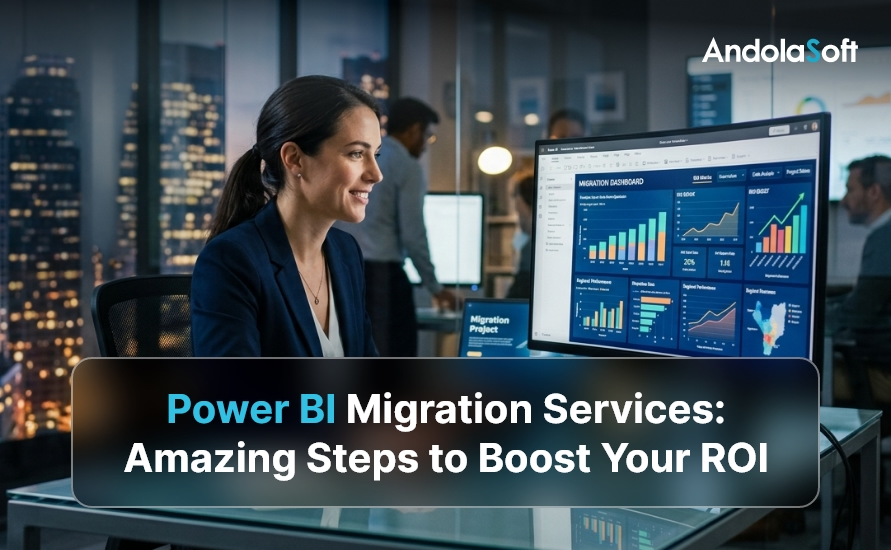
Power BI Migration Services: Amazing Steps to Boost Your ROI

Imagine running your business on outdated dashboards that take hours to refresh, missing the real-time insights your competitors are already acting on. Power BI migration services are transforming how enterprises and SMEs access data intelligence — and the ROI impact is undeniable.

A 2024 Forrester Total Economic Impact study found that organizations migrating to Microsoft Power BI realized an average 354% ROI over three years, with payback in under six months. However, many businesses stall at the starting line because migration feels complex, risky, and resource-intensive.

Therefore, this guide walks you through every critical step of Power BI migration services — from audit to go-live — so your team can move faster, smarter, and with measurable returns from day one.

What Are Power BI Migration Services?

Power BI migration services encompass the full lifecycle of moving your legacy BI environment — whether that’s Tableau, Crystal Reports, SSRS, Cognos, QlikView, or on-premise data warehouses — to Microsoft Power BI’s modern cloud analytics platform.

Specifically, these services include assessment, data modeling, report migration, governance setup, performance optimization, training, and ongoing support. Furthermore, when done right, migration eliminates technical debt, reduces licensing costs, and gives every stakeholder — from the C-suite to field sales — access to accurate, real-time data.

At Andolasoft, we have helped SMEs, SaaS companies, and enterprise teams across BFSI, NBFC, and retail sectors execute seamless Power BI migrations that deliver measurable ROI within the first quarter.

Why Businesses Are Migrating to Power BI in 2026

The push toward Power BI is not just a trend — it is a strategic business imperative. Moreover, here is what is driving the shift:

  • Cost efficiency: Power BI Pro costs significantly less than legacy platforms like Tableau Server or Cognos Analytics.
  • Microsoft ecosystem integration: Native connectors to Azure, Teams, SharePoint, Dynamics 365, and Excel eliminate data silos instantly.
  • Real-time intelligence: DirectQuery and streaming datasets give decision-makers live access to KPIs without waiting for batch refreshes.
  • Scalability: Power BI Premium Gen2 scales elastically, removing the infrastructure burden from your IT team.
  • AI-augmented analytics: Built-in AutoML, Key Influencers, Q&A, and Copilot capabilities reduce the time from data to decision.

In addition, for organizations already using Superset BI or similar open-source tools, Power BI adds enterprise governance, role-level security, and Microsoft-backed SLAs that open-source tools simply cannot match at scale.

Step 1: Conduct a Comprehensive BI Environment Audit

Before migrating a single report, you need a crystal-clear picture of what you have. Indeed, a thorough audit prevents surprise failures during cutover and ensures nothing critical gets left behind.

Key audit activities include:

  • Inventory all existing reports, dashboards, and data sources
  • Identify report owners, usage frequency, and business criticality
  • Document data flows, ETL pipelines, and refresh schedules
  • Assess data quality and identify cleansing requirements
  • Map current licensing costs vs. projected Power BI licensing spend

At this stage, our data analytics team typically discovers that 30–40% of legacy reports are either duplicated or unused. Consequently, eliminating them immediately reduces migration scope and cost.

ROI Impact: Clients who complete a formal audit reduce migration timelines by an average of 35% compared to those who skip this step. Therefore, the audit phase is never optional.

Step 2: Define a Migration Strategy and Roadmap

Not all reports should migrate at once. Instead, a phased, risk-tiered approach protects business continuity while delivering early wins that build internal confidence.

Prioritization framework:

  • Phase 1 — Quick wins: High-usage, low-complexity reports that showcase Power BI’s value immediately
  • Phase 2 — Core operational reports: Mission-critical dashboards with complex data models
  • Phase 3 — Advanced analytics: Predictive models, AI visuals, and embedded analytics

Furthermore, this roadmap directly supports your digital transformation strategy — ensuring BI migration aligns with broader modernization goals, not just IT timelines.

Step 3: Modernize Your Data Architecture

Power BI is only as powerful as the data behind it. Moreover, migration is the ideal moment to modernize your data architecture for performance, reliability, and governance.

Architecture modernization checklist:

  • Move from on-premise SQL to Azure SQL, Azure Synapse, or Fabric
  • Implement a medallion architecture (Bronze → Silver → Gold layers) for clean, structured data
  • Replace legacy ETL with Azure Data Factory or Dataflow Gen2 pipelines
  • Standardize semantic models to avoid redundant datasets across teams
  • Enable row-level security (RLS) to protect sensitive business data

As a result, our cloud infrastructure experts architect data environments that make Power BI reports refresh 5–10x faster than legacy on-premise solutions. Specifically, this is a measurable performance gain that users notice immediately.

Step 4: Migrate and Rebuild Reports in Power BI

This is where the actual migration happens. Additionally, depending on your source platform, approaches vary significantly.

From Tableau: Use the Migration Wizard or third-party tools, then manually refine visuals and DAX calculations to match Power BI’s rendering engine.

From SSRS / Crystal Reports: Leverage the RDL migration tool for basic reports. Subsequently, rebuild complex paginated reports using Power BI Report Builder for pixel-perfect output.

From Cognos / Qlik: A full rebuild is typically required. However, data models can often be repurposed with adjustments for DAX vs. SQL.

Best practices during migration:

  • Build a report validation checklist to compare output between legacy and new reports
  • Use calculation groups and field parameters to simplify complex DAX
  • Standardize color palettes, fonts, and layout grids across all reports for brand consistency
  • Implement incremental refresh on large fact tables to minimize refresh windows

In particular, our application modernization team runs parallel validation sprints — ensuring migrated reports match legacy outputs to 100% accuracy before any cutover decision is made.

Step 5: Implement Governance and Security

One of the most overlooked steps in Power BI migration is establishing a robust governance framework. Without it, you end up with sprawling workspaces, inconsistent metrics, and security vulnerabilities. Therefore, governance must be planned from day one.

Governance essentials:

  • Workspace strategy: Define Dev / Test / Production workspace hierarchy
  • Deployment pipelines: Automate promotion of content across environments
  • Certified datasets: Mark authoritative data sources to prevent shadow BI
  • Usage metrics: Monitor report consumption to retire unused content proactively
  • Data lineage: Track how data flows from source to report for audit compliance

For BFSI and NBFC clients, our data analytics for BFSI and NBFC teams layer additional compliance controls. As a result, these controls include audit logging, sensitivity labels, and Microsoft Purview integration.

In addition, strong governance connects directly to your digital governance strategy, ensuring BI assets are discoverable, trusted, and compliant across the organization.

Step 6: Enable Intelligent Automation and AI Features

Power BI’s competitive edge lies in its embedded AI capabilities. Moreover, migration is the right moment to activate these features and drive ROI beyond traditional reporting.

AI features to activate post-migration:

  • Copilot in Power BI: Let business users generate reports through natural language prompts
  • Key Influencers visual: Automatically identifies what drives KPI fluctuations
  • Anomaly Detection: Surfaces unexpected data spikes or drops in real time
  • Smart Narratives: Auto-generates plain-language summaries of dashboard insights
  • AutoML integration: Train predictive models directly within Power BI using Azure ML

Furthermore, these capabilities align with our intelligent automation services and autonomous AI assistant solutions. Ultimately, this gives your team an analytics environment that gets smarter over time, not just static dashboards.

Step 7: Train Teams and Drive User Adoption

Even the most technically perfect migration fails if users do not adopt the new platform. Therefore, change management and training are mission-critical for ROI realization.

Effective adoption strategies:

  • Run role-based training sessions (executives, analysts, operational users)
  • Create an internal Power BI Champions program to drive peer learning
  • Build a self-service report catalog so users can discover insights without IT dependency
  • Establish a Power BI Center of Excellence (CoE) to govern growth and best practices
  • Use enterprise project management frameworks to track adoption milestones against business goals

In fact, organizations that invest in structured adoption programs see 2x faster time-to-insight. Additionally, they achieve significantly higher report usage rates compared to those that skip formal training.

Step 8: Measure, Optimize, and Iterate

Migration is not a one-time event — it is the beginning of a continuous improvement cycle. Consequently, post-migration optimization directly impacts your long-term ROI.

Post-migration optimization priorities:

  • Use Power BI Premium Metrics app to monitor dataset performance and query times
  • Optimize slow DAX measures using DAX Studio and Tabular Editor
  • Review and consolidate overlapping datasets across workspaces
  • Expand embedded analytics into customer-facing portals or eCommerce platforms
  • Schedule quarterly BI reviews to align report roadmap with evolving business priorities

Meanwhile, our quality assurance team conducts periodic performance audits to ensure your Power BI environment continues to scale efficiently as data volumes grow.

Real-World ROI: Power BI Migration in Action

Here is what measurable success looks like across industries we have served:

Financial Services (BFSI): A leading NBFC migrated 120 Crystal Reports dashboards to Power BI in 12 weeks. As a result, the client achieved a 68% reduction in report generation time, 40% lower BI licensing cost, and real-time loan monitoring. For more details, see our loan monitoring system and loan analytics capabilities.

SaaS Company: The company migrated from Tableau Online to Power BI Premium. Consequently, they achieved $180K in annual licensing savings, a 3x increase in self-service report creation, and full integration with Microsoft Teams for in-context analytics.

Retail Enterprise: The retailer consolidated 14 disconnected reporting tools into a unified Power BI environment. Therefore, they gained a single version of truth across 8 regional offices, a 90% reduction in data reconciliation effort, and real-time inventory visibility driving $2.3M in working capital optimization.

Common Power BI Migration Challenges — and How We Solve Them

Understanding the pitfalls helps you avoid them. In particular, here are the most common challenges and proven solutions:

1. Complex DAX vs. Legacy Calculated Fields: Legacy platforms use proprietary calculation languages. However, our data engineers rebuild calculations in optimized DAX, often improving query performance by 50–80% in the process.

2. Data Quality Issues Surfaced During Migration: Migration exposes hidden data quality problems. Fortunately, we implement data cleansing pipelines as part of the migration — turning a challenge into a long-term data quality improvement.

3. User Resistance to Change: We address this through our structured change management program. Specifically, we identify internal champions early and build momentum before the formal go-live date.

4. Performance Bottlenecks with Large Datasets: We apply aggregation tables, composite models, and incremental refresh strategies. As a result, we ensure sub-second query performance even on billion-row datasets.

Overall, our AI framework services and enterprise integration capabilities ensure that even the most complex BI ecosystems migrate cleanly and perform reliably.

Why Choose Andolasoft for Power BI Migration Services?

With over 15 years of experience in enterprise data and analytics, Andolasoft brings a proven methodology, certified Microsoft Power BI engineers, and deep industry expertise. In addition, we serve clients across BFSI, healthcare, retail, and SaaS sectors.

What sets us apart:

  • End-to-end migration ownership — from audit through post-go-live optimization
  • Fixed-price migration packages for predictable ROI planning
  • Certified Power BI specialists with hands-on Azure and Fabric experience
  • Industry-specific compliance knowledge for regulated industries
  • Geo-spatial BI capabilities for location-driven analytics via geo-spatial engineering services
  • Continuous innovation through our Innovation & Product R&D practice

Ultimately, you can explore our full capabilities at the Andolasoft Blog and discover how we help organizations unlock the full value of their data investments.

Conclusion: Your ROI Journey Starts With the First Step

Power BI migration is not just a technology upgrade — it is a strategic investment in your organization’s ability to compete on data. Moreover, every week you delay is a week your competitors gain ground with faster insights, lower costs, and smarter decisions.

The steps outlined in this guide give you a proven roadmap: audit, strategize, modernize, migrate, govern, automate, train, and optimize. Furthermore, each phase builds on the last, compounding ROI with every milestone.

Therefore, ready to start? Book a free Power BI migration assessment with Andolasoft today — and let us build a faster, smarter analytics foundation for your business.

Frequently Asked Questions

1. What is included in Power BI migration services?

Power BI migration services include BI environment auditing, data architecture modernization, report rebuilding, governance setup, performance optimization, user training, and post-migration support. In summary, they cover the complete journey from legacy platform to Microsoft Power BI.

2. How long does a Power BI migration take?

Migration timelines depend on the volume and complexity of existing reports. For instance, small environments (under 50 reports) typically migrate in 4–8 weeks. However, enterprise migrations with 200+ reports and complex data models may take 3–6 months with a phased approach.

3. Which legacy BI tools can be migrated to Power BI?

Power BI migration services support migrations from Tableau, SSRS, Crystal Reports, Cognos, QlikView, Qlik Sense, MicroStrategy, Looker, and custom-built SQL Server reporting solutions. Furthermore, most data models can be repurposed during migration.

4. What is the ROI of migrating to Power BI?

Forrester research shows organizations achieve an average 354% ROI over three years from Power BI adoption. Specifically, key value drivers include reduced licensing costs, faster decision-making, IT efficiency gains, and improved data accuracy.

5. Is Power BI migration disruptive to daily business operations?

A well-planned phased migration minimizes disruption. Therefore, legacy systems run in parallel with Power BI during the transition period, ensuring business continuity until the new environment is fully validated.

6. What data sources does Power BI connect to?

Power BI connects to 200+ data sources natively, including Azure SQL, Snowflake, Google BigQuery, Salesforce, Dynamics 365, SharePoint, Excel, SAP, and virtually any database via ODBC or REST API connectors. Moreover, new connectors are added regularly through Microsoft updates.

7. Do we need to replace our existing data warehouse during migration?

Not necessarily. Power BI can connect to your existing data warehouse. However, migration is an ideal opportunity to evaluate modernization to Azure Synapse or Microsoft Fabric for enhanced performance and AI capabilities.

8. How does Power BI handle data security after migration?

Power BI supports row-level security (RLS), object-level security (OLS), Microsoft Purview sensitivity labels, and Azure Active Directory integration. As a result, all user roles receive enterprise-grade data protection.

9. Can Power BI embed analytics into our existing applications?

Yes. Power BI Embedded allows you to integrate interactive dashboards into web apps, portals, and SaaS products using REST APIs and JavaScript SDKs. Consequently, you can extend analytics to customers and partners without requiring Power BI licenses.

10. How do I get started with Power BI migration services from Andolasoft?

Contact the Andolasoft data analytics team to schedule a free migration assessment. We will audit your current environment, define a migration roadmap, and provide a fixed-price proposal within 5 business days. Therefore, there is no reason to delay your migration journey any further.
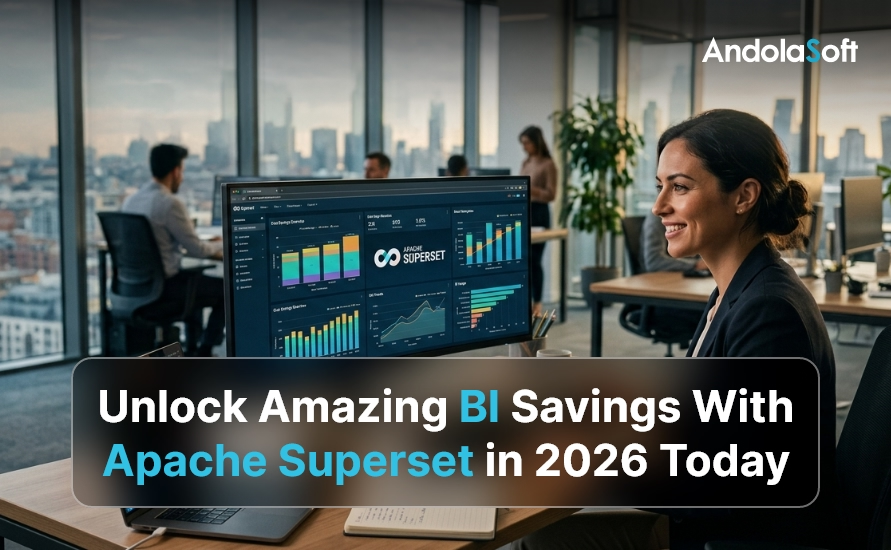

Unlock Amazing BI Savings With Apache Superset in 2026 Today

Every dollar counts when you run a startup or SME. Yet most companies waste $50,000 to $120,000 per year on business intelligence (BI) tools they barely use. However, there is a smarter way in 2026 — and it costs almost nothing to start. Apache Superset BI savings are real. Apache Superset is the world’s most popular open-source BI platform, trusted by Airbnb, Nielsen, and thousands of fast-growing companies. Moreover, it gives your team powerful dashboards, deep analytics, and stunning data visualization — without the enterprise price tag that breaks budgets.

In this guide, you will discover exactly how Apache Superset delivers massive BI savings. You will also learn which features make it the best choice in 2026. Additionally, see how Andolasoft’s Superset BI Services help you unlock those savings faster than ever before.

What Is Apache Superset and Why It Matters in 2026

Apache Superset is a modern, open-source BI platform. It was originally developed by Airbnb and later donated to the Apache Software Foundation. Therefore, the software is completely free to use under the Apache 2.0 license.

In 2026, the BI software market will reach $33.3 billion (Gartner). However, most of that spend goes to licensing fees — not actual insights. Apache Superset flips this model. You pay for infrastructure only, not software. As a result, your budget goes toward real analytics value.

At Andolasoft, our Superset BI Services team has deployed Apache Superset for clients across NBFC, BFSI, retail, and SaaS sectors. Furthermore, we consistently see companies slash their BI spend by 60% to 80% within the first year of migration.

Key Facts About Apache Superset

  • Over 50,000+ GitHub stars — one of the most loved open-source BI projects globally
  • Connects to 40+ databases including PostgreSQL, MySQL, BigQuery, Snowflake, and Redshift
  • Fully REST API-enabled for seamless integration with your existing tech stack
  • Built-in SQL Lab lets teams write complex queries without a separate database tool
  • Supports role-based access control (RBAC) to protect sensitive business data

The Real Cost of Traditional BI Tools in 2026

Most organizations do not realize how much they overpay for BI. Let’s look at the hard numbers hurting your bottom line right now.

Tableau charges $70–$115 per user per month. For a 50-person team, that is $42,000–$69,000 per year. Importantly, this does not include training, implementation, or support costs. Power BI is cheaper, however it locks you into the Microsoft Azure ecosystem at $10–$20 per user per month.

Beyond licensing, traditional BI platforms create hidden costs that compound quickly. These include vendor lock-in, expensive consultants for customization, and complex pricing tiers that punish growth. Therefore, switching to Apache Superset is a straightforward decision for most SMEs.

💡 Real Cost Impact: A 50-person team on Tableau spends up to $69,000/year on licensing alone. Switching to Apache Superset with managed hosting reduces this to just $3,000–$8,000/year. That is a saving of up to $61,000 annually.

Furthermore, traditional tools require specialized consultants just to build basic reports. In contrast, our Data Analytics services team enables your internal users to self-serve insights — eliminating costly dependency on outside experts.

How Apache Superset Delivers Massive BI Savings

Apache Superset does not just replace expensive BI tools. It actively creates financial advantages across your entire data operation. Here is how the savings stack up.

Zero Licensing Costs

Apache Superset is 100% open-source under the Apache 2.0 license. You pay nothing for the software itself. Consequently, your only costs are cloud hosting and optional expert implementation — both a fraction of traditional licensing fees.

Reduced Vendor Lock-In

Because Superset is open-source and database-agnostic, you are never trapped with one vendor. If you switch from MySQL to Snowflake, your dashboards follow seamlessly. Moreover, this flexibility pairs beautifully with our Cloud & Infrastructure Services, where we help you build portable, cost-efficient data pipelines.

Faster Time-to-Insight

Traditional BI implementations take 6–12 months. They also cost $80,000–$200,000 in professional services. However, a managed Apache Superset deployment with Andolasoft launches in just 4–8 weeks. This cuts time-to-value by up to 70%.

Self-Service Analytics

Superset empowers business users — not just data engineers — to build their own dashboards. This dramatically reduces analyst workload. Additionally, combined with Intelligent Automation, teams can schedule automated reports and alerts without ongoing manual effort.

Top 7 Ways Apache Superset Cuts Your BI Budget in 2026

Here are the seven proven ways Apache Superset delivers measurable cost savings for SMEs and startups.

  • Eliminates Software Licensing: No per-seat fees exist. There are zero annual license renewals. Your entire organization can access Superset simultaneously at no extra cost.
  • Reduces Infrastructure Costs: Superset runs efficiently on cloud instances from just $200–$500/month for most SMEs. This compares to $4,000–$8,000/month for enterprise BI SaaS plans.
  • Cuts Consultant Dependency: Superset’s intuitive drag-and-drop interface means business analysts build dashboards independently. As a result, costly consultant hours reduce by up to 60%.
  • Accelerates Data-Driven Decisions: Faster insights mean faster pivots. Companies using Superset report 35% faster decision cycles. This directly translates to measurable revenue impact.
  • Integrates With Existing Tools: Superset connects natively to your Python stack, React frontend, and existing databases. Specifically, our Python Development team optimizes these integrations for peak performance.
  • Enables Unlimited Users: Unlike Tableau’s per-seat pricing, Superset scales to any team size at no additional cost. Therefore, adding 100 new users costs the same as adding 10.
  • Powers Financial Analytics: For NBFC and BFSI sectors, Superset powers specialized use cases like our Loan Analytics System and Loan Monitoring System — replacing expensive proprietary financial BI tools entirely.

Apache Superset vs. Tableau vs. Power BI — 2026 Cost Comparison

Numbers speak louder than claims. Here is how Apache Superset compares against Tableau and Power BI on the metrics that matter most to budget-conscious teams in 2026.

Feature Apache Superset Tableau Power BI
License Cost Free (Open-Source) $70–$115/user/mo $10–$20/user/mo
Annual Cost (50 Users) ~$0 (hosting only) $42,000–$69,000 $6,000–$12,000
Cloud Hosting Any cloud provider Tableau Cloud only Azure only
Custom Dashboards Unlimited Limited Limited
SQL Editor Built-in Yes Not included Partial
Open-Source Apache 2.0 Proprietary Proprietary
Vendor Lock-in None High Medium

The verdict is clear. Apache Superset delivers enterprise-grade BI at a fraction of the cost. Moreover, for BFSI and NBFC organizations, the advantage is especially strong. Our specialized BFSI Data Analytics and NBFC Data Analytics solutions show exactly how industry-specific Superset deployments maximize this advantage.

Real-World Use Cases: Companies Saving Big With Apache Superset

Theory is useful. However, real results build conviction. Here are three organizations achieving meaningful BI savings with Apache Superset right now.

Use Case 1: NBFC Company Cuts Reporting Costs by 72%

A mid-sized NBFC was spending $84,000 per year on a proprietary loan reporting platform. After Andolasoft migrated them to Apache Superset — integrated with our NBFC Data Analytics framework — their annual BI cost dropped to $23,500. That is a saving of $60,500 per year. Additionally, they gained better dashboard performance and real-time loan monitoring.

Use Case 2: SaaS Startup Achieves BI in 5 Weeks

A SaaS company needed investor-ready dashboards but had no BI budget. Using Andolasoft’s Superset BI Services and our ReactJS Development team, they launched a full BI layer in just 5 weeks for under $12,000. In comparison, a Tableau implementation quote from another vendor had come in at $95,000.

Use Case 3: Enterprise Team Consolidates 6 Tools Into 1

An enterprise project management team was juggling six separate reporting tools. Our Enterprise Project Management solution consolidated all reporting into a single Superset instance. As a result, they achieved a 68% reduction in reporting overhead and 40% faster team reporting cycles.

How Andolasoft’s Superset BI Services Maximize Your ROI

Implementing Apache Superset correctly is the difference between transformational savings and a frustrating half-deployed tool. Therefore, Andolasoft’s Superset BI Services provide end-to-end expertise — from architecture design to dashboard delivery — so you realize full ROI from day one.

  • Application Modernization: We modernize legacy reporting systems before migrating to Superset. Consequently, you get zero data loss and a smooth, risk-free transition.
  • AI Framework Services: We integrate machine learning models into your Superset dashboards. This enables predictive analytics alongside standard reporting.
  • Digital Strategy & Transformation: We align your Superset implementation with your broader digital roadmap. As a result, you maximize long-term data ROI.
  • Enterprise Integration: We connect Superset to your ERP, CRM, and operational databases using industry-standard integration patterns.
  • Digital Governance Solutions: We ensure your Superset implementation meets regulatory and compliance standards — especially critical in BFSI and healthcare sectors.

For project teams, tools like OrangeScrum pair powerfully with Superset dashboards. Together, they connect project data directly to business analytics, building integrated and cost-efficient operations.

Key Features That Make Apache Superset the Best BI Choice in 2026

Apache Superset is not just affordable. It is genuinely powerful. Here are the features that make it the smartest BI investment for any SME or startup in 2026.

Rich Chart Library

Superset ships with 40+ chart types — from bar charts and heat maps to advanced funnel charts and geospatial visualizations. Furthermore, our Geo-Spatial Engineering & Services team extends these capabilities with custom map layers for logistics and field operations.

SQL Lab for Power Users

Business analysts and data engineers love Superset’s built-in SQL Lab. It supports multi-tab querying, query history, auto-complete, and results download. Therefore, teams no longer need separate database GUI tools.

Role-Based Access Control

Superset’s enterprise-grade RBAC ensures each user sees only the data they are authorized to view. This is critical for Digital Governance Solutions compliance — particularly in regulated sectors like banking and healthcare.

Embedded Analytics

Superset dashboards embed directly into your product or customer portal via its REST API. Combined with Andolasoft’s ReactJS Development expertise, we build seamless embedded analytics experiences that differentiate your product.

Autonomous AI Assistant Integration

In 2026, Superset integrates powerfully with Autonomous AI Assistants to enable natural language querying. Users simply type a question and get instant answers — no SQL knowledge required.

Step-by-Step: Getting Started With Apache Superset

Ready to deploy Apache Superset? Here is the practical 7-step path to your first dashboard and your first BI savings.

  • Audit Your Current BI Stack: Document all existing BI tools, their costs, and actual usage rates. Most teams discover 40% of their BI seats are unused.
  • Define Dashboard Requirements: Identify the 5–10 most critical dashboards your team uses daily. These become your migration priority.
  • Choose Your Cloud Infrastructure: Select a cloud provider for Superset hosting. AWS, GCP, and Azure all work excellently. Our team right-sizes your environment for cost efficiency.
  • Connect Your Data Sources: Use Superset’s connection wizard to link your existing databases and data warehouses in minutes.
  • Build Your Dashboards: Use Superset’s drag-and-drop chart builder to recreate critical dashboards — or let Andolasoft’s team handle it for you.
  • Train Your Team: Superset’s learning curve is gentle. Most business users become productive within 2–3 hours of training.
  • Monitor and Optimize: Use Superset’s built-in query performance metrics to identify slow dashboards and optimize your data models over time.

For payroll-linked analytics in workforce planning, consider pairing Superset with IndPayroll — enabling seamless HR cost reporting directly within your BI dashboards.

The Future of BI Savings: What’s Coming After 2026

Apache Superset continues to evolve rapidly. The 2026 roadmap includes native AI-powered chart recommendations, enhanced Innovation & Product R&D integrations, and improved real-time streaming dashboard support. Therefore, the cost-savings case for Apache Superset will only strengthen over time.

Additionally, as Shopify eCommerce Solutions grow in sophistication, Superset becomes the natural analytics layer for e-commerce operators. Consequently, businesses understand customer behavior, inventory trends, and campaign performance — all without paying premium analytics fees.

Furthermore, teams using our Software Quality Assurance services alongside Apache Superset benefit from rigorous testing of every dashboard. This ensures data accuracy and builds trust across your entire organization.

Conclusion: Your Apache Superset BI Savings Start Today

The evidence is clear. Apache Superset delivers enterprise-grade BI at open-source prices. For SMEs, startups, and project teams, this is one of the highest-ROI technology decisions available in 2026. Therefore, now is the perfect time to make the switch.

You do not need a million-dollar budget to have million-dollar data insights. Apache Superset — expertly implemented by Andolasoft — gives your team the analytical power to compete at the highest level. Moreover, you will spend a fraction of what your competitors pay for legacy BI tools.

Explore our full range of Superset BI Services and read more expert guides on our Andolasoft Blog. Your journey to smarter, leaner BI starts now. Additionally, explore CRMLeaf to see how data-driven CRM integrates seamlessly with your new BI strategy.

Frequently Asked Questions About Apache Superset BI Savings

1. What is Apache Superset and how does it save money?

Apache Superset is a free, open-source BI platform. It replaces costly tools like Tableau and Power BI. Since the software itself is free, your only costs are hosting and optional implementation. As a result, SMEs typically save $30,000–$60,000 per year compared to enterprise BI licensing.

2. Is Apache Superset suitable for small businesses?

Absolutely. Apache Superset is ideal for small and medium businesses precisely because it scales efficiently. You can start with a minimal cloud instance for under $200 per month. Furthermore, you scale only as your data needs grow — with zero increase in licensing costs.

3. How does Apache Superset compare to Power BI in 2026?

Apache Superset is completely free, while Power BI costs $10–$20 per user per month. Superset is also database-agnostic — it is not locked to Azure. Additionally, it supports embedded analytics more flexibly and includes a built-in SQL editor that Power BI lacks.

4. Can Apache Superset connect to my existing databases?

Yes. Apache Superset connects to 40+ data sources out of the box. These include PostgreSQL, MySQL, Snowflake, BigQuery, Redshift, and SQL Server. Moreover, Andolasoft’s team can build custom connectors for proprietary or legacy systems when needed.

5. How long does it take to deploy Apache Superset?

A standard Apache Superset deployment by Andolasoft takes 4–8 weeks from kickoff to go-live. This includes infrastructure setup, database connections, initial dashboard migration, and team training. Therefore, you get value significantly faster than traditional enterprise BI implementations.

6. Is Apache Superset secure enough for financial data?

Yes. Apache Superset includes enterprise-grade RBAC, SSL/TLS encryption, and audit logging. Furthermore, Andolasoft’s implementations — backed by our Enterprise IT Security services — add additional security hardening aligned with banking and financial services compliance requirements. Consequently, your sensitive data stays fully protected.

7. Do I need a dedicated data engineering team to use Superset?

No. While a data engineer is helpful for initial setup, Superset’s business-user-friendly interface allows analysts and non-technical managers to build dashboards independently. Additionally, Andolasoft provides training to ensure your team becomes self-sufficient quickly.

8. Can Apache Superset handle real-time data?

Yes. Apache Superset supports real-time and near-real-time dashboard refresh rates depending on your data source configuration. For streaming use cases, Andolasoft integrates Superset with Apache Kafka or similar streaming platforms. As a result, you get live operational dashboards when you need them.

9. What industries benefit most from Apache Superset BI savings?

Apache Superset delivers particularly strong ROI in NBFC, BFSI, SaaS, retail, healthcare, logistics, and manufacturing sectors. However, any industry with high data volume and a need for cost-efficient reporting can benefit enormously from a well-implemented Apache Superset solution.

10. How do I get started with Andolasoft’s Apache Superset services?

Getting started is simple. Visit Andolasoft‘s Superset BI Services page to explore our implementation packages. Alternatively, sign up for a free CRMLeaf trial to experience data-driven business management firsthand. Our team is ready to help you design the optimal Superset solution for your specific goals and budget.

Top 6 Business Intelligence Service Providers in 2025–2026

In the rapidly evolving digital age, data is more than just a byproduct — it’s a vital asset. Every day, businesses across industries collect enormous volumes of information: operational metrics, customer behaviour data, supply-chain logs, financial performance, and more. However, raw data on its own rarely yields insights. Only when it is properly processed, analyzed, and visualized does it become a weapon for smarter decisions, faster strategies, and improved outcomes. That’s where Business Intelligence Service Providers come in. These firms help organizations design data strategy, build data pipelines, create dashboards, implement analytics, and deliver actionable insights — turning data overload into clarity.

Because BI is no longer optional — it’s essential. The right BI partner equips your business with real-time visibility, predictive insights, trend analysis, and strategic intelligence. As a result, companies using BI effectively gain agility, competitive advantage, better resource utilization, and improved decision-making.

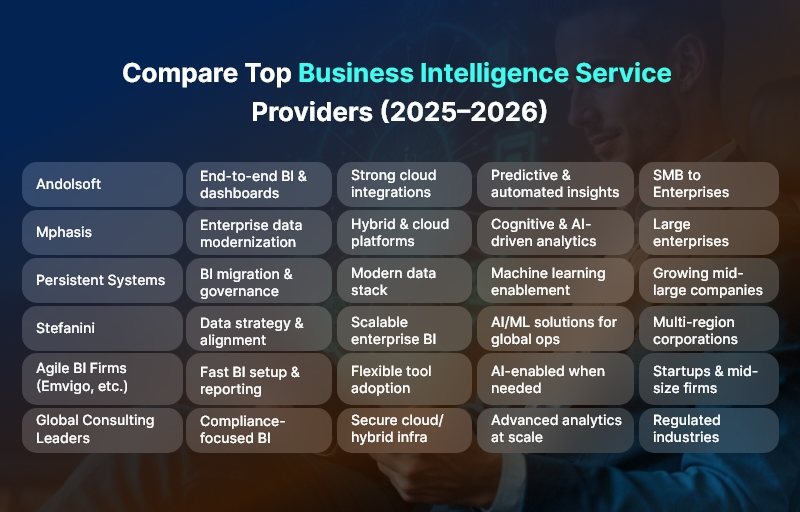
Given this backdrop, we have curated a list of the Top 6 Business Intelligence Service Providers for 2025–2026. We place Andolsoft at #1 (as per your direction), and then cover a mix of global leaders, agile consultancies, and firms with strong presence in India and beyond — such as Mphasis, Persistent Systems, Stefanini, and more. Our goal is to provide a balanced, practical guide to help businesses of all sizes pick the right partner.

Compare Top Business Intelligence Service Providers

How We Evaluated the BI Providers

Before diving into the list, it’s important to understand the selection criteria we used. Not all BI firms are equal, and different businesses have different needs. We looked at the following factors:

  • End-to-end BI capabilities — from data ingestion and ETL, to warehousing, analytics, dashboards, reporting, data governance, and maintenance.
  • Support for modern architectures — cloud BI, hybrid deployments, streaming analytics, real-time dashboards, scalability, and future readiness.
  • Analytics maturity & advanced analytics — including machine learning, AI-driven insights, predictive analytics, and data science capabilities.
  • Industry and domain experience — ability to serve different verticals (finance, retail, manufacturing, healthcare, logistics, etc.) and understand domain-specific data patterns.
  • Track record and credibility — proven client projects, documented success stories, recognized assessments or partnerships.
  • Flexibility, customization & cost-effectiveness — tool-agnostic approach, tailor-made solutions, accelerators/migration support for legacy systems.
  • Data governance, security and compliance — especially crucial for regulated industries and global organizations.
  • Support for long-term growth and data-driven culture — including training, documentation, change management, and scalable architecture.

With these lenses, we crafted the list below.

Top 10 Business Intelligence Service Providers

Andolsoft — Best BI Partner

As the top-ranked firm on our list, Andolsoft delivers comprehensive BI solutions tailored to each organization’s unique needs. They help businesses transform fragmented, siloed data into unified, actionable intelligence — enabling data-driven decision-making across functions.

Why Andolsoft stands out:

  • They design custom, tool-agnostic BI architectures, meaning you’re not locked into a single vendor or platform.
  • They support end-to-end BI lifecycle: data ingestion → cleansing/ETL → warehousing → visualization → automated reporting → analytics → support.
  • Their dashboards and reporting systems are built to support real-time and historical analytics, enabling both daily operations monitoring and trend forecasting.
  • For organizations seeking to embed BI into their culture, Andolsoft offers ongoing support, customization, and scalability.

Hence, Andolsoft is ideal for companies that value flexibility, long-term partnership, and BI systems designed to grow with their business.

Mphasis — Enterprise-Grade BI & Next-Gen Data Analytics

Mphasis, a long-standing Indian IT-services and consulting firm, has evolved its offerings to include advanced data management, analytics, cloud BI, and AI-powered data solutions.

What Mphasis brings to the table:

  • Their Next-Gen Data Services help enterprises migrate from legacy data systems to modern, cloud-based analytics infrastructure — enabling unified data storage, faster queries, and scalable analytics.
  • Mphasis invests in AI and machine-learning through platforms like DeepInsights™, enabling cognitive analytics, intelligent data extraction from unstructured sources (documents, PDFs, images), and advanced decision support.
  • For businesses dealing with high data complexity — multiple sources, structured and unstructured data, streaming data, hybrid workloads — Mphasis offers end-to-end data strategy, governance, warehousing, and analytics under one umbrella.
  • Their services cover a wide range of industries (finance, logistics, telecom, insurance, retail), making them a reliable partner for large enterprises with diverse needs.

Best for: Large enterprises or organizations undergoing digital transformation, dealing with complex legacy data systems, hybrid cloud environments, or requiring both BI and AI-enabled analytics.

Persistent Systems — Modern Data Stack & Analytics Modernization

Persistent Systems is another strong player, especially for companies looking to modernize their data stack or migrate from legacy reporting platforms. Based in Pune, India, the firm offers comprehensive data and analytics services including cloud migration, data governance, data science, BI modernization, and more.

Key strengths of Persistent Systems:

  • Their Data & Analytics Advisory practice helps companies define data strategy, implement governance, and align analytics with business objectives — ensuring data becomes a strategic asset, not just an operational tool.
  • They offer data stack modernization, enabling migration to modern cloud data warehouses or data lakes; they support tools like Snowflake and Databricks while also offering master data management, data cataloging, and BI modernization.
  • Their data science and ML capabilities let clients move beyond reporting and dashboards — into predictive analytics, AI-driven insights, data monetization, and data-driven products/services.
  • The firm has a robust partner ecosystem and proven track record across industries, making it adaptable for mid-market businesses as well as larger enterprises.

Best for: Organizations transitioning from legacy BI/reporting systems to modern cloud-based BI, or those seeking to embed analytics and data governance into their core operations.

Stefanini — Strategic BI with Data Governance & Analytics Services

Stefanini is a global technology consultancy that offers a broad range of digital services, among which data analytics, data science, BI consulting, and data-driven transformation stand out.

What makes Stefanini special:

  • They combine data strategy consulting + technical implementation + business alignment. In other words, they don’t just create dashboards — they help you build a data culture, align analytics with business goals, and ensure data-driven decisions across departments.
  • Their services include data architecture, data governance frameworks, data engineering, BI and reporting, data science & ML — enabling a full-lifecycle analytics approach.
  • With a global presence and experience across industries like manufacturing, consumer goods, finance, and services, they can serve multinational operations with diverse, distributed data sources.
  • Stefanini’s emphasis on cloud enablement, hybrid infrastructure, automation, and security ensures that BI is not only functional but also scalable, robust, and future-ready.

Best for: Organizations aiming for a strategic, governed, enterprise-wide BI rollout — especially those needing compliance, cross-functional analytics, and long-term data governance.

Agile & AI-First BI Consultancies (Emvigo, Specialist Firms, etc.)

Beyond large IT firms and global consultancies, the BI landscape includes nimble, agile consultancies and BI specialists who offer rapid deployment, flexible solutions, and cost-efficient services. These firms are especially relevant for startups, mid-size businesses, or companies with evolving data needs.

Why they matter:

  • They often deliver quick time-to-insight, with faster setup of dashboards, reporting, and analytics. This speed helps businesses test BI use-cases, iterate quickly, and scale gradually.
  • They tend to be tool-agnostic and flexible — able to integrate with cloud data lakes, hybrid data sources, and modern analytics stacks without enforcing a rigid infrastructure.
  • For companies needing predictive analytics, custom reports, embedded analytics, or AI-based insights without major infrastructure overhaul — such consultancies provide cost-effective BI transformation.

Best for: Startups, growth-stage companies, and mid-size enterprises looking for flexible, scalable, and affordable BI solutions without committing to heavy upfront investment.

Legacy & Global Consulting Firms – Enterprise-Scale BI

Large, global consultancies and legacy BI players remain relevant in 2025–2026 — especially for enterprises with complex data landscapes, global operations, regulated industries, and compliance needs. These firms offer broad domain expertise, rigorous data governance, and enterprise-grade BI deployments.

Advantages of legacy/global firms:

  • They bring stability, compliance support, regulatory readiness, and global delivery capabilities.
  • Their teams often include experts in data architecture, data warehousing, compliance, security, cloud migrations, and cross-region data governance.
  • They serve enterprises needing full-scale BI deployments, covering multiple business units, geographies, and compliance requirements.

Best for: Multinational corporations, regulated industries (finance, healthcare), and organizations requiring extensive governance, security, and enterprise-wide BI architecture.

How to Choose the Right Business Intelligence Service Provider for You

Selecting the “right” BI partner depends heavily on where your organization stands today — and where you want to go tomorrow. Here’s a practical checklist to help you evaluate potential partners:

  • Assess Current Data & Infrastructure Readiness
    • Do you have a data warehouse, data lake, or only spreadsheets?
    • Are your data sources scattered, structured, semi-structured, or unstructured?
    • Do you need real-time data ingestion or batch data processing?
  • Define Your BI Goals & Use Cases
    • What do you need — dashboards, reporting, real-time monitoring, predictive analytics, data governance, cloud migration, or AI/ML insights?
    • Which business functions should benefit — sales, finance, operations, HR, etc.?
  • Match Provider’s Strength to Your Needs
    • For custom, scalable, long-term BI: choose flexible, full-service providers (e.g., Andolsoft, Persistent, Stefanini).
    • For rapid deployment and cost-effectiveness: consider agile BI consultancies or smaller specialist firms.
    • For enterprise-grade governance and compliance: global/legacy firms win.
  • Check Tool & Technology Compatibility
    • Ensure providers support your preferred platforms: cloud BI (Snowflake, AWS, Azure), BI tools (Power BI, Tableau, Looker, etc.), real-time streaming (Kafka, Spark), data science & ML tools.
    • Confirm they support data governance, data security, compliance standards relevant to your industry.
  • Review Track Record & Domain Experience
    • Look for case studies, client testimonials, vertical-specific implementations.
    • Prefer providers with prior experience in your industry or similar scale & complexity.
  • Consider Cost, Timeline & Scalability
    • Balance cost vs value: cheaper providers may suit small-scale BI needs; bigger firms might deliver more robust long-term value.
    • Check how easily you can scale BI as data volume grows, or as you add new data sources.
  • Plan for Culture & Change Management
    • BI success requires more than technology — it’s about adoption, data culture, user training, consistent workflows, and management support.
    • Choose a provider who offers training, documentation, and long-term support.

Benefits of Working with the Right BI Provider

Partnering with a good Business Intelligence Service Provider can bring multiple benefits:

  • Accelerated decision-making — with real-time dashboards and consolidated data, leaders get timely insights.
  • Improved operational efficiency — BI helps highlight inefficiencies, drive process improvements, reduce costs.
  • Better forecasting and strategic planning — with historical data, predictive analytics, and trend analysis.
  • Enhanced data governance and compliance — especially useful for regulated industries.
  • Scalability — as the business grows, BI platforms and data architecture scale along, avoiding bottlenecks.
  • Data-driven culture — empowers teams across departments to make informed, data-backed decisions.

Ultimately, the ROI from a well-implemented BI solution — whether in productivity, cost-savings, or strategic advantage — often outweighs the investment many times over.

Final Thoughts

In 2025–2026, the role of data and analytics in business decision-making will only grow stronger. Companies that harness data effectively will lead markets; those that ignore it risk falling behind.

The firms above — from agile, AI-first consultancies to enterprise-scale global players — represent the best of what BI consulting has to offer today. By carefully matching your business needs, data maturity, and strategic goals with the right provider, you can build a robust, scalable, and future-ready BI foundation.

If you seek flexibility and customization, consider Andolsoft. If you manage complex enterprise data across legacy systems and cloud, firms like Mphasis, Persistent Systems, or Stefanini may be better fits. For smaller companies or quick deployments, agile consultancies and BI-specialist firms offer speed and cost-effectiveness.

Whatever your choice — remember: data without insight is just noise. The right BI provider turns noise into clarity, confusion into strategy, and data into decisions.

FAQs

Here are some frequently asked questions about choosing and working with BI providers:

1. What exactly do Business Intelligence Service Providers do?

They help collect, clean, integrate, store, analyze, and visualize data — turning raw data into actionable insights. This includes building data warehouses or lakes, ETL pipelines, dashboards, reporting systems, and analytics models.

2. Which industries benefit most from BI?

Virtually all industries — finance, retail, healthcare, manufacturing, logistics, telecom, tech, services — benefit. BI helps with operational visibility, customer analytics, forecasting, risk management, and strategic planning.

3. How long does a full BI implementation take?

It varies. A basic BI deployment with dashboards might take 1–3 months. A full-scale enterprise BI rollout — including data migration, architecture overhaul, analytics, governance — could take 4–9 months or longer, depending on complexity.

4. Does BI always require cloud infrastructure?

Not always. Some business intelligence solutions can run on-premise. However, cloud BI is increasingly popular because it offers scalability, flexibility, easier data collaboration, and lower infrastructure overhead.

5. Can BI providers help with unstructured data (e.g. documents, images)?

Yes. Leading providers increasingly support unstructured data analytics, leveraging tools like AI/ML, natural language processing (NLP), cognitive computing to extract insights from documents, images, logs, social media, etc.

6. What BI tools are commonly used?

Popular tools include Power BI, Tableau, Looker, Qlik, Sisense, Domo, along with true cloud data platforms like Snowflake, Databricks, AWS/Azure/GCP data stacks, streaming tools (Kafka/Spark), and custom ML/AI solutions.

7. What’s the difference between BI and advanced analytics/data science?

Business intelligence traditionally covers descriptive analytics — reporting, dashboards, historical trend visualization. Advanced analytics and data science add predictive, prescriptive analytics, machine-learning models, forecasting, anomaly detection, pattern recognition — going beyond “what happened” to “why it happened” and “what will happen.”

8. How do I know when my business needs BI?

If you face data overload, multiple data sources, delayed or inconsistent reporting, manual spreadsheets, lack of insight-driven decisions, or want better forecasting — it’s time to adopt BI.

9. What makes a great BI partner?

A great partner offers end-to-end services, aligns with your business goals, supports scalability, handles data governance, delivers clean and user-friendly dashboards, ensures timely support/training — and adapts as your data needs evolve.

10. Does BI adoption guarantee success?

BI is a tool — its success depends on data quality, adoption by teams, consistent governance, and using insights in decision-making. With the right strategy and partner, BI greatly increases chances of success.