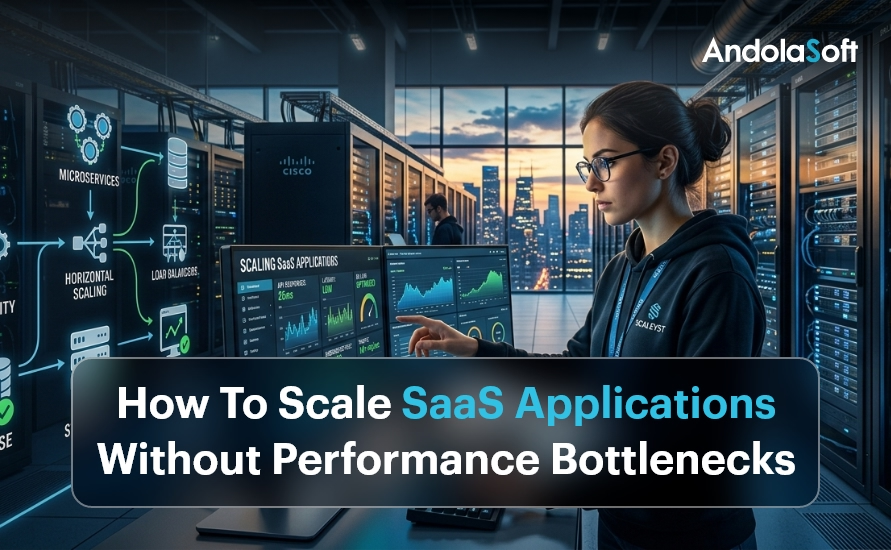
How To Scale SaaS Applications Without Performance Bottlenecks

Introduction: Why SaaS Scaling Is More Critical Than Ever

Every SaaS company dreams of rapid growth. But when thousands of new users flood your platform overnight, can your application keep up? Scaling SaaS applications without performance bottlenecks is no longer optional — it is the difference between retaining customers and losing them forever.

In 2025, the global SaaS market crossed $317 billion, and competition is fierce. Users expect sub-second load times, 99.99% uptime, and seamless experiences across devices. One slow API response or a database timeout can cost you thousands in churned subscriptions.

The good news? Bottlenecks are preventable. With the right cloud infrastructure strategy and architecture decisions, your SaaS platform can scale smoothly — from 100 users to 10 million.

This guide covers proven, battle-tested techniques to help startups, SMEs, and SaaS companies eliminate performance problems before they happen. Let’s dive in.

SaaS Scaling Without Bottlenecks (2026)

  • SaaS growth demands high performance, uptime, and seamless user experience
  • Bottlenecks often originate from databases, monolithic systems, and inefficient APIs
  • Auto-scaling and load balancing handle unpredictable traffic spikes
  • Database optimization, caching, and async processing improve performance significantly
  • Monitoring and CI/CD pipelines ensure continuous performance improvements
  • AI-driven automation enhances scalability and reduces downtime

What Are SaaS Performance Bottlenecks?

A performance bottleneck is any point in your system that slows down the entire application when load increases. Think of it like a traffic jam on a highway — a single lane restriction can back up miles of traffic.

Common SaaS bottlenecks include overloaded databases struggling with concurrent queries, monolithic codebases that can’t scale individual features independently, insufficient server resources during traffic spikes, inefficient API endpoints making redundant calls, no caching layer forcing every request to hit the database, and poorly optimized front-end assets slowing page loads.

Identifying these early is the first step. Our application modernization services help businesses diagnose legacy bottlenecks and re-architect systems for scale.

1. Adopt a Microservices Architecture

The single biggest architectural decision that enables SaaS scalability is moving from a monolith to microservices. In a monolithic application, every feature runs in a single codebase. When one service gets overwhelmed, the entire application slows down.

Microservices break your application into small, independently deployable services. Your billing module, user authentication, notification engine, and analytics dashboard can each scale independently — without impacting each other.

Real-World Example

A fast-growing HR SaaS company we worked with at Andolasoft processed payroll for 500 clients. During payroll run day, their monolith crashed repeatedly. After migrating to microservices using our AI framework services, their payroll service scaled to 10x load independently — without affecting other modules.

Key benefits of microservices for SaaS include independent scaling of high-demand modules, faster deployment cycles, improved fault isolation, and better team autonomy for engineering squads. Combine this with our intelligent automation solutions to auto-deploy and manage microservices efficiently.

2. Implement Auto-Scaling and Load Balancing

Auto-scaling is the ability of your infrastructure to automatically spin up new server instances when traffic spikes and remove them when load drops. Load balancing distributes incoming requests evenly across these instances.

Together, they ensure your SaaS application never gets overwhelmed — even during viral growth moments or marketing campaigns that bring unexpected surges.

Horizontal scaling adds more servers to handle load. This is preferred for SaaS because it avoids single points of failure. Vertical scaling upgrades existing servers — useful for databases but has a ceiling.

Use cloud-native auto-scaling tools like AWS Auto Scaling Groups, Google Cloud Autoscaler, or Azure VMSS. Configure scale-out triggers based on CPU usage, memory, and request count thresholds. Our cloud and infrastructure services team designs auto-scaling policies tailored for SaaS workloads.

3. Optimize Your Database for High-Traffic SaaS

The database is the most common performance bottleneck in SaaS applications. As your user base grows, poorly structured queries and missing indexes can bring your entire platform to its knees.

Read replicas distribute read queries across multiple database instances, freeing your primary database for writes. This alone can reduce database load by 60–70% for read-heavy SaaS apps. Database sharding partitions data horizontally across multiple instances for dramatically improved query performance at scale.

Connection pooling with tools like PgBouncer prevents connection exhaustion under high concurrency. Query optimization — regularly run EXPLAIN ANALYZE on slow queries, add composite indexes for frequent query patterns, and avoid N+1 query problems with eager loading in your ORM.

Our data and analytics experts help SaaS teams redesign data models for massive scale. We specialize in NBFC data analytics and BFSI analytics platforms that handle millions of transactions daily.

4. Use Caching Aggressively at Every Layer

Caching is one of the most powerful tools to eliminate performance bottlenecks. Instead of recomputing the same result on every request, you store and return pre-computed results instantly.

Application-level caching using Redis or Memcached stores session data and frequently accessed objects in memory — dropping response times from hundreds of milliseconds to under 5ms. Database query caching stores the results of expensive queries so repeated requests don’t hit the database. CDN caching for static assets serves files from edge nodes closest to the user, reducing Time to First Byte (TTFB) by up to 80%.

A well-designed caching strategy, implemented alongside our application modernization process, reduces infrastructure costs while boosting performance significantly.

5. Build for Asynchronous Processing

Not every task needs to happen in real time. Sending welcome emails, generating PDF invoices, processing video uploads — these can all happen asynchronously without blocking the user experience.

Use message queues like RabbitMQ, Apache Kafka, or AWS SQS to offload background jobs. Your main application handles user requests instantly and pushes heavy tasks to background workers.

Our enterprise integration services team builds robust queue-based architectures that handle millions of background tasks without impacting front-end performance.

Use Case: SaaS Reporting Engine

An Andolasoft client’s analytics SaaS was timing out when users requested large reports. We implemented async report generation with Kafka queues. Users now receive an email with their report link — generated in the background. Zero timeouts. Zero frustrated users.

6. Optimize Your React and Python Backends

Your front-end and back-end code directly impacts SaaS performance. Poorly written React components re-render unnecessarily. Python endpoints without async support block under concurrency.

For React performance, use React.memo() and useMemo() to prevent unnecessary re-renders, implement code splitting and lazy loading for large components, virtualize long lists with react-window, and optimize bundle size with tree shaking. Our React.js development team specializes in building high-performance SaaS front-ends that score 90+ on Core Web Vitals.

For Python backend optimization, use FastAPI over Flask for async-native APIs, implement connection pooling with SQLAlchemy async sessions, profile with cProfile and py-spy to find CPU bottlenecks, and use Celery for distributed task processing. Our Python development experts build scalable, async-first backends that handle thousands of concurrent users efficiently.

7. Set Up Monitoring, Observability and Alerting

You can’t fix what you can’t see. Comprehensive monitoring is the foundation of a scalable SaaS architecture. Without it, bottlenecks hide in plain sight until they cause outages.

APM (Application Performance Monitoring) tools like Datadog, New Relic, or Dynatrace give end-to-end visibility into every transaction — showing exactly which database query, API call, or service is causing slowdowns. Distributed tracing with OpenTelemetry tracks a single user request across all microservices. Real User Monitoring (RUM) captures performance data from actual users’ browsers, identifying geographic performance issues and JavaScript errors in production.

Our enterprise IT security team integrates monitoring with security alerting, detecting both performance issues and threats simultaneously. Combine this with our software quality assurance processes for continuous performance testing in CI/CD pipelines.

8. Implement a Robust CI/CD Pipeline

Slow, manual deployments create bottlenecks in your engineering workflow — and risky big-bang releases cause performance regressions. A CI/CD pipeline automates testing, building, and deployment so your team ships fast and safe.

Key practices for SaaS CI/CD: run automated load tests on every PR using k6 or Locust, use blue-green deployments for zero-downtime shipping, implement feature flags for gradual rollouts, and containerize with Docker and Kubernetes for consistent scaling. Our innovation and product R&D team builds CI/CD pipelines that reduce deployment risk while accelerating release velocity.

9. Leverage AI and Intelligent Automation

Modern SaaS scaling goes beyond infrastructure. AI-driven autoscaling predicts traffic spikes before they happen. Intelligent automation handles repetitive operational tasks — freeing your team to focus on growth.

Our autonomous AI assistants monitor your SaaS platform, automatically trigger scaling events, and generate incident reports without human intervention — dramatically reducing Mean Time To Recovery (MTTR).

Our digital strategy and transformation services help SaaS companies build AI-first scaling strategies aligned with long-term business goals.

How Andolasoft Helps You Scale SaaS Without Limits

Andolasoft has been helping startups and SMEs build and scale SaaS platforms for over 15 years. Our full-stack expertise spans cloud infrastructure, application modernization, AI automation, and data analytics — everything you need to grow without bottlenecks.

Whether you need to re-architect a legacy monolith, set up auto-scaling infrastructure, or optimize a slow database, our team has done it before — for clients in BFSI, NBFC, healthcare, HR tech, and e-commerce. Explore our core SaaS scaling capabilities:

Conclusion: Scale Smart, Scale Fast

Scaling SaaS applications without performance bottlenecks is a systematic effort — not a one-time fix. It requires the right architecture, smart infrastructure choices, proactive monitoring, and continuous optimization.

Start with the highest-impact changes: move to microservices, implement auto-scaling, add a caching layer, and set up APM monitoring. Then layer in async processing, CI/CD automation, and AI-driven operations as you grow.

The companies that win in SaaS are the ones that treat scalability as a core product feature — not an afterthought. Andolasoft is here to help you build that foundation. Explore our blog for more SaaS engineering best practices, or speak to our digital governance team to audit your current architecture..

Frequently Asked Questions

1.  How do I identify performance bottlenecks in my SaaS application?

Use APM tools like Datadog or New Relic to trace slow transactions. Enable slow query logging in your database. Run load tests with k6 or Locust to simulate high traffic and identify breaking points before they affect real users.

2. When should a SaaS company move to microservices?

Move to microservices when your monolith’s deployment cycles slow your team down, specific modules experience uneven load, or different parts of your app need independent scaling. For early-stage startups, a well-structured monolith is still fine.

3. What is the best database for high-scale SaaS?

PostgreSQL with read replicas works for most SaaS applications. For extremely high-read workloads, add Redis for caching. For massive write throughput, explore distributed databases like CockroachDB or Amazon Aurora.

4. How much does it cost to scale a SaaS application?

Costs vary widely. Proper auto-scaling can reduce costs by 30–50% compared to over-provisioned static infrastructure. The key is right-sizing your resources with intelligent auto-scaling policies.

5. What is horizontal vs. vertical scaling for SaaS?

Horizontal scaling adds more servers to handle load — preferred for SaaS as it avoids single points of failure. Vertical scaling upgrades a single server’s resources — simpler but limited by hardware constraints and single points of failure.
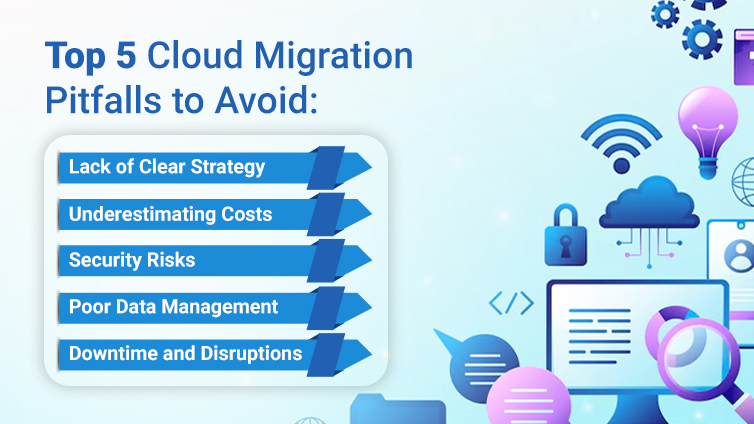
5 Common Cloud Migration Pitfalls and How to Avoid Them

Cloud migration is a strategic business decision that enables organizations to move data, applications, and infrastructure to the cloud. This can unlock enhanced scalability, agility, and cost efficiency.

On the other hand, the process has many challenges. Organizations face pitfalls that can derail projects, leading to increased costs, operational disruptions, and security vulnerabilities.

In this blog, we will explore the top five most common cloud migration pitfalls and provide actionable strategies for avoiding them.

1. Inadequate Planning and Strategy

The Pitfall

One of the most significant mistakes organizations make is diving into cloud migration ventures without a pre-defined roadmap or strategies.

Rushing into it without thorough planning could result in misaligned goals, inefficient processes, and increased dependencies.

Without the right plan, you risk facing unexpected technical challenges, budget overruns, and operational inefficiencies.

Why It Happens

  • Lack of Clear Objectives: Many businesses don’t have a clear objective about what they want with the migration such as cost reduction improved performance or enhanced security.
  • Insufficient Stakeholder Involvement: When teams make decisions without taking inputs from business leaders the migration activities may not be productive for the business.
  • Underestimating Complexity: Businesses often underestimate the complexity of migrating their legacy systems and application modernization activities.

How to Avoid It

  • Develop a Comprehensive Migration Strategy: Start with a clear understanding of the business goals. Identify what you want from your migration venture. You should also consider developing a detailed framework including timelines, milestones, and responsibilities.
  • Conduct a Thorough Assessment: Perform a comprehensive audit of your environment. Determine the dependencies, applications, data sets, and workflows that will be impacted. This audit process should determine the existing legacy systems as well as dependencies to avoid complications.
  • Engage Stakeholders Early: Include all the team members and relevant stakeholders when deciding on the migration process. A cross-functional team can provide diverse perspectives which will ensure that your efforts align with the business strategies.
  • Create a Detailed Roadmap: You can also break down the migration process into multiple phases. This will define the various checkpoints as well as lay out the various contingency plans to address the issues when they arise during the process.

By strategizing your efforts beforehand you can reduce the risk of unexpected hurdles.

2. Underestimating Data Complexity and Legacy Systems

The Pitfall

Project data is the single most valuable asset for any organization. Migrating it from a legacy system is a complex process and takes time.

Organizations oftentimes underestimate the complexities involved in transferring data accurately and securely.

These legacy systems can present compatibility issues which can complicate the migration process.

Why It Happens

  • Data Silos and Disorganization: Oftentimes data remains scattered across multiple systems and formats, which makes it hard to integrate into modern cloud platforms.
  • Legacy Application Dependencies: Many legacy systems rely on outdated technologies that don’t integrate effectively with cloud environments. This can lead to compatibility and performance issues.
  • Volume and Velocity: Large data sets and the need for real-time access can affect migration efforts which can lead to data loss and corruption.

How to Avoid It

  • Conduct a Data Audit: Determine the structure and volume of the data you want to migrate. Find the data silos as well as establish a data governance framework.
  • Plan for Data Transformation: Not all data can be moved in its original format. You need to clean, transform, and reformat data to ensure that it’s compatible with the cloud platform.
  • Leverage Automated Tools: Leverage migration tools and platforms when handling large data volumes; also minimize manual errors by automating data mapping processes.
  • Test Extensively: Pre-migration testing will enable you to identify potential issues such as data compatibility and performance; which will in turn fine-tune your approach.

AS Inner_1 (1)

3. Overlooking Security and Compliance Requirements

The Pitfall

Security and compliance are necessary to adopt cloud solutions and need to be strategized beforehand. Yet, if you are overlooking these aspects your organizations will face significant risks.
When it comes to cloud environments, you need to configure them to prevent data breaches and avoid creating compliance violations and other cyber threats.
Why It Happens

  • Assumption of Provider Responsibility: Some organizations believe that the cloud provider should exclusively take care of the application’s security. However, the cloud service providers provide robust security measures but the organization should themselves configure and manage security appropriately.
  • Rapid Migration Pressure: Don’t skip security configurations and compliance checks to complete a migration
  • Complex Regulatory Landscapes: Ensure to meet industry-specific regulations and standards such as GDPR, HIPAA, or PCI-DSS.

How to Avoid It

  • Adopt a Security-First Approach: Integrate security considerations into every stage of your migration process. Develop a detailed security policy that covers data encryption, access controls, and incident response strategies.
  • Understand Shared Responsibility: Define the right security responsibilities for your organization against those of the cloud providers. You need to configure all security settings such as firewalls, identity management, and monitoring tools.
  • Ensure Regulatory Compliance: Team up with legal and compliance teams to map out all other regulatory needs that are relevant to the industry. Also, conduct regular audits and use compliance management tools to remain aligned with the regulations.
  • Implement Continuous Monitoring: Once your data is in the cloud, it becomes imperative that you continuously monitor for vulnerabilities and unusual activity.

By addressing this security and compliance proactively, you can mitigate risks as well as ensure that your cloud environment is safe and compliant.

4. Mismanaging Costs and Budget Overruns

The Pitfall

Cost management is a significant factor when migrating to the cloud. If you have not planned out your budget, unexpected expenses can quickly add up.
Many organizations find themselves facing budget overruns due to hidden costs and unexpected operational expenses.

Why It Happens

  • Underestimating Operational Costs: Many organizations focus on initial costs but don’t account for operational expenses. These expenses include data transfer fees, storage costs, and also cloud service management.
  • Resource Misallocation: Without learning how cloud resources are used, companies may overestimate, leading to wasted resources and higher costs.
  • Lack of Visibility: Lack of monitoring and reporting can lead to over budgeting which can make it difficult to manage expenses.

How to Avoid It

  • Conduct a Detailed Cost Analysis: Before you migrate, you need to perform a cost-benefit analysis. You also need to consider the initial migration costs as well as long-term operational expenses. Also, integrate cloud cost calculators provided by top cloud providers.
  • Adopt a Cloud Cost Management Tool: Integrate tools that will provide visibility to your cloud migration efforts. These tools can enable you to monitor resource usage, optimize costs as well as find areas where you can cut unnecessary expenses.
  • Right-Size Your Resources: Work with the IT team to ensure only the necessary resources. This includes solutions such as auto-scaling, resource optimization strategies, etc.
  • Regular Audits and Reviews: Determine the best method for auditing. To achieve this you need to determine the cloud spending as well as adjust various strategies to avoid budget overruns.

5. Insufficient Training and Change Management

The Pitfall
It’s worth noting that when implementing new technology and processes you need to adapt as well. Without the right training and change management teams can struggle to utilize the new systems effectively. This can lead to operational inefficiencies, reduced productivity, and frustration among employees.

Why It Happens

  • Over-Reliance on Technology: Many organizations focus so much on the technical aspect of migration that they oversee the importance of educating the workforce to adapt.
  • Resistance to Change: Employees accustomed to legacy systems may even resist new tools and processes.
  • Inadequate Training Programs: If you skimp on training and support you can leave teams feeling unprepared and overwhelmed by the cloud environment.

How to Avoid It

  • Develop a Comprehensive Training Plan: Invest in training programs that can cover both the technical and operational aspects of the new cloud environment. These training programs could include workshops, webinars, and hands-on training sessions.
  • Communicate Benefits Clearly: Assist your team in understanding how the migration will make their work easier and more efficient. Stress upon improvements such as collaboration, scalability, and performance.
  • Implement a Change Management Strategy: A strategic change management can assist you in a smooth transition. This involves clear communication, phased rollouts, and greater feedback and support.
  • Provide Ongoing Support: You need to ensure that the support you provide is readily available during and even after the migration process. This also includes dedicated help desks, online resources, and regular check-ins to address concerns and gather feedback.

Prioritize training and change management, so that you can empower your employees to embrace the new cloud environment and also ensure that your migration activities are up to the specs.

Conclusion

Cloud migration can push businesses into a new era of agility, scalability, and innovation. But the path is riddled with various pitfalls such as inadequate planning and data complexities.

By understanding these common pitfalls and implementing the strategies outlined you can avoid costly mistakes and ensure a smooth and efficient migration.

With the right planning, continuous monitoring, and proactive management, your organization can avoid common pitfalls so that you can reap the benefits of modern organizations.

Why Cloud Technology is Essential for Modern Apps

Cloud technology is now everywhere. It is changing how businesses are building their web and mobile applications. This is making things faster, simpler, and more efficient. If you are not yet leveraging cloud technology, you are missing out on a big advantage.

In this blog post, we will break down what cloud technology is, why it’s important, and how it is helping your application projects. We will also share some tips and talk about real-world examples.

What is Cloud Technology?

Cloud technology is all about using remote servers to store, manage, and process data; It lets you access resources such as storage, computing power, and software online.

Some popular cloud providers are:

  • AWS (Amazon Web Services)
  • Microsoft Azure
  • Google Cloud

These platforms provide you with the essentials needed to help developers build applications, manage data, and use AI to analyze information.

Why is Cloud Technology Important for Apps?

Modern applications need the flexibility, speed, and reliability of cloud technology. It provides the following to modern apps.

1. Scalability: Adjust your resources based on demand

2. Cost Savings: Pay only for what you use

3. Global Access: Users get the same app experience across the globe

4. Quick Integration: Use pre-built tools to speed up development

It enables developers to focus on building great apps without worrying about managing servers.

Why Cloud Technology is Essential for Modern Apps-inside-image

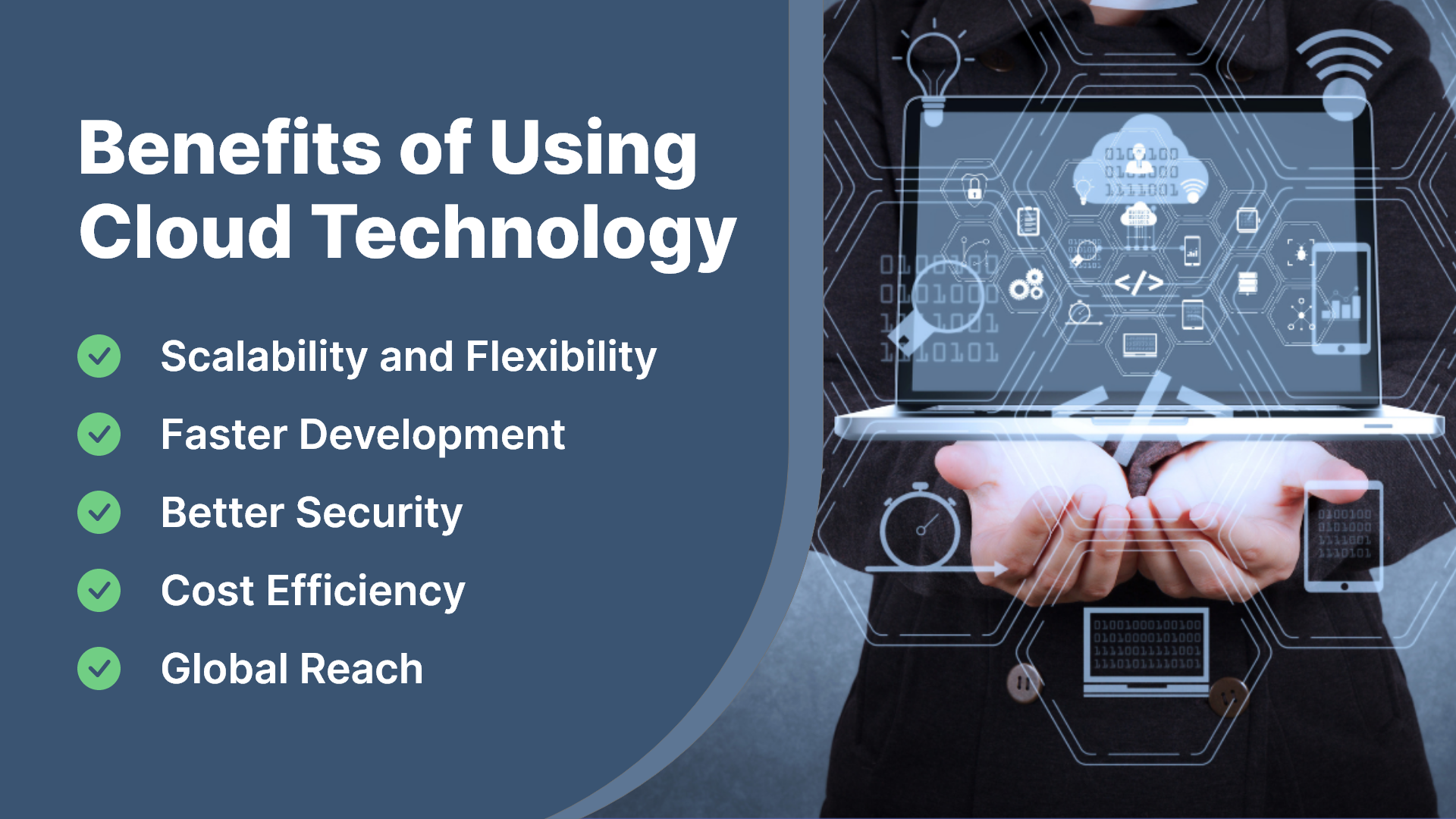
Benefits of Using Cloud Technology

1. Scalability and Flexibility

Cloud services also facilitate apps to scale on demand. For example:

  • Handle high traffic during sales.
  • Manage more players during an app tournament.

2. Faster Development

Teams can work together from anywhere using the cloud tools. They can:

  • Test and deploy apps faster.
  • Use ready-made tools to speed up coding.

3. Better Security

Leverage cloud providers to leverage your data:

  • Encryption (to keep data safe).
  • Regular updates (to fix security issues).
  • Role-based access (to control who sees what).

4. Cost Efficiency

Leverage cloud computing so that:

  • You don’t need to buy expensive hardware.
  • You pay only for what you use.

5. Global Reach

Cloud services are available worldwide which suggests that your app can deliver high performance irrespective of your location.

Types of Cloud Services

1.IaaS (Infrastructure as a Service)

Get virtual servers, storage, and networking online at a fraction of the cost.

  • Examples: AWS EC2, Microsoft Azure, Virtual Machines.
  • Use Case: Hosting websites or backend services.

2.PaaS (Platform as a Service)

Avail tools and frameworks for faster application development.

  • Examples: Google App Engine, Heroku.
  • Use Case: Rapid app development.

3.SaaS (Software as a Service)

These are ready-to-use apps that don’t need installation. Simply log in and start using it.

  • Examples: Slack, Dropbox.
  • Use Case: File sharing and team collaboration.

4.BaaS (Backend as a Service)

They are pre-built backends for all types of applications

  • Examples: Firebase, AWS Amplify.
  • Use Case: Apps with push notifications and authentication.

5. Server-less Computing

With Serverless computing, you can develop apps without managing servers.

  • Examples: AWS Lambda, and Google Cloud Functions.
  • Use Case: Event-driven apps or microservices.

Real-World Examples of Cloud-Powered Apps

1. E-commerce: Amazon leverages AWS to handle global sales traffic and inventory.

2. Streaming Services: Platforms like Netflix use AWS to streamline shows and recommend content.

3. Healthcare: Healthcare apps store patient records securely and facilitate remote consultations.

Challenges of Cloud Technology

1. Data Privacy: Follow regulations such as GDPR and HIPAA.

2. Downtime Risks: They can disrupt the app hence choose a reliable provider.

3. Cost Management: If you can’t monitor usage, costs increase manifold times.

4. Vendor Lock-In: Switching between cloud providers can be challenging.

Tips for Using Cloud Technology

  • Pick the right service: Choose the right services such as IaaS, PaaS, and Saas for your application needs.
  • Focus on security: Implement multi-factor authentication tools.
  • Plan for downtime: Get backups and recovery solutions.
  • Watch costs: Use tools like AWS Cost Explorer to manage expenses.

Conclusion

Cloud technology is a game changer for modern web and mobile applications. It makes them scalable, cost-efficient, and globally accessible.

You should start small with platforms such as AWS, Google Cloud, and Azure as well as implement how cloud technology can elevate app development.

FAQs

Q. What is the best cloud platform for web and mobile apps?

Choosing the best cloud platform depends on your requirements. AWS offers extensive services and scalability; Google Cloud is best for AI and analytics. Azure is best for enterprises that are using Microsoft products.

Q. Can small businesses benefit from cloud technology?

Yes! Cloud technology is cost-effective and scalable which makes it suitable for businesses of all sizes. Many Small businesses can simply start with minimal resources and scale as they grow.

Q. Is cloud technology secure for sensitive data?

Reputable cloud providers provide robust security features such as encryption, access control, and compliance certifications.