BIIn an era when the demand for data-driven decision-making is skyrocketing, businesses are increasingly seeking more flexible and customizable analytics platforms than traditional tools. According to market data, the global business intelligence market is projected to nearly double from ~ $34.8 billion in 2025 to over $63 billion by 2032, as companies across industries ramp up investments in data and analytics. For many organizations, however, Microsoft Power BI — while popular — can feel limiting in terms of deep customization, embedded analytics, or integration flexibility. That is why exploring Power BI alternatives has become a critical step for CTOs, product managers, and business leaders.
In this blog, you’ll discover the top 10 Power BI alternatives that deliver superior customization, scalability, and control. Moreover, you’ll learn how a seasoned development partner like Andolasoft can help integrate and extend these tools to build truly tailored BI/analytics solutions for your enterprise needs.
Why Customizable BI Tools Matter for Growing Businesses
Business intelligence (BI) is no longer a “nice-to-have” — it’s a strategic imperative. As defined by industry experts, BI encompasses the processes and platforms organizations use to collect, analyze, and interpret data to inform decisions.
For growing businesses — whether in healthcare, logistics, eCommerce, education, fintech, or manufacturing — the benefits of BI are tangible: improved operational efficiency, better forecasting, data-driven decision-making, and competitive advantage.
Challenges with Traditional or Out-of-the-Box BI Solutions
- Many organizations still suffer from low BI maturity: according to a report, over 87% of companies fall into “basic” or “opportunistic” BI maturity levels — relying heavily on spreadsheets or siloed data efforts.
- Off-the-shelf BI tools may lack the flexibility or extensibility required to adapt to unique business logic, complex workflows, or custom integrations — especially in industries with specialized needs (e.g. multi-warehouse supply chain analytics, real-time IoT data from manufacturing, or compliance-heavy fintech).
- Without strategic BI implementation, companies risk inefficiencies, poor data governance, security vulnerabilities, and lost revenue opportunities due to underutilized data.
Hence, modern enterprises need customizable, scalable, and secure BI platforms — not patchwork solutions or “quick fix” dashboards.
That’s where exploring Power BI alternatives makes sense — and why partnering with a full-stack development and BI services provider like Andolasoft becomes strategic.
What Makes a Good Alternative? Key Criteria & Best Practices
Before diving into specific tools, it’s useful to understand the criteria and best practices that define a successful BI platform — especially one that seeks to go beyond Power BI’s standard capabilities.
Essential Capabilities to Look For
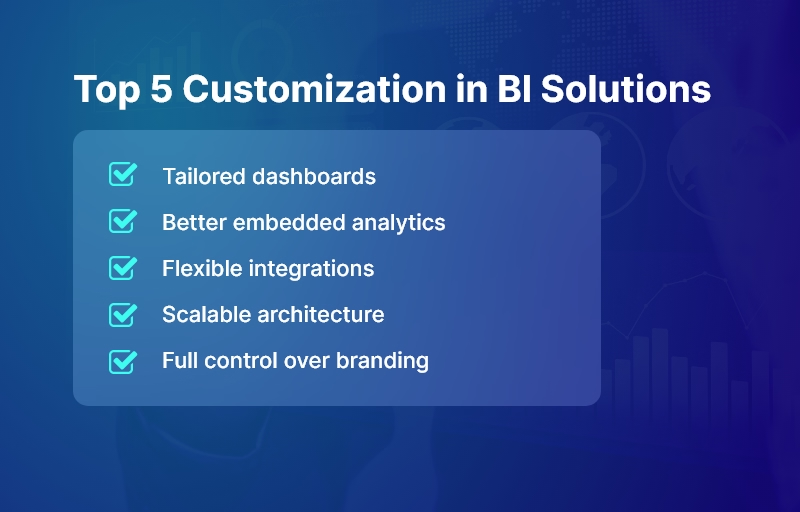
- Customizable analytics & dashboards: The ability to build deeply customized reports, dashboards, and visualizations tailored to your domain and metrics.
- Self-service BI for business users: Non-technical users should be able to explore data, build ad hoc reports, and access insights without deep coding or IT dependence.
- Scalable, modern architecture: Cloud-native or hybrid platforms that scale with data volume, user load, and complex workflows, with robust governance and security.
- Integration and flexibility: Ability to integrate with existing data warehouses, data lakes, ETL tools, third-party services, APIs, and custom applications.
- Embedded & composable analytics: Options to embed BI/analytics within your own web or mobile applications — giving you full control over UI/UX, workflow, permissions, and branding.
Best Practices & Implementation Tips
- Define your data & analytics strategy first. Establish goals, KPIs, data sources, governance, and ownership before selecting tools — so the BI platform helps solve concrete problems, not just add dashboards.
- Adopt a modular architecture (data warehouse → analytics engine → presentation layer). This ensures flexibility and future-proofing as data volume and complexity grow.
- Enable self-service while maintaining governance. Balance user autonomy with data quality, security, and consistent data definitions across the organization.
- Iterate dashboards & data models over time. Don’t treat BI as a one-time project. Evolve dashboards based on user feedback, changing business requirements, and data volume growth. (Recent research shows that dashboards become more useful when continuously refined.)
- Use automation, DevOps, and CI/CD for BI pipelines. Treat data pipelines, ETL jobs, models, and dashboard deployments as first-class software — so updates, scaling, and maintenance are systematic and manageable.
- Ensure scalability and security from day one. As data grows, make sure performance, access control, and compliance remain robust.
Because of these requirements, many businesses find that integrating or customizing a BI tool — rather than using default configurations — yields far higher value. That’s exactly where a partner like Andolasoft brings value, combining expertise in BI, data analytics, SaaS engineering, DevOps, cloud infrastructure, and custom application development.
Top 10 Power BI Alternatives with Better Customization
Here are ten BI tools and platforms that often outshine Power BI when it comes to customization, flexibility, and integration potential. Each of these can be tailored — or embedded — to align with your unique business requirements.
Fully Custom-Built BI Solution by Andolasoft
Sometimes, no standard BI tool fits unique workflows — especially in domains like:
- Fintech (compliance-heavy custom dashboards)
- Multi-warehouse logistics (real-time IoT + GIS data)
- Healthcare (HIPAA-compliant insights)
- EdTech (student lifecycle analytics)
A full-custom BI solution provides:
- Controlled data pipelines + governance
- Tailored dashboards matching exact roles + KPIs
- Data models specific to business workflows
- Embedded analytics inside core products
- Own the full IP + no vendor lock-in
Andolasoft builds these using:
- Data warehouses (Snowflake, BigQuery, Redshift, etc.)
- Custom visual layers (React, Angular, mobile apps)
- Secure pipelines (Airflow, dbt, serverless ETL)
- AI/ML insights on top of structured metrics
Best suited for:
- Product-led companies wanting complete control
- High-growth enterprises needing future-proof scalability
- Industry-specific use cases NOT supported by generic BI
Google Cloud Looker
Looker is a modern BI platform built around LookML, a semantic modeling layer that ensures consistent business metrics across dashboards, teams, and applications.
It offers extreme flexibility for embedding analytics into web or mobile products — with fully customizable UI/UX and brand-level control. Because Looker queries data in place (no extracts needed), it works seamlessly with any cloud data warehouse.
Best suited for:
- SaaS products wanting embedded analytics
- Enterprises needing governed, centralized metrics
- Organizations working with multi-cloud data architectures
Key customization strengths:
- Custom modeling with LookML
- API-first platform for building tailored analytics experiences
- Pixel-perfect control over front-end analytics
Qlik Cloud Analytics®
This BI solution stands out with its Associative Engine, enabling users to explore all possible relationships in data — not just predefined queries.
Qlik Cloud Analytics® offers high customization through extensions, custom visual scripting, and developer-friendly SDKs.
Best suited for:
- Businesses with complex multi-source data
- Data-intensive manufacturing, logistics, retail analytics
- Teams needing exploratory analytics over rigid reporting
Key customization strengths:
- Fully extensible dashboards with custom visualizations
- In-memory engine for real-time exploration
- Enterprise-grade architecture + advanced governance
ThoughtSpot Agentic Analytics Platform
ThoughtSpot uses AI and natural language search to generate insights — no SQL required. Its core superpower is search-driven analytics, making it incredibly self-service friendly. Developers can embed AI-powered analytics into other systems via APIs.
Best suited for:
- Leaders who want insights instantly without analyst dependency
- Data democratization initiatives
- Sales, CX, operations teams requiring quick answers
Key customization strengths:
- AI/ML insight recommendations
- Conversational analytics + spotIQ automation
- Embedded analytics and fully custom data workflows
Pricing:
- Essentials (for small teams) – $25 per user/per month
- Pro (for growing businesses) – $50 per user/per month
- Enterprise (for large enterprises) – Custom pricing
GoodData
GoodData was designed specifically for composable and embedded analytics, enabling companies to create custom multi-tenant BI products.
It provides headless BI, meaning you can completely control the front-end experience through APIs.
Best suited for:
- SaaS companies adding analytics into their product
- Organizations requiring strict governance across different user groups
- Data products with white-label branding
Key customization strengths:
- Custom frontend development with React components
- Fine-grained permissions for customer-facing analytics
- Flexible data pipelines and governed metrics layer
Sisense
The app allows developers to embed analytics anywhere — portals, dashboards, web products, and even within app workflows.
Sisense Fusion lets you create data apps and tailor analytics experiences to specific business workflows.
Best suited for:
- Enterprise analytics inside operational systems
- Complex custom workflows + automation needs
- Flexible, branded analytics in SaaS
Key customization strengths:
- White-label dashboards
- Highly customizable via scripts + API
- Handles large, complex data models efficiently
Tableau
Tableau is the leader in advanced visualization design with deep customization options.
Developers can extend visual capabilities with JavaScript APIs, plugins, and Tableau Extensions for embedded use cases.
Best suited for:
- Industries demanding visual analytics and storytelling
- Enterprises scaling self-service dashboards
- Teams transitioning from spreadsheets to BI
Key customization strengths:
- Custom extensions + visual development
- Full branding control for embedding
- Massive library of visuals for almost any model
Pricing
- Tableau Standard – $75 user/month
- Tableau Enterprise – $115 user/month
- Tableau + Bundle – Contact Sales
Mode Analytics
Mode unifies SQL + Python + R for analysts and data scientists — perfect for advanced modeling and statistical analytics.
It provides customizable reporting environments, allowing data teams to build powerful models and present insights interactively.
Best suited for:
- Companies with strong data science / analytics teams
- Growth-stage SaaS building tailored internal analytics
- Experiment-heavy product teams
Key customization strengths:
- Built-in notebooks for advanced ML analytics
- Deep control over query models + custom visuals
- Tailored embedded analytics for data-savvy products
Metabase
Metabase is an open-source, self-hosted BI tool — highly cost-efficient with full control over your deployment.
It’s simple for non-technical users yet customizable by engineering teams.
Best suited for:
- SMEs avoiding licensing lock-in
- Startups needing fast, low-cost BI
- Data-sensitive industries that prefer on-premise
Key customization strengths:
- Complete control over hosting + data
- Custom dashboards with branding + embedding
- Developer API for workflow integration
Pricing
- Open source – Free
- Starter – $100/month + $6/month per user
- Pro – $575/month + $12/month per user
- Enterprise – Custom pricing
Redash (Open Source)
Redash is a lightweight, SQL-first BI and dashboarding tool. Perfect for technical teams who want complete customization without heavy enterprise overhead.
Best suited for:
- Advanced SQL/engineering-led analytics teams
- Internal dashboards for operations, engineering, DevOps
- API + CLI driven BI environments
Key customization strengths:
- Full source code access = unlimited customization
- Ideal for embedding minimal dashboards
- Cost-efficient + developer-friendly
Important insight: There’s no “one-size-fits-all” BI tool — the best “Power BI alternative” depends on your business model, data architecture, user base, and long-term goals.
How to Evaluate & Implement an Alternative: Best Practices & Actionable Tips
Here’s a framework — built upon years of industry practice — that we at Andolasoft recommend when evaluating or implementing a BI alternative.
1. Define Business Goals & Data Strategy First
- Clarify what you aim to achieve: improved reporting turnaround, real-time dashboards, embedded analytics in product, or self-service analytics for business users.
- Map out your data sources (databases, data lakes, third-party services, APIs, IoT, logs, etc.).
- Define KPIs, metrics, data governance, access controls, and which teams/users need what access.
This ensures that whichever BI platform you choose — or build — aligns precisely with business needs.
2. Prioritize Customization & Embeddability
- If you need dashboards within your product — for SaaS or internal tools — prefer BI platforms that support embedded analytics or SDKs (e.g. Looker, GoodData, Sisense, Mode).
- Keep the semantic layer or data model separate from the presentation layer. This avoids breaking dashboards when underlying data changes.
3. Adopt Modular, Scalable Data Architecture
- Use a modern data stack: data warehouse / data lake (e.g. cloud-based), ETL/ELT pipelines, and analytical layer.
- Apply DevOps / CI-CD practices to BI pipelines: treat data models, queries, dashboards as code — versioned, tested, and maintained like software.
- Build with scalability & security in mind: scale as data grows, and enforce role-based access and data governance.
4. Empower Business Users & Maintain Governance
- Enable self-service BI for non-technical users — so analysts, marketing, sales teams can run their own reports without IT bottlenecks.
- But also enforce data governance, consistent definitions, and a central data model to avoid data silos or conflicting metrics.
5. Iterate, Gather Feedback, Evolve Dashboards
- Treat BI as a living product, not a one-time deliverable. Collect feedback from end-users frequently.
- Improve dashboards over time: refine visualizations, adjust metrics, add new data sources. This approach leads to more meaningful insights and better user adoption.
6. Leverage a Skilled Engineering Partner (When Needed)
Implementing or customizing BI — especially embedding dashboards, integrating data pipelines, ensuring security, and scaling — often requires full-stack engineering, DevOps, cloud architecture, and data expertise.
Here’s why working with a partner like Andolasoft really helps:
- We offer Custom Web / Mobile App Development — integrating BI dashboards directly into enterprise or customer-facing products.
- We bring BI, AI & Machine Learning Solutions — enabling advanced analytics, predictive modelling, and data-driven automation.
- We deliver SaaS Product Engineering — ideal if you are building a SaaS product with embedded analytics.
- We handle DevOps, Cloud & Automation — setting up scalable data pipelines, data warehouses, and secure infrastructure.
- We manage Application Modernization & Enterprise IT Services — especially helpful when migrating from legacy BI systems or spreadsheets.
With this breadth, Andolasoft stands as a trusted technology partner to help you implement a BI solution that is not just functional — but tailored, scalable, and future-ready.
Customer Success
For example, a growing logistics company, partnered with Andolasoft to build an embedded analytics dashboard — using a combination of a cloud data warehouse, custom ETL pipelines, and a flexible BI tool. Within 4 months, they replaced multiple spreadsheets and legacy reporting tools with a unified, real-time analytics portal. As a result:
- Reporting time reduced by 85%, from hours/days to real-time dashboards
- Manual mistakes were eliminated — improving data accuracy and decision confidence
- Operations management gained real-time visibility into fleet utilization, delivery times, and route performance — leading to 10% cost savings and 20% faster decision cycles
Here’s what changed: the company equipped its leadership and operations teams with actionable insights — enabling data-driven decisions, dynamic route planning, and quicker responses to changing demand.
Because Andolasoft built the solution end-to-end (data pipelines + BI + embedded dashboards), now has a scalable, maintainable analytics backbone that grows as the business expands.
Key Takeaways
- Power BI alternatives can offer far greater customization, flexibility, and control — especially when you need embedded analytics, complex data modeling, or custom integrations.
- A one-size-fits-all BI platform rarely fits all: the right solution depends on your business model, data strategy, and long-term goals.
Implementing a modern BI system requires strong data architecture, governance, iterative development, and scalability — not just dropping in a tool. - Partnering with experts like Andolasoft — who combine BI, data, cloud, and full-stack development — ensures you build a robust, future-ready analytics solution.
- The time to modernize your BI stack is now: as data volume and complexity grow, businesses that act early gain competitive advantage, operational efficiency and strategic agility.
By choosing one of these top Power BI alternatives — and by building thoughtfully — you unlock the power of data to drive growth, innovation, and impact.
Frequently Asked Questions
-
What makes “Power BI alternatives” necessary when Power BI is widely used?
While Power BI is popular and capable, many businesses need deeper customization, embedding, or data integration flexibility. Power BI alternatives often offer better control over the data model, custom UI/UX, or embedding capabilities — especially suitable for SaaS products, enterprise apps, and complex workflows.
-
Which Power BI alternative is best for embedding analytics in a SaaS product?
Platforms like Looker, GoodData, and Sisense stand out — because they support embedded analytics, composable architecture, and custom UI. They enable you to integrate dashboards directly into your SaaS application with custom branding and controlled user access.
-
Can small or mid-sized companies benefit from Power BI alternatives?
Absolutely. Lightweight or open-source tools such as Metabase, Redash, or Mode Analytics offer affordable, flexible, and self-hosted options. They are ideal for companies wanting to avoid vendor lock-in or requiring full control of data infrastructure.
-
Is it possible to migrate from Power BI to another BI platform?
Yes — with a clear data strategy and planning. Migration typically involves exporting data models, rebuilding dashboards, setting up ETL/data pipelines, and reconfiguring permissions. Engaging a partner experienced in data migration and BI integration (like Andolasoft) can make the transition smooth and efficient.
-
What are common mistakes companies make when implementing a new BI platform?
Some common mistakes include: skipping data governance and data strategy planning; treating BI as a one-time project (rather than ongoing); neglecting scalability, security, and performance requirements; underestimating the need for DevOps in data pipelines; and not involving end-users in dashboard design, resulting in poor adoption.
-
How can Andolasoft help with implementing a customized BI solution?
Andolasoft offers end-to-end services — from data architecture, ETL pipelines, data warehouses, to analytics, embedded dashboards, and DevOps. We help you build scalable, secure, tailored BI solutions that align with your business goals and adapt as you grow.