How to Leverage AI Tools to Optimize Web and Mobile Applications

In the rapidly advancing realm of technology, staying ahead of the curve is crucial for developers working on web and mobile applications development. 

The demand for faster, more efficient, and highly responsive applications is greater than ever. Enter Artificial Intelligence (AI) — a game-changer that is revolutionizing the way applications are developed, tested, and maintained. 

AI tools are not just augmenting human capabilities; they are transforming the entire development lifecycle, from code generation and debugging to user experience enhancement and project management. This blog explores how developers are harnessing the power of AI to optimize web and mobile applications development, driving innovation, efficiency, and superior user experiences.
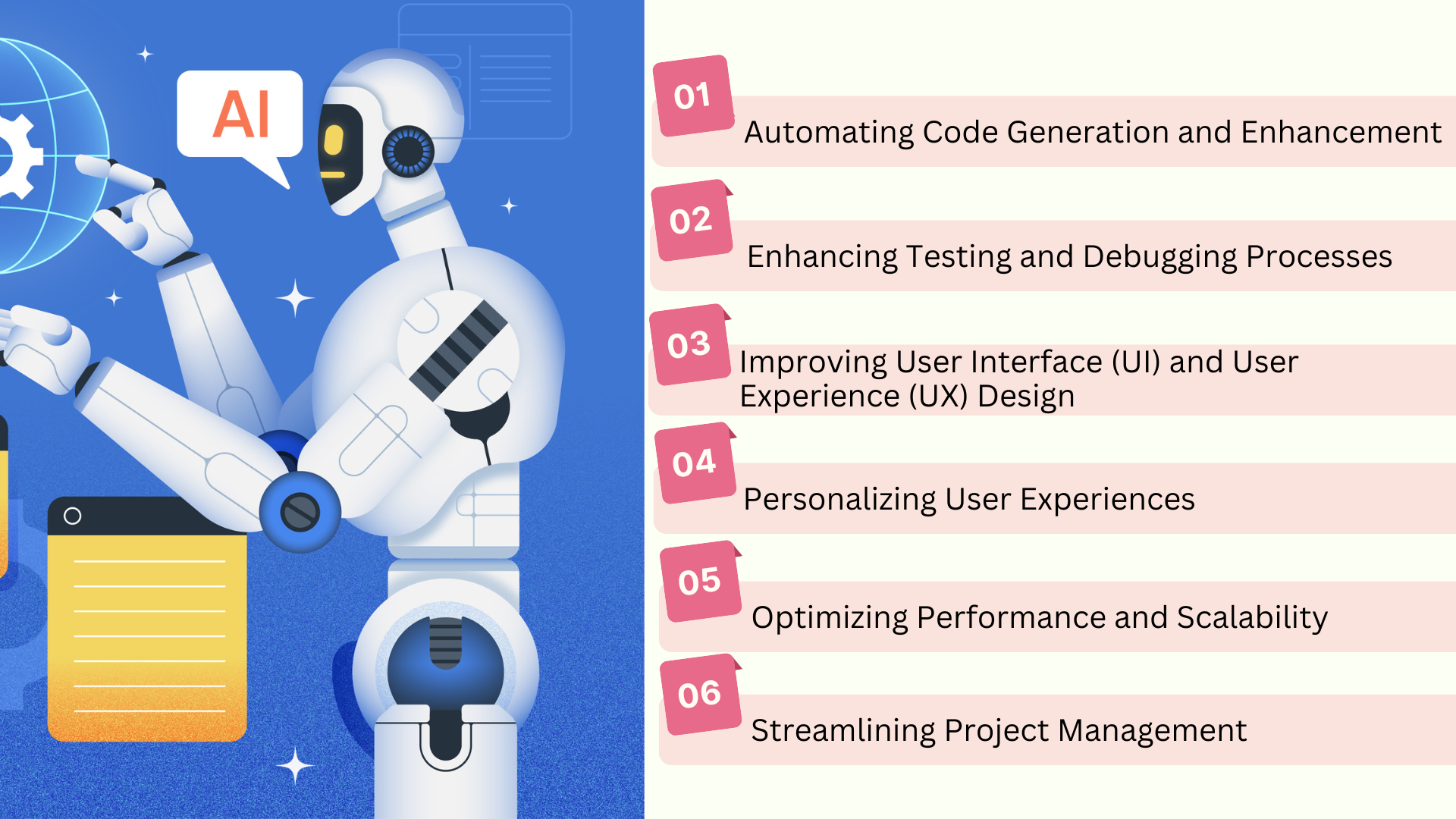
1. Automating Code Generation and Enhancement

AI-powered tools can significantly reduce the time and effort required to write and enhance code. By automating repetitive tasks and providing intelligent code suggestions, developers can focus on more complex and creative aspects of web app development and mobile app development.

Key Benefits:

  • Speed: Rapidly generates standard code blocks, reducing development time.
  • Precision: Minimizes human error in repetitive coding tasks.
  • Focus: Allows developers to concentrate on higher-level design and problem-solving.

Tools to Explore:

  • GitHub Copilot: Provides context-aware code suggestions, automating code writing for various programming languages.

2. Enhancing Testing and Debugging Processes

AI has revolutionized application testing and debugging by making these processes more efficient and thorough. AI-driven testing tools can automatically generate test cases, detect bugs, and even predict potential issues in the code.

Key Benefits:

  • Thoroughness: Conducts comprehensive testing with diverse test cases.
  • Early Detection: Identifies and resolves issues early in the development cycle.
  • Cost-Effective: Reduces the need for extensive manual testing, saving time and resources.

Tools to Explore:

  • Testim: Utilizes AI to create, execute, and maintain automated tests.

3. Improving User Interface (UI) and User Experience (UX) Design

AI can assist in designing intuitive and visually appealing user interfaces. By analyzing user behavior and preferences, AI tools help create designs that are not only aesthetically pleasing but also user-friendly.

Key Benefits:

  • Consistency: Ensures uniformity in design elements across the application.
  • Innovation: Allows designers to focus on creative tasks by automating routine design activities.
  • User-Centric: Leverages data-driven insights to enhance user experience.

Tools to Explore:

  • Sketch2Code: Converts hand-drawn sketches into HTML code using AI.
  • Figma with AI plugins: Enhances design capabilities with AI-powered suggestions and automation.

4. Personalizing User Experiences

AI enables the creation of personalized user experiences by analyzing user data to provide tailored content and interactions. This level of personalization can significantly increase user engagement and satisfaction.

Key Benefits:

  • Engagement: Delivers personalized content that keeps users engaged.
  • Retention: Enhances user satisfaction, leading to higher retention rates.
  • Insights: Provides valuable analytics on user behavior and preferences.

Tools to Explore:

  • Firebase Predictions: Uses machine learning to predict user behavior and customize experiences.
  • OneSignal: Delivers personalized notifications based on user interactions.

5. Optimizing Performance and Scalability

AI can help optimize the performance and scalability of web and mobile applications by analyzing usage patterns and predicting future demands. This ensures that applications run smoothly even under high loads.

Key Benefits:

  • Efficiency: Improves application performance by identifying bottlenecks.
  • Scalability: Predicts and prepares for future demands, ensuring seamless scalability.
  • Resource Management: Optimizes resource usage, reducing operational costs.

Tools to Explore:

  • New Relic: Provides AI-driven insights for performance monitoring and optimization.
  • Dynatrace: Uses AI to monitor and optimize application performance in real-time.

6. Streamlining Project Management

AI can enhance project management by providing predictive analytics, automating routine tasks, and offering insights into project progress. This helps project managers make informed decisions and keep the development process on track.

Key Benefits:

  • Accuracy: Provides precise project estimates and timelines.
  • Efficiency: Automates administrative tasks, freeing up time for strategic planning.
  • Proactivity: Identifies potential issues before they escalate into major problems.

Tools to Explore:

Conclusion

The integration of AI tools into web and mobile applications development is transforming the industry by making processes faster, more efficient, and more user-centric. 

From automated code generation and enhanced testing to personalized user experiences and optimized performance, AI provides a multitude of benefits that developers can leverage to create superior applications.

Embracing AI in app development is not just about staying ahead of the competition; it’s about delivering high-quality, innovative products that meet and exceed user expectations. 

As AI technology continues to evolve, its impact on web and mobile app development will only grow, making it an indispensable part of the developer’s toolkit. Whether you’re a seasoned developer or new to the field, harnessing the power of AI is a step toward a more efficient, innovative, and user-focused future in app development. Andolasoft, the leading web and mobile app development company can craft customized solutions for your business.


How to Effectively Optimize Fintech App Development

In today’s rapidly evolving financial landscape, the role of technology has become increasingly paramount. Fintech application development has emerged as a powerful tool, revolutionizing the way we manage finances, conduct transactions, and interact with financial services.

However, in the competitive realm of fintech app development, success hinges not only on innovative ideas but also on strategic execution.

In this comprehensive guide, we explore key strategies to optimize fintech apps, empowering companies to deliver cutting-edge solutions that resonate with users and drive business growth.

Understanding the Fintech Landscape

Before delving into strategies for fintech app development, it’s crucial to grasp the dynamics of the fintech landscape. Fintech, short for financial technology, encompasses a wide array of digital solutions aimed at transforming traditional banking, investment, insurance, and payment services. 

From mobile banking apps to peer-to-peer lending platforms and robo-advisors, fintech innovations are reshaping the way individuals and businesses manage their finances.

Key Strategies for Optimizing Fintech App Development:

10 Strategies For Optimizing Fintech App Development NEW

1. Define a Clear Value Proposition: Start by identifying the unique value proposition of your fintech app. What problem does it solve for users? How does it differentiate from existing solutions in the market? Defining a clear value proposition is essential for attracting users and gaining a competitive edge.

2. Focus on User Experience (UX) Design: User experience is paramount in fintech app development. Invest in intuitive interface design, seamless navigation, and personalized user journeys. Prioritize simplicity and accessibility to ensure that users can easily navigate complex financial processes and features.

3. Ensure Compliance and Security: Compliance with regulatory requirements and robust security measures are non-negotiable in fintech app development. Prioritize data encryption, two-factor authentication, and adherence to industry standards such as PCI DSS and GDPR. Building trust with users is essential for the success of fintech applications.

4. Embrace Agile Development Methodologies: Adopting agile development methodologies such as Scrum or Kanban enables rapid iteration and adaptation to changing requirements. Break down development tasks into smaller increments, gather feedback from stakeholders regularly, and iterate based on user insights to ensure alignment with market needs.

5. Leverage Data Analytics and Insights: Data is the lifeblood of fintech applications. Implement robust analytics and reporting features to gather insights into user behavior, transaction patterns, and performance metrics. Use data-driven decision-making to optimize features, personalize offerings, and drive user engagement.

6. Integrate with Third-party APIs: Leverage the power of third-party APIs (Application Programming Interfaces) to enhance the functionality and interoperability of your fintech app. Integrate with payment gateways, banking APIs, identity verification services, and other relevant APIs to provide seamless user experiences and access to diverse financial services.

7. Prioritize Scalability and Performance: As your fintech app grows in popularity, scalability and performance become critical considerations. Design your app architecture with scalability in mind, leveraging cloud services and microservices architecture to accommodate increasing user loads and transaction volumes without compromising performance.

8. Implement Continuous Testing and Quality Assurance: Rigorous testing and quality assurance processes are essential to ensure the reliability, security, and functionality of fintech applications. Adopt automated testing frameworks, perform comprehensive security audits, and conduct user acceptance testing (UAT) to identify and address issues early in the development lifecycle.

9. Offer Seamless Cross-platform Experiences: In an increasingly mobile-centric world, offering seamless cross-platform experiences is essential for reaching a broader audience. Develop fintech apps that are compatible with various devices and operating systems, including smartphones, tablets, and web browsers, to maximize accessibility and user engagement.

10. Embrace Innovation and Adaptation: The fintech landscape is constantly evolving, driven by technological advancements, regulatory changes, and shifting consumer preferences. Embrace a culture of innovation and adaptation, continuously exploring emerging technologies such as blockchain, artificial intelligence, and machine learning to enhance your fintech offerings and stay ahead of the curve.

Conclusion:

In the fast-paced and competitive world of fintech, optimizing fintech app development strategies is essential for success. By defining a clear value proposition, prioritizing user experience, implementing continuous testing, and embracing innovation, fintech companies can unlock the full potential of their applications, deliver exceptional value to users, and thrive in the digital finance landscape.

If you are looking to develop a modern fintech app using cutting-edge technologies, then Andolasoft is the right software solution for you. We have expertise in creating optimized mobile apps to empower the finance industry to tap into a larger market segment.

How Python Development is Revolutionizing the Digital Landscape?

In the ever-evolving world of technology, Python has emerged as a beacon of versatility, simplicity, and efficiency. Loved by beginners for its readability and by professionals for its vast libraries and frameworks, Python application development has cemented its place as a cornerstone in the development of a myriad of application types. 

Whether you’re diving into programming for the first time or looking to expand your development repertoire, understanding the types of applications that can be built with Python is akin to unlocking a treasure trove of possibilities. 

Let’s embark on a journey through the diverse landscape of applications that Python enables creators to bring to life.

1. Web Development

Python’s foray into web development is powered by robust frameworks such as Django and Flask. These frameworks not only simplify the development process but also ensure applications are secure and scalable. 

From social media platforms to content management systems and e-commerce websites, Python’s versatility makes it an ideal choice for backend development, enabling developers to focus on writing logic rather than getting bogged down by the intricacies of protocol implementations.

2. Data Analysis and Visualization

The rise of big data has catapulted Python to the forefront of data analysis and visualization. Libraries like Pandas, NumPy, and Matplotlib transform Python into a powerful tool for data manipulation, statistical modeling, and graphical representation.

This makes it perfect for generating insights from large datasets, financial analysis, and even for the creation of dashboards for business intelligence.

3. Machine Learning and Artificial Intelligence

Python’s simplicity and the vast array of libraries such as TensorFlow, Keras, and PyTorch have made it the go-to language for AI and machine learning projects. 

Whether it’s developing sophisticated algorithms for predictive modeling, natural language processing, or computer vision, Python serves as the backbone for building systems that mimic human intelligence, enabling innovations in fields like healthcare, finance, and autonomous vehicles.

4. Desktop GUI Applications

Despite the rise of web applications, desktop applications still hold their ground in scenarios requiring offline access, intensive processing, or specialized hardware interaction. 

Python, with libraries such as Tkinter, PyQt, and Kivy, allows for the creation of user-friendly desktop applications for Windows, Mac, and Linux. 

These applications range from simple utilities to complex graphical interfaces for software tools used in scientific research, media production, and engineering simulations.

5. Game Development

While not as commonly associated with game development as C# or C++, Python has its niche in the gaming world. Libraries like Pygame provide a platform for developing games and multimedia applications. 

It’s particularly favored for prototyping, educational games, and 2D game development, offering a gentle learning curve for beginners and a rapid development cycle for more experienced programmers.

6. Network Programming

Python’s standard library includes several modules that make network programming simpler. 

Developers can create applications that manage network traffic, automate protocol implementation, or even develop new protocols. 

This is particularly useful in the development of tools for network testing, monitoring, and security.

7. Scientific and Numeric Applications

The scientific community has embraced Python for its simplicity and the powerful scientific libraries like SciPy, NumPy, and SymPy. 

These tools are indispensable for simulations, mathematical computations, and statistical analyses in fields ranging from astrophysics to zoology, making Python a staple in the researcher’s toolkit.

8. Automation and Scripting

One of Python’s most celebrated uses is for writing scripts to automate mundane tasks. 

From batch renaming files to scraping data from the web or automating test cases in software development, Python scripts save time and reduce error, enhancing productivity across various domains.

9. Internet of Things (IoT)

With the advent of microcontrollers that can run Python, such as the Raspberry Pi and MicroPython boards, Python has become a key player in IoT applications. 

These range from home automation systems to industrial sensors and beyond, highlighting Python’s versatility in connecting the physical and digital worlds.

Conclusion

Python’s broad applicability, supported by a vibrant community and a rich ecosystem of libraries and frameworks, makes it an invaluable tool for developers across disciplines. 

Whether you’re looking to build complex web applications, or simply automate repetitive tasks, Python offers a gateway into the world of programming that is both deep and accessible. 

As we continue to push the boundaries of what technology can achieve, Python’s role in driving innovation and simplifying complexity remains undisputed. Embrace Python, and let your creative and technical aspirations take flight!

Andolasoft is one of the leading providers of Python application development services. We craft stunning applications for businesses of all sizes and varying industries.

What are the Challenges in React Native Development?

In the field of mobile app development, React Native stands as a beacon of cross-platform efficiency and developer-friendly app development.

It helps in building applications for multiple platforms with a single codebase and has propelled it to the forefront of the development world.

Yet, even in the midst of this brilliance, the reality remains crystal clear: React Native, though considered as one of the best frameworks, is not without its challenges.

Imagine a sophisticated toolkit that empowers developers to build stunning applications for both iOS and Android, harmonizing the art of coding with the poetry of seamless user experiences.

It’s time to dive into the nuanced world where excellence meets challenges, and developers emerge as skilled navigators steering their way to success in the realm of hybrid mobile app development.

In this blog, we’ll explore the common hurdles faced during React Native app development and unveil effective strategies to mitigate them, ensuring a smoother voyage for developers.

Performance Optimization:

  • Challenge: Achieving optimal performance can be challenging, especially when dealing with complex applications.
  • Mitigation Strategy: Implement performance monitoring tools, conduct regular profiling, and optimize code using techniques like code splitting and lazy loading to enhance app responsiveness.

Native Modules Integration:

  • Challenge: Integrating native modules can be tricky, and developers may encounter compatibility issues.
  • Mitigation Strategy: Thoroughly research and choose well-maintained libraries for native module integration. Stay updated with React Native releases and community contributions to ensure compatibility with the latest versions.

Limited Access to Native APIs:

  • Challenge: React Native may not provide direct access to certain native APIs, necessitating workarounds.
  • Mitigation Strategy: Explore third-party libraries or create custom native modules to bridge the gap. Keep a keen eye on updates from the React Native community, as new solutions and improvements are frequently introduced.

Learning Curve:

  • Challenge: Developers transitioning from other frameworks or native app development may face a learning curve.
  • Mitigation Strategy: Invest time in comprehensive training programs, online courses, and documentation. Encourage collaboration within development teams to share knowledge and experiences. Gradually introduce React Native in small projects to build proficiency.

Debugging and Troubleshooting:

  • Challenge: Identifying and resolving issues can be challenging, particularly when debugging across multiple platforms.
  • Mitigation Strategy: Leverage debugging tools provided by React Native and use platform-specific tools for deeper insights. Regularly check the official documentation and community forums for troubleshooting tips and solutions.

Version Compatibility Issues:

  • Challenge: Keeping up with the rapidly evolving React Native ecosystem can lead to version compatibility issues.
  • Mitigation Strategy: Establish a versioning strategy for your project, carefully evaluating the impact of upgrading. Monitor community discussions, and plan updates during periods of low development activity to minimize disruptions.

Security Concerns:

  • Challenge: Security is a paramount concern, especially when integrating third-party modules or dealing with sensitive data.
  • Mitigation Strategy: Regularly audit dependencies, adhere to secure coding practices, and stay informed about security updates in both React Native and related libraries. Implement encryption and other security measures to protect user data.

5 Reasons to Choose React Native For Mobile App Development?

5 Reasons to Choose React Native For Mobile App Development

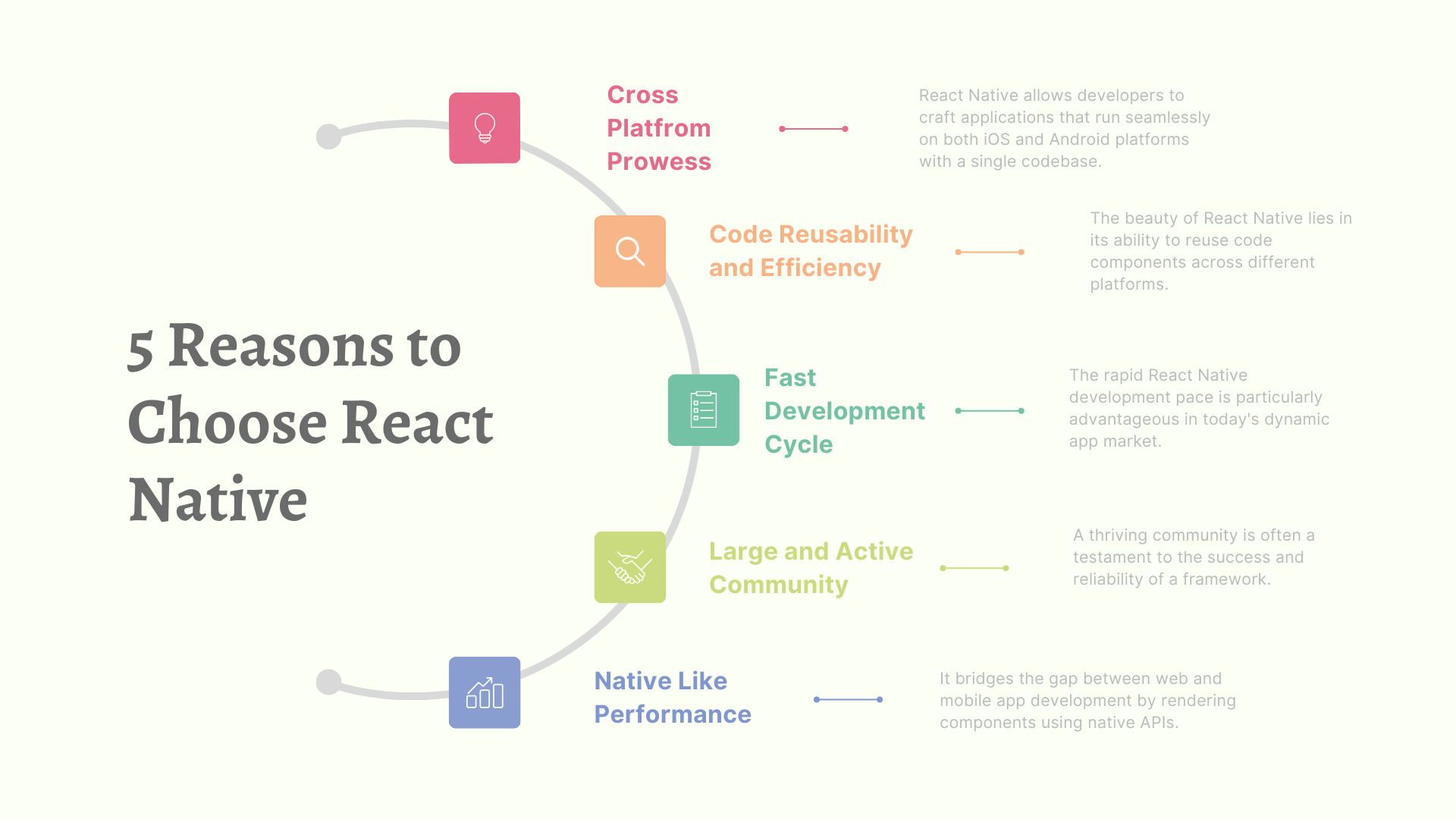
1. Cross-Platform Prowess:

React Native allows developers to craft applications that run seamlessly on both iOS and Android platforms with a single codebase.

This cross-platform capability significantly reduces development time and costs, making it an attractive choice for businesses aiming to reach a wider audience.

2. Code Reusability and Efficiency:

The beauty of React Native lies in its ability to reuse code components across different platforms.

Developers can write code once and deploy it on multiple devices, eliminating the need to build separate codebases for iOS and Android.

This not only accelerates development but also ensures consistency and easier maintenance.

3. Fast Development Cycle:

It comes equipped with a “Hot Reloading” feature, enabling developers to instantly see the results of the latest code changes without restarting the application.

This accelerates the development cycle, allowing for quick iterations and efficient debugging.

The rapid React Native development pace is particularly advantageous in today’s dynamic app market.

4. Large and Active Community:

A thriving community is often a testament to the success and reliability of a framework.

It boasts a large and active community of developers who contribute to its growth.

This means access to a wealth of resources, third-party libraries, and solutions to common challenges.

The community support ensures that developers are not alone in their journey with React Native.

5. Native-Like Performance:

It bridges the gap between web and mobile app development by rendering components using native APIs.

This results in a native-like performance, ensuring that the apps not only look but also feel like native applications.

Users get a smooth and responsive experience, while developers benefit from the efficiency of a single codebase.

Top 6 Mistakes to Avoid During React Native App Development

Top 6 Mistakes to Avoid During React Native App Development

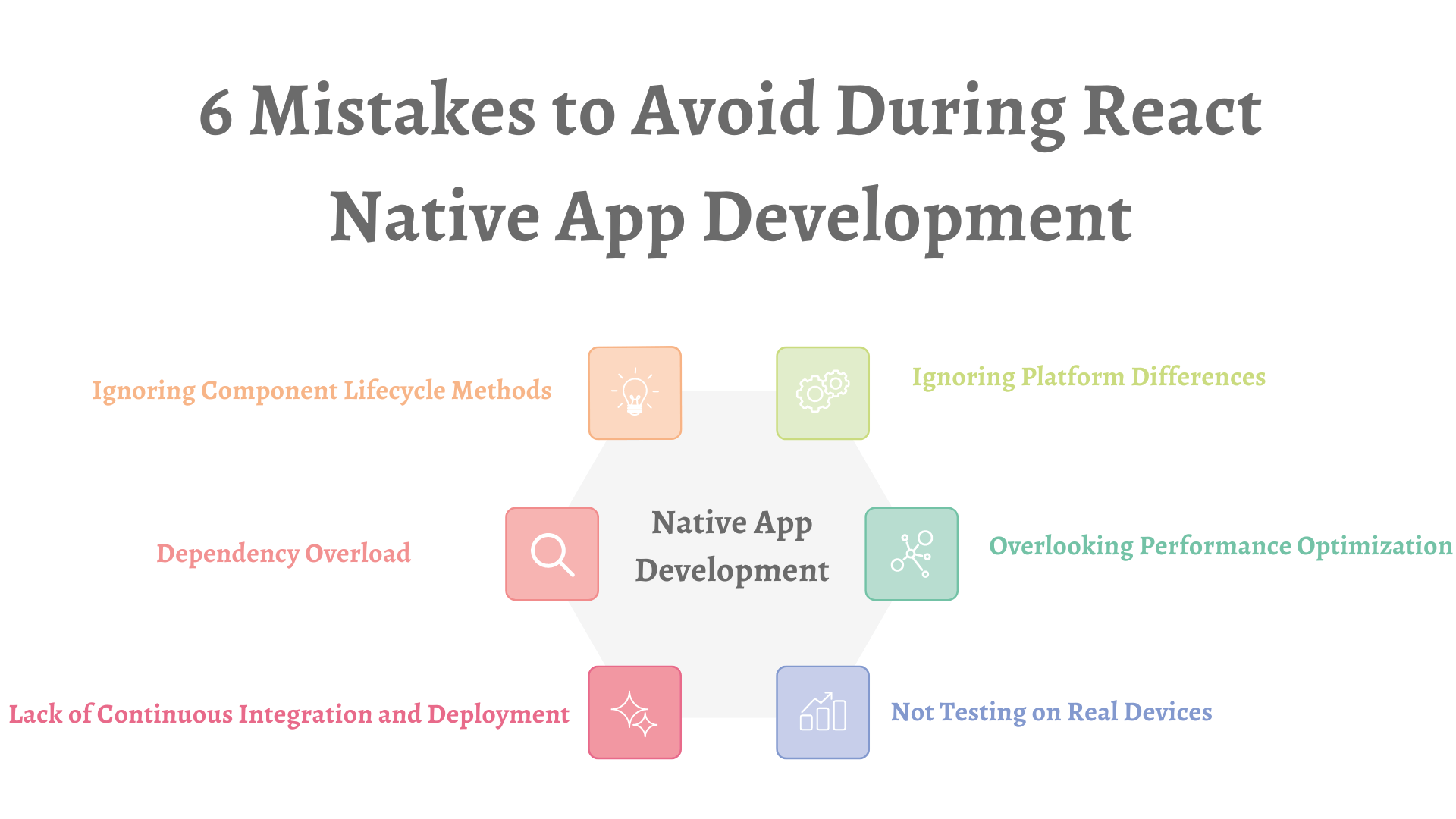
1. Ignoring Platform Differences:

It is celebrated for its cross-platform capabilities, but that doesn’t mean developers can ignore platform nuances.

Neglecting the differences between iOS and Android can lead to unexpected issues.

Always be aware of platform-specific guidelines and ensure your code adapts gracefully to each environment.

2. Overlooking Performance Optimization:

Performance is key in the world of mobile apps. Failing to optimize your React Native application can result in sluggish performance and frustrated users.

Keep an eye on memory usage, utilize performance monitoring tools, and implement best practices to ensure your app runs smoothly across various devices.

3. Not Testing on Real Devices:

While emulators are handy during development, relying solely on them can be a mistake.

Real devices may behave differently, and testing on a variety of actual devices is crucial to catch platform-specific issues, screen size variations, and performance disparities that might be overlooked in emulation.

4. Ignoring Component Lifecycle Methods:

It provides a set of lifecycle methods that are vital for managing component state and handling updates.

Neglecting to understand and leverage these methods properly can lead to memory leaks, unnecessary re-renders, and other performance bottlenecks.

Familiarize yourself with component lifecycles and use them judiciously.

5. Dependency Overload:

Third-party libraries can be a lifesaver, but an excess of dependencies can quickly turn into a nightmare.

It’s essential to evaluate the necessity and reliability of each library before integrating it into your project.

Too many dependencies can bloat your app, increase the likelihood of conflicts, and hinder maintainability.

6. Lack of Continuous Integration and Deployment (CI/CD):

Failing to implement a robust CI/CD pipeline is a common mistake in React Native development.

Continuous integration and deployment practices help catch errors early, ensure code consistency, and streamline the release process.

Set up automated testing and deployment pipelines to enhance the reliability and efficiency of your development workflow.

Conclusion:

React Native’s challenges are not insurmountable, and with the right strategies, developers can navigate through them effectively.

By staying informed, embracing best practices, and actively participating in the community, developers can ensure a successful and secure app development journey.

As the framework evolves, these mitigation strategies will continue to play a crucial role in fostering a robust and efficient React Native development environment.

How To Use Server-Side Rendering with NuxtJS

In the ever-evolving landscape of web development, user experience is the cornerstone of success.

As websites and applications become more complex, the need for faster loading times and seamless interactivity becomes paramount.

Enter Server-Side Rendering (SSR), a game-changing technique that holds the key to boosting performance and elevating user experiences.

In this blog, we embark on a journey into the realm of Server-Side Rendering with NuxtJS, unraveling its capabilities and demonstrating how it can be a catalyst for an unparalleled web experience.

Understanding Server-Side Rendering (SSR):

Server-Side Rendering involves rendering web pages on the server instead of the client’s browser.

Unlike traditional client-side rendering, where the browser handles rendering, SSR delivers pre-rendered HTML to the user’s device.

This shift in rendering strategy results in faster page loads, improved SEO, and enhanced user experiences.

Why Opt for SSR with NuxtJS?

NuxtJS and SSR

NuxtJS, a powerful Vue.js framework, is designed with SSR in mind. Leveraging Vue.js and Node.js capabilities, Nuxt.js brings SSR seamlessly into the Vue ecosystem.

Never miss an update from us. Join 10,000+ marketers and leaders.

This combination not only simplifies the development process but also ensures optimal performance.

Key Benefits of SSR with NuxtJS

In the realm of modern web development, crafting an exceptional user experience is the golden ticket to success.

Enter Server-Side Rendering (SSR), a technique that has emerged as a cornerstone for optimizing web performance and elevating user satisfaction.

Nuxt.js, a Vue.js framework, seamlessly integrates SSR into the development process, offering a treasure trove of benefits.

In this blog, we embark on a journey to uncover the key advantages that Server-Side Rendering with NuxtJS brings to the table.

  1. Blazing Fast Page Loads

One of the most prominent benefits of Server-Side Rendering is the remarkable improvement in page load times.

Traditional client-side rendering often relies on the browser to assemble the page, leading to slower initial renderings.

SSR, on the other hand, delivers fully-rendered HTML directly from the server, reducing the Time to First Byte (TTFB) and providing users with near-instantaneous access to content.

  1. Enhanced Search Engine Optimization (SEO):

Search engines favor websites with content readily available in the initial HTML response.

Server-Side Rendering with NuxtJS ensures that the server delivers fully-rendered pages to search engine crawlers.

This not only improves search engine rankings but also boosts discoverability as crawlers can efficiently index the content.

  1. Optimal User Experience:

Server-Side Rendering contributes significantly to enhancing the overall user experience.

By pre-rendering pages on the server, SSR minimizes the amount of client-side processing required.

Users experience faster interactivity, smoother transitions, and a more responsive user interface, creating a positive and engaging interaction.

  1. Improved Performance on Low-Bandwidth Connections:

In regions where internet connectivity may be less robust, SSR shines as a beacon of performance optimization.

Delivering fully-rendered pages directly from the server reduces the amount of client-side processing, making NuxtJS web applications for more accessible and enjoyable for users with varying bandwidth capabilities.

  1. Streamlined Development Process:

NuxtJS simplifies the development process by providing an out-of-the-box SSR solution.

Developers can focus on building engaging and dynamic applications without the need for complex server configurations.

This streamlined approach not only saves time but also ensures a more straightforward development experience.

  1. Consistent SEO Metadata Management:

With SSR, managing SEO metadata becomes more straightforward.

Metadata, such as title tags and meta descriptions, can be dynamically generated on the server, ensuring consistency and accuracy across all pages.

This meticulous approach to metadata management contributes to better SEO practices.

A Step-by-Step Guide to Implementing SSR with NuxtJS

Server-Side Rendering (SSR) stands as a beacon in web development, illuminating the path to enhanced performance and superior user experiences.

NuxtJS, built upon Vue.js, seamlessly integrates SSR into the development process, making it an ideal framework for those looking to optimize their web applications.

Are you looking for a NuxtJS developers

Contact Us

In this blog, we embark on a practical journey, providing you with a step-by-step guide to implementing SSR with NuxtJS, complete with code examples.

Step 1: Set Up a NuxtJS Project with SSR

Begin by installing NuxtJS using npm:

npx create-nuxt-app my-ssr-project

Follow the prompts to set up your project. Choose ‘Universal’ when asked about rendering mode to enable SSR.

Step 2: Structure Your Project for SSR

NuxtJS follows a convention-over-configuration approach, so organize your project files in the “pages” directory. NuxtJS will automatically generate routes based on the files in this directory.

[code language=”css”]
project

|– assets

|– components

|– layouts

|– middleware

|– pages

|– plugins

|– static

|– store

[/code]

Step 3: Utilize Async Data Fetching

Leverage NuxtJS’s async data fetching to retrieve data on the server before rendering the page. Create a page file (e.g., pages/index.vue) and use the asyncData method:

[code language=”css”]
<template>

<div>

<h1>{{ title }}</h1>

</div>

</template>

<script>

export default {

async asyncData({ params }) {

const response = await fetch(‘https://api.example.com/data’);

const data = await response.json();

return { title: data.title };

}

}

</script>
[/code]

Step 4: Optimize for SEO

SSR inherently contributes to better SEO by delivering fully-rendered HTML to search engines. Optimize further by managing SEO metadata dynamically on the server. In your page component:

[code language=”css”]
<template>

<div>

<h1>{{ title }}</h1>

</div>

</template>

<script>

export default {

async asyncData({ params }) {

const response = await fetch(‘https://api.example.com/data’);

const data = await response.json();

return { title: data.title };

},

head() {

return {

title: this.title,

meta: [

{ hid: ‘description’, name: ‘description’, content: ‘Optimized SEO content’ }

]

};

}

}

</script>

[/code ]
[/code]

Conclusion

By following this step-by-step guide, you’ve laid the foundation for an application that harnesses the power of Server-Side Rendering with NuxtJS.

From setting up your project to optimizing for SEO, each step contributes to a faster, more responsive, and SEO-friendly web application.

As you delve deeper into the world of SSR with NuxtJS, you’ll discover a new realm of possibilities for creating performance and engaging web experiences.

Game-Changing Power of React Native for Businesses in 2024

Hey there, savvy readers! Ready to dive into the tech trends shaping business landscapes in 2024? Well, you’re in for a treat! Picture this: a world where React Native apps are not just buzzwords but the driving force behind a business revolution.

Yep, you heard it right – the demand for React Native app development is skyrocketing, and we’re about to spill the beans on why it’s the game-changer your business needs.

Today, businesses of all industries need mobile apps to cater to a wider audience segment.

Especially in the connected world businesses need mobile app development services to send their brand messages and offers to users who use mobile apps.

React Native mobile app development is one of the leading and most popular cross-platform mobile apps. It powers apps such as Discord, Facebook, Skype, UberEats, Airbnb etc.

Thanks to its versatility and ease-of-use, today more and more developers and businesses are preferring React Native for mobile app development.

React native apps provide the perfect solution as businesses can create apps for all mobile devices cost-effective.

With this cross-platform development technology, developers write the code-base once and deploy it on all mobile OS.

So, join us as we unravel the magic of React Native in the ever-evolving realm of business operations. Let’s make 2024 the year your business goes from good to mind-blowingly awesome!

  1. Enterprise Mobility Solutions:

Enterprises are leveraging React Native to build comprehensive mobility solutions.

Never miss an update from us. Join 10,000+ marketers and leaders.

These apps streamline internal processes, enhance employee productivity, and facilitate seamless communication.

From project management to HR operations, React Native apps are adaptable to diverse enterprise needs.

  1. E-Commerce Applications:

The e-commerce landscape continues to evolve, and businesses are capitalizing on React Native mobile app development capabilities to create responsive and feature-rich mobile shopping experiences.

These apps offer a consistent user interface across platforms, providing a smooth and intuitive buying process.

  1. Healthcare and Telemedicine Apps:

The healthcare sector is witnessing a digital transformation, with React Native playing a pivotal role in the development of healthcare and telemedicine applications.

These apps facilitate remote consultations, appointment scheduling, and health monitoring, contributing to more accessible and efficient healthcare services.

  1. Educational Platforms:

Education technology has become a cornerstone of modern learning, and React Native is at the forefront of developing educational apps.

These platforms offer interactive content, collaborative features, and personalized learning experiences, making education more engaging and accessible.

  1. IoT-Integrated Applications:

With the Internet of Things (IoT) gaining momentum, businesses are integrating React Native into apps that interact seamlessly with IoT devices.

Whether it’s smart home applications or industrial IoT solutions, React Native offers a cross-platform approach for building apps that connect and control IoT ecosystems.

  1. Social Media Platforms:

React Native is an excellent choice for developing social media applications that require a consistent user experience across iOS and Android.

These apps facilitate user engagement, content sharing, and real-time interactions, providing a platform for businesses to connect with their audience.

  1. On-Demand Service Apps:

React Native is well-suited for on-demand service applications, such as food delivery, ride-sharing, and home services.

These apps provide a unified user experience and can be deployed rapidly, allowing businesses to meet the growing demand for convenience and instant services.

How to Optimize React Native Apps?

How to Optimize React Native Apps

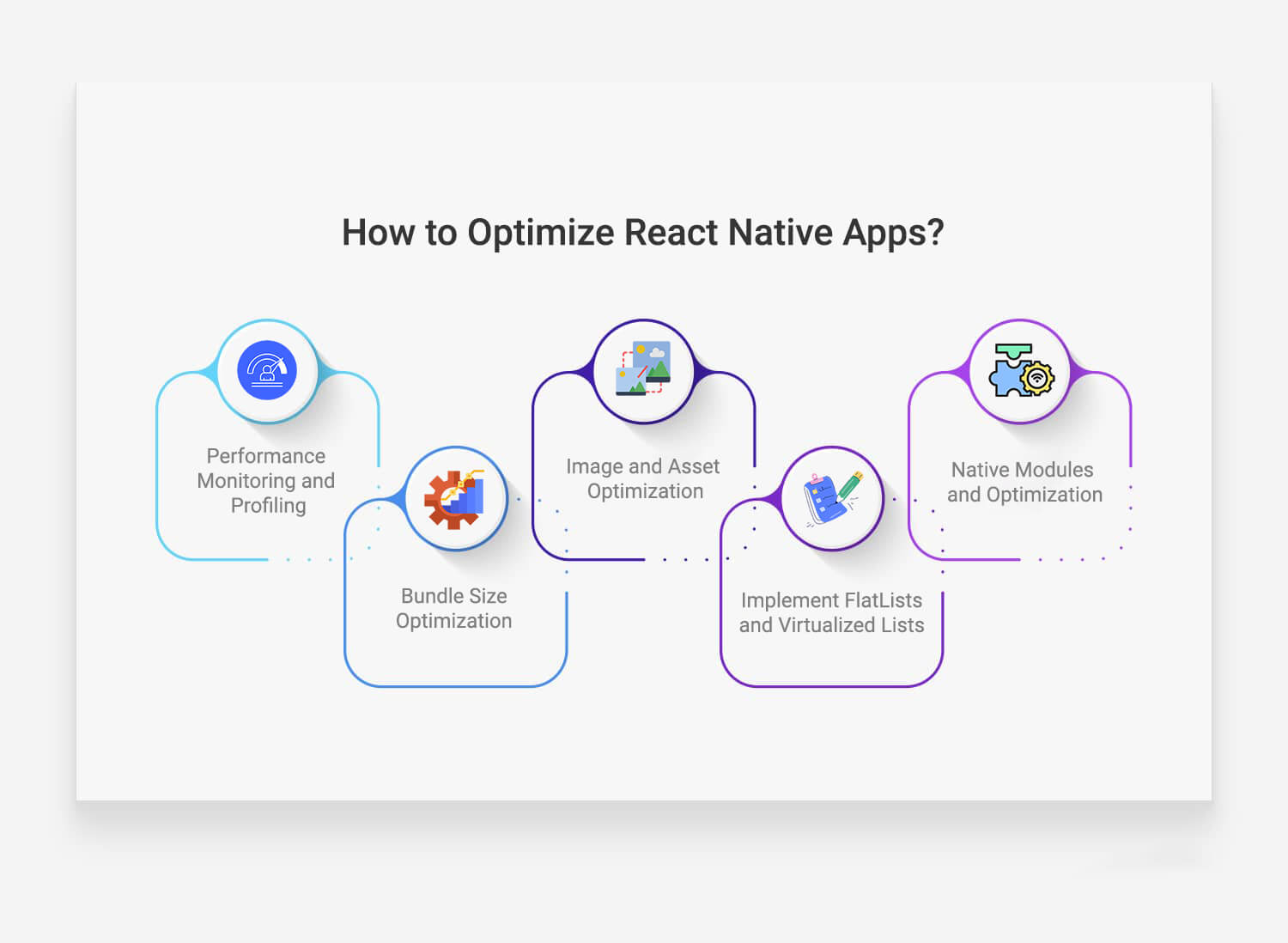
  1. Performance Monitoring and Profiling:

Regularly monitor and profile your React Native app’s performance using tools like React DevTools or React Native Debugger.

Identify and address any bottlenecks, memory leaks, or performance issues.

Profiling helps you understand which components are causing performance issues and allows you to make informed optimizations.

  1. Bundle Size Optimization:

Minimize the size of your app bundle to reduce loading times, especially on slower network connections.

Utilize tools like “react-native-bundle-analyzer” to analyze your bundle size and identify unnecessary dependencies.

Consider code splitting and lazy loading for large applications to load only the necessary components when needed.

  1. Image and Asset Optimization:

Optimize images and other assets to reduce the overall size of your app. Use image compression tools, and consider using the appropriate image format for different scenarios (JPEG for photographs, PNG for transparent images).

Leverage libraries like “react-native-fast-image” to enhance image loading performance, and load images asynchronously to avoid blocking the main thread.

  1. Implement FlatLists and Virtualized Lists:

When dealing with lists of data, use React Native’s FlatList or VirtualizedList components to render only the items currently visible on the screen.

This significantly improves the performance of lists by reducing the number of rendered components and optimizing memory usage.

Additionally, implement keyExtractor for efficient list rendering.

  1. Native Modules and Optimization:

Leverage native modules to offload performance-critical tasks to native code.

If your application involves computationally expensive operations, consider implementing native modules using Android’s NativeModules or iOS’s NativeModules to achieve better performance.

This allows you to tap into the native capabilities of the device and reduce the load on the JavaScript thread.

Remember that optimization is an ongoing process, and it’s essential to test your app on real devices to ensure that optimizations have the desired impact.

Regularly update dependencies, follow best practices, and stay informed about the latest tools and techniques to keep your React Native app running efficiently.

Best Practices to Build Powerful Apps Using React Native

Building powerful apps using React Native requires a combination of best practices to ensure performance, maintainability, and a positive user experience.

Here are some top best practices:

  1. Follow Component-Based Architecture:

Embrace a component-based architecture to break down your app into modular and reusable components.

This approach improves maintainability, encourages code reusability, and facilitates collaboration among developers.

  1. Optimize and Monitor Performance:

Regularly monitor and optimize your app’s performance using tools like React DevTools, Debugger, and other profiling tools.

Identify and address performance bottlenecks, optimize renders, and ensure a smooth user experience across various devices.

  1. Use Functional Components and Hooks:

Embrace functional components and hooks for state management and side effects.

Hooks like useState and useEffect provide a cleaner and more concise way to manage component state and lifecycle methods, making the codebase more readable and maintainable.

  1. Implement Navigation Efficiently:

Choose a navigation library like React Navigation and implement navigation efficiently.

Opt for stack navigators, tab navigators, and drawer navigators as needed.

Use navigation hooks and context to handle navigation state and avoid unnecessary renders.

  1. Optimize Images and Assets:

Optimize images and assets to reduce the app’s overall size. Use appropriate image formats, compress images, and leverage tools like ImageOptim or TinyPNG.

Consider lazy loading or dynamic loading for assets that are not immediately needed to improve initial loading times.

  1. Secure Your App:

Prioritize security by implementing secure coding practices. Avoid using hard coded secrets, validate user inputs, and implement secure authentication mechanisms.

Regularly update dependencies to patch security vulnerabilities, and follow best practices for secure data storage.

  1. Utilize Code Splitting and Lazy Loading:

Implement code splitting and lazy loading to load only the necessary components when they are needed.

This helps reduce the initial bundle size and improves the app’s startup performance, especially on slower network connections.

  1. Handle Offline Scenarios:

Design your app to handle offline scenarios gracefully. Implement offline storage solutions like AsyncStorage or SQLite for data persistence.

Provide feedback to users when the app is offline and sync data with the server once a connection is re-established.

  1. Test Thoroughly on Real Devices:

Test your app thoroughly on real devices to ensure compatibility and performance across different platforms.

Are you looking for React Native Services

Contact Us

Utilize testing frameworks like Jest for unit testing and Detox for end-to-end testing.

Regularly perform manual testing on various devices to catch potential issues.

  1. Stay Updated and Engage with the Community:

Keep your dependencies and React Native version up-to-date to benefit from the latest features, improvements, and security patches.

Engage with the React Native community through forums, conferences, and social media to stay informed about best practices and emerging trends.

By incorporating these best practices, you can build powerful and efficient React Native apps that deliver a superior user experience while maintaining a robust and maintainable codebase.

Conclusion

As we navigate the ever-evolving landscape of business operations in 2024, React Native technology stands as a beacon of innovation and efficiency.

Today, React Native apps are empowering businesses to deliver mobile apps that are stunning, engaging and are cross-platform compatible.

Therefore, React Native app development has become one of the most innovative, and successful mobile apps across different industries.

From enterprise mobility solutions to healthcare applications and beyond, the versatility of React Native is reshaping industries and setting new standards for cross-platform app development.

To stay at the forefront of this transformative wave, remember to not only explore the diverse types of React Native apps but also adhere to best practices for optimization and development.

By doing so, your business can not only keep pace with the demands of 2024 but also thrive in a digital landscape that rewards innovation, efficiency, and user-centric experiences.

Here’s to a future where React Native continues to propel businesses towards unparalleled success – one app at a time. Thank you for joining us on this insightful journey!