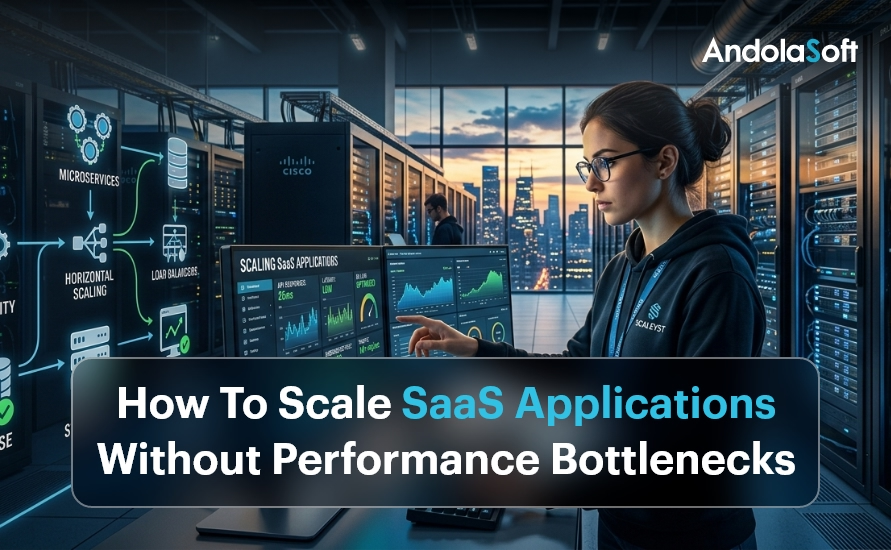
Introduction: Why SaaS Scaling Is More Critical Than Ever
Every SaaS company dreams of rapid growth. But when thousands of new users flood your platform overnight, can your application keep up? Scaling SaaS applications without performance bottlenecks is no longer optional — it is the difference between retaining customers and losing them forever.
In 2025, the global SaaS market crossed $317 billion, and competition is fierce. Users expect sub-second load times, 99.99% uptime, and seamless experiences across devices. One slow API response or a database timeout can cost you thousands in churned subscriptions.
The good news? Bottlenecks are preventable. With the right cloud infrastructure strategy and architecture decisions, your SaaS platform can scale smoothly — from 100 users to 10 million.
This guide covers proven, battle-tested techniques to help startups, SMEs, and SaaS companies eliminate performance problems before they happen. Let’s dive in.
SaaS Scaling Without Bottlenecks (2026)
- SaaS growth demands high performance, uptime, and seamless user experience
- Bottlenecks often originate from databases, monolithic systems, and inefficient APIs
- Auto-scaling and load balancing handle unpredictable traffic spikes
- Database optimization, caching, and async processing improve performance significantly
- Monitoring and CI/CD pipelines ensure continuous performance improvements
- AI-driven automation enhances scalability and reduces downtime
What Are SaaS Performance Bottlenecks?
A performance bottleneck is any point in your system that slows down the entire application when load increases. Think of it like a traffic jam on a highway — a single lane restriction can back up miles of traffic.
Common SaaS bottlenecks include overloaded databases struggling with concurrent queries, monolithic codebases that can’t scale individual features independently, insufficient server resources during traffic spikes, inefficient API endpoints making redundant calls, no caching layer forcing every request to hit the database, and poorly optimized front-end assets slowing page loads.
Identifying these early is the first step. Our application modernization services help businesses diagnose legacy bottlenecks and re-architect systems for scale.
1. Adopt a Microservices Architecture
The single biggest architectural decision that enables SaaS scalability is moving from a monolith to microservices. In a monolithic application, every feature runs in a single codebase. When one service gets overwhelmed, the entire application slows down.
Microservices break your application into small, independently deployable services. Your billing module, user authentication, notification engine, and analytics dashboard can each scale independently — without impacting each other.
Real-World Example
A fast-growing HR SaaS company we worked with at Andolasoft processed payroll for 500 clients. During payroll run day, their monolith crashed repeatedly. After migrating to microservices using our AI framework services, their payroll service scaled to 10x load independently — without affecting other modules.
Key benefits of microservices for SaaS include independent scaling of high-demand modules, faster deployment cycles, improved fault isolation, and better team autonomy for engineering squads. Combine this with our intelligent automation solutions to auto-deploy and manage microservices efficiently.
2. Implement Auto-Scaling and Load Balancing
Auto-scaling is the ability of your infrastructure to automatically spin up new server instances when traffic spikes and remove them when load drops. Load balancing distributes incoming requests evenly across these instances.
Together, they ensure your SaaS application never gets overwhelmed — even during viral growth moments or marketing campaigns that bring unexpected surges.
Horizontal scaling adds more servers to handle load. This is preferred for SaaS because it avoids single points of failure. Vertical scaling upgrades existing servers — useful for databases but has a ceiling.
Use cloud-native auto-scaling tools like AWS Auto Scaling Groups, Google Cloud Autoscaler, or Azure VMSS. Configure scale-out triggers based on CPU usage, memory, and request count thresholds. Our cloud and infrastructure services team designs auto-scaling policies tailored for SaaS workloads.
3. Optimize Your Database for High-Traffic SaaS
The database is the most common performance bottleneck in SaaS applications. As your user base grows, poorly structured queries and missing indexes can bring your entire platform to its knees.
Read replicas distribute read queries across multiple database instances, freeing your primary database for writes. This alone can reduce database load by 60–70% for read-heavy SaaS apps. Database sharding partitions data horizontally across multiple instances for dramatically improved query performance at scale.
Connection pooling with tools like PgBouncer prevents connection exhaustion under high concurrency. Query optimization — regularly run EXPLAIN ANALYZE on slow queries, add composite indexes for frequent query patterns, and avoid N+1 query problems with eager loading in your ORM.
Our data and analytics experts help SaaS teams redesign data models for massive scale. We specialize in NBFC data analytics and BFSI analytics platforms that handle millions of transactions daily.
4. Use Caching Aggressively at Every Layer
Caching is one of the most powerful tools to eliminate performance bottlenecks. Instead of recomputing the same result on every request, you store and return pre-computed results instantly.
Application-level caching using Redis or Memcached stores session data and frequently accessed objects in memory — dropping response times from hundreds of milliseconds to under 5ms. Database query caching stores the results of expensive queries so repeated requests don’t hit the database. CDN caching for static assets serves files from edge nodes closest to the user, reducing Time to First Byte (TTFB) by up to 80%.
A well-designed caching strategy, implemented alongside our application modernization process, reduces infrastructure costs while boosting performance significantly.
5. Build for Asynchronous Processing
Not every task needs to happen in real time. Sending welcome emails, generating PDF invoices, processing video uploads — these can all happen asynchronously without blocking the user experience.
Use message queues like RabbitMQ, Apache Kafka, or AWS SQS to offload background jobs. Your main application handles user requests instantly and pushes heavy tasks to background workers.
Our enterprise integration services team builds robust queue-based architectures that handle millions of background tasks without impacting front-end performance.
Use Case: SaaS Reporting Engine
An Andolasoft client’s analytics SaaS was timing out when users requested large reports. We implemented async report generation with Kafka queues. Users now receive an email with their report link — generated in the background. Zero timeouts. Zero frustrated users.
6. Optimize Your React and Python Backends
Your front-end and back-end code directly impacts SaaS performance. Poorly written React components re-render unnecessarily. Python endpoints without async support block under concurrency.
For React performance, use React.memo() and useMemo() to prevent unnecessary re-renders, implement code splitting and lazy loading for large components, virtualize long lists with react-window, and optimize bundle size with tree shaking. Our React.js development team specializes in building high-performance SaaS front-ends that score 90+ on Core Web Vitals.
For Python backend optimization, use FastAPI over Flask for async-native APIs, implement connection pooling with SQLAlchemy async sessions, profile with cProfile and py-spy to find CPU bottlenecks, and use Celery for distributed task processing. Our Python development experts build scalable, async-first backends that handle thousands of concurrent users efficiently.
7. Set Up Monitoring, Observability and Alerting
You can’t fix what you can’t see. Comprehensive monitoring is the foundation of a scalable SaaS architecture. Without it, bottlenecks hide in plain sight until they cause outages.
APM (Application Performance Monitoring) tools like Datadog, New Relic, or Dynatrace give end-to-end visibility into every transaction — showing exactly which database query, API call, or service is causing slowdowns. Distributed tracing with OpenTelemetry tracks a single user request across all microservices. Real User Monitoring (RUM) captures performance data from actual users’ browsers, identifying geographic performance issues and JavaScript errors in production.
Our enterprise IT security team integrates monitoring with security alerting, detecting both performance issues and threats simultaneously. Combine this with our software quality assurance processes for continuous performance testing in CI/CD pipelines.
8. Implement a Robust CI/CD Pipeline
Slow, manual deployments create bottlenecks in your engineering workflow — and risky big-bang releases cause performance regressions. A CI/CD pipeline automates testing, building, and deployment so your team ships fast and safe.
Key practices for SaaS CI/CD: run automated load tests on every PR using k6 or Locust, use blue-green deployments for zero-downtime shipping, implement feature flags for gradual rollouts, and containerize with Docker and Kubernetes for consistent scaling. Our innovation and product R&D team builds CI/CD pipelines that reduce deployment risk while accelerating release velocity.
9. Leverage AI and Intelligent Automation
Modern SaaS scaling goes beyond infrastructure. AI-driven autoscaling predicts traffic spikes before they happen. Intelligent automation handles repetitive operational tasks — freeing your team to focus on growth.
Our autonomous AI assistants monitor your SaaS platform, automatically trigger scaling events, and generate incident reports without human intervention — dramatically reducing Mean Time To Recovery (MTTR).
Our digital strategy and transformation services help SaaS companies build AI-first scaling strategies aligned with long-term business goals.
How Andolasoft Helps You Scale SaaS Without Limits
Andolasoft has been helping startups and SMEs build and scale SaaS platforms for over 15 years. Our full-stack expertise spans cloud infrastructure, application modernization, AI automation, and data analytics — everything you need to grow without bottlenecks.
Whether you need to re-architect a legacy monolith, set up auto-scaling infrastructure, or optimize a slow database, our team has done it before — for clients in BFSI, NBFC, healthcare, HR tech, and e-commerce. Explore our core SaaS scaling capabilities:
- Cloud & Infrastructure Services
- Application Modernization
- Intelligent Automation
- Data & Analytics
- Enterprise Project Management
Conclusion: Scale Smart, Scale Fast
Scaling SaaS applications without performance bottlenecks is a systematic effort — not a one-time fix. It requires the right architecture, smart infrastructure choices, proactive monitoring, and continuous optimization.
Start with the highest-impact changes: move to microservices, implement auto-scaling, add a caching layer, and set up APM monitoring. Then layer in async processing, CI/CD automation, and AI-driven operations as you grow.
The companies that win in SaaS are the ones that treat scalability as a core product feature — not an afterthought. Andolasoft is here to help you build that foundation. Explore our blog for more SaaS engineering best practices, or speak to our digital governance team to audit your current architecture..
Frequently Asked Questions
1. How do I identify performance bottlenecks in my SaaS application?
Use APM tools like Datadog or New Relic to trace slow transactions. Enable slow query logging in your database. Run load tests with k6 or Locust to simulate high traffic and identify breaking points before they affect real users.
2. When should a SaaS company move to microservices?
Move to microservices when your monolith’s deployment cycles slow your team down, specific modules experience uneven load, or different parts of your app need independent scaling. For early-stage startups, a well-structured monolith is still fine.
3. What is the best database for high-scale SaaS?
PostgreSQL with read replicas works for most SaaS applications. For extremely high-read workloads, add Redis for caching. For massive write throughput, explore distributed databases like CockroachDB or Amazon Aurora.
4. How much does it cost to scale a SaaS application?
Costs vary widely. Proper auto-scaling can reduce costs by 30–50% compared to over-provisioned static infrastructure. The key is right-sizing your resources with intelligent auto-scaling policies.
5. What is horizontal vs. vertical scaling for SaaS?
Horizontal scaling adds more servers to handle load — preferred for SaaS as it avoids single points of failure. Vertical scaling upgrades a single server’s resources — simpler but limited by hardware constraints and single points of failure.